Transactional email
Send the emails an app must send: templates with a text part, a queue with retries, and a suppression list fed by bounces.
This is an app part spec on Spekkr, published by rook. It is listed with the other specs. Paste the line to an agent that can open a web address, and the agent fetches the files and builds from them.
- Spec
rook/transactional-email- Version
- 0.1.2
- Published by
- rook
- Updated
- 15 Nov 2026
Build this spec
Build the spec at https://spekkr.com/rook/transactional-email/start.md.
Paste this to your AI agent. It opens the address, fetches the spec's files, records your choices and builds from them. Nothing to install, no account.
Published by rook.
What does the result look like?
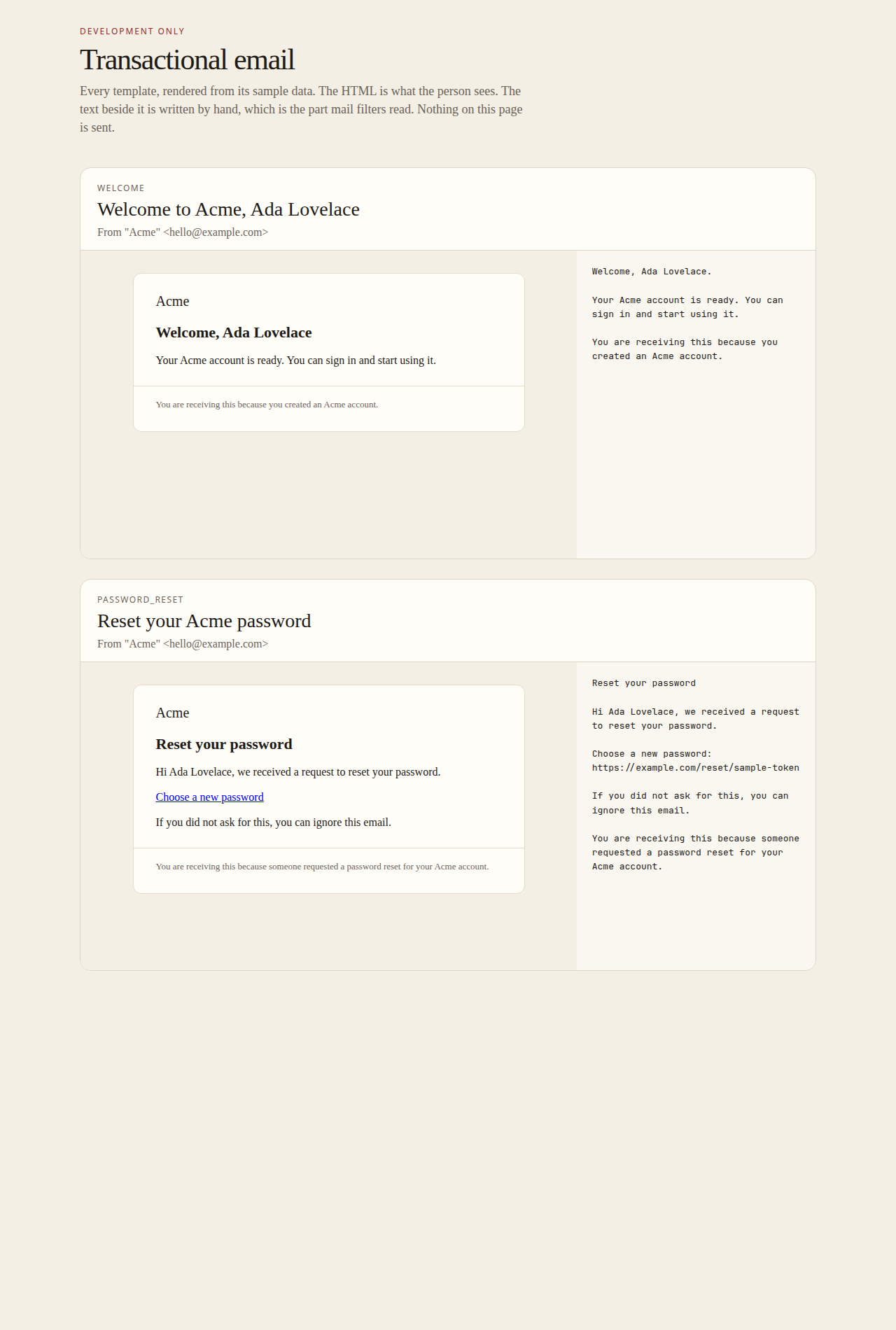
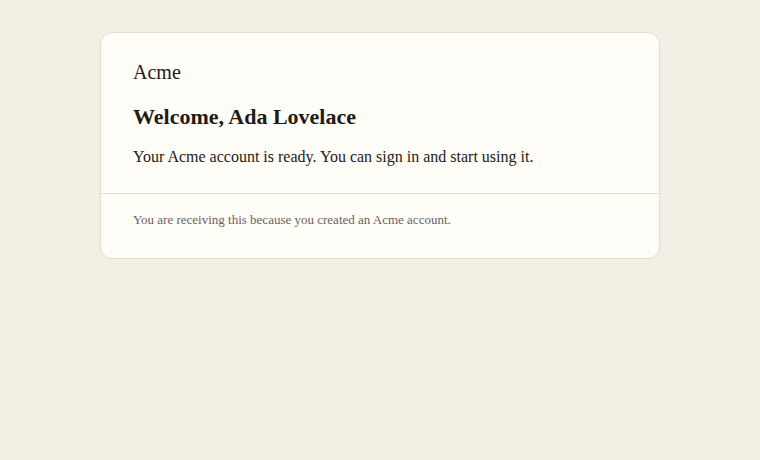
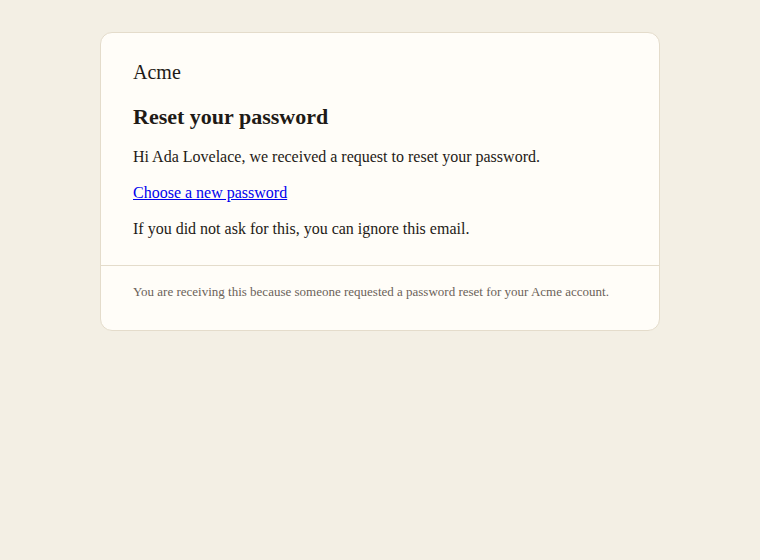
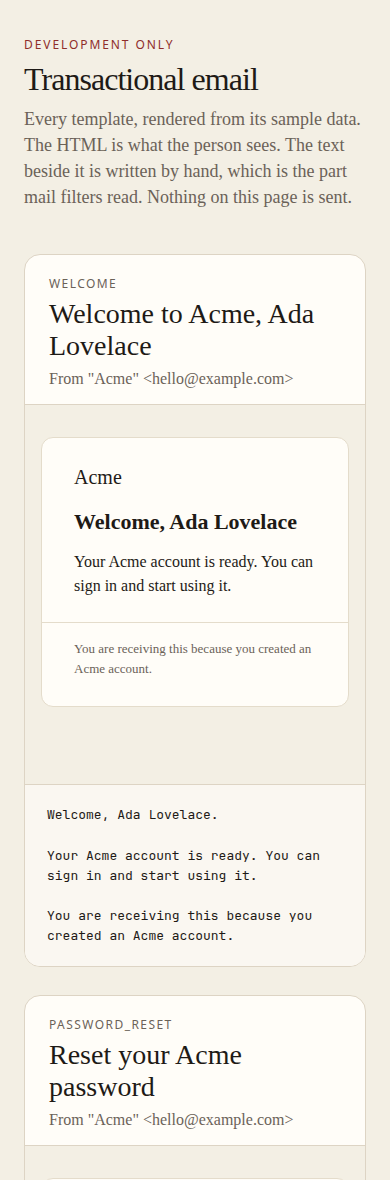
What can I customize?
Your choices go into the line you copy. Anything else is yours to edit, but it leaves the tested path.
What do I get?
-
spec.mdRequirements and acceptance criteria.Transactional email
What this builds
The part of an app that sends email a person is waiting for: a receipt, a password reset, an invitation. App code names a template and a recipient. The message is queued, sent, retried if the email service is down, and never sent to an address that has bounced.
Read
spekkr.inputs.jsonfirst. Messages are fromfrom_nameatfrom_address.transportsays how they leave.preview_pagedecides whether R9 exists andprovider_eventswhether R6 does.Out of scope
- Newsletters and marketing email, and with them unsubscribe links. Email sent here is email the person asked for by using the app.
- Tracking of opens and clicks.
- Setting up the sending domain. The README says which DNS records the email service will ask for.
Requirements
Each requirement has an id. Tests name the id they cover.
R1. Ask for an email
- App code calls
send_email(template, to, data, options). - A message asked for inside a database transaction is queued exactly when the transaction commits.
- With a
dedupe_key, a second message with the same template, recipient and key inside 24 hours is not queued. - A template name that does not exist, or data missing something the template needs, is an error at the call, not when the message is sent.
Accept when: a rolled-back transaction queues nothing, a repeat with the same key queues nothing, and a call with missing data fails at once.
R2. Templates
- A template has a subject, an HTML part and a text part. A test fails if any template lacks a text part.
- Everything put into the HTML part from
datais escaped. A value is let through as HTML only where the template marks it, and no template does unless the person adds one. - One layout wraps every HTML part: the sender's name, the content, and a footer that says why the person got the email.
- The first two templates are
welcomeandpassword_reset.
Accept when: a name of
<script>alert(1)</script>appears in the sent HTML as text, and every template renders both parts from its sample data.R3. Addresses and headers
- A recipient is one address. It is trimmed, and refused unless it has one
@, something on both sides, and no spaces or control characters. - A subject, a name or an address that holds a line break is refused. That is how a form field is turned into extra headers.
- Each message carries
From,To,Subject,Date, aMessage-IDon the sending domain, andReply-Towhen the options give one.
Accept when: a recipient or a subject holding a line break is refused before anything is queued.
R4. Send and retry
- A worker takes queued messages and hands them to the transport.
- A failure that may pass, such as a timeout, a status of 429 or one of 500 and above, is tried again after 1 minute, 5 minutes, 30 minutes and 2 hours. After the fifth failure the message is marked failed.
- A failure that will not pass, such as an address the service rejects, is not retried. The message is marked failed with the reason.
- A message is handed to the transport once. If the process dies in between, the message is sent again rather than lost, and its
Message-IDis the same both times.
Accept when: a transport that fails twice with 503 then accepts is called three times, one that rejects the address is called once, and two workers never send the same message.
R5. Do not send to addresses that bounced
- An address is suppressed after a hard bounce or a spam complaint.
- A message to a suppressed address is not sent. It is marked skipped, with the reason.
- Addresses are compared in lowercase.
- An administrator can lift a suppression, for a person who fixed their mailbox.
Accept when: after a hard bounce the next message to that address is skipped, and after the suppression is lifted the next is sent.
R6. Hear about bounces
Only if
provider_eventsis on.POST /email/eventstakes the email service's reports. The request's signature is checked withEMAIL_EVENTS_SECRETbefore it is read.- A report is turned into one of four kinds: delivered, bounced for good, bounced for now, complained. Only "bounced for good" and "complained" suppress.
- A report about a message this app did not send is ignored.
- The same report twice changes nothing the second time.
Accept when: each kind has a test, and a "bounced for now" report suppresses nothing.
R7. In development and in tests
- With no
EMAIL_API_KEY, messages are not sent. Each is written to the console and to a folder, and the app says so once when it starts. - Tests capture messages in memory through the same interface, and can ask what was sent to whom.
- The app refuses to start in production without a key.
Accept when: a test sends a message and reads its subject and both parts back.
R8. A record of what was sent
- Each message keeps its template, recipient, state, attempts, the service's id for it, and the times it was queued and sent.
- The rendered body is not kept. It can hold a reset link or personal data. The data used to render it is deleted once the message is sent.
- Records are deleted after 30 days.
Accept when: after sending, the database holds no rendered body and no data for the message.
R9. Preview page
Only if
preview_pageis on.- A page lists every template, and shows each one's subject, HTML part and text part rendered from its sample data.
- The page exists in development only. In production its address gets 404.
Accept when: every template appears, and the address gets 404 in production mode.
Definition of done
- Every acceptance check above has an automated test, and all tests pass. Tests set the clock and use no outside network.
- No log line holds a rendered body or an API key.
- A README explains how to add a template, how to send, which DNS records the sending domain needs, and how to run the tests.
# Transactional email

## What this builds

The part of an app that sends email a person is waiting for: a receipt, a
password reset, an invitation. App code names a template and a recipient. The
message is queued, sent, retried if the email service is down, and never sent to
an address that has bounced.

Read `spekkr.inputs.json` first. Messages are from `from_name` at `from_address`.
`transport` says how they leave. `preview_page` decides whether R9 exists and
`provider_events` whether R6 does.

## Out of scope

- Newsletters and marketing email, and with them unsubscribe links. Email sent
  here is email the person asked for by using the app.
- Tracking of opens and clicks.
- Setting up the sending domain. The README says which DNS records the email
  service will ask for.

## Requirements

Each requirement has an id. Tests name the id they cover.

### R1. Ask for an email

- App code calls `send_email(template, to, data, options)`.
- A message asked for inside a database transaction is queued exactly when the
  transaction commits.
- With a `dedupe_key`, a second message with the same template, recipient and key
  inside 24 hours is not queued.
- A template name that does not exist, or data missing something the template
  needs, is an error at the call, not when the message is sent.

Accept when: a rolled-back transaction queues nothing, a repeat with the same key
queues nothing, and a call with missing data fails at once.

### R2. Templates

- A template has a subject, an HTML part and a text part. A test fails if any
  template lacks a text part.
- Everything put into the HTML part from `data` is escaped. A value is let
  through as HTML only where the template marks it, and no template does unless
  the person adds one.
- One layout wraps every HTML part: the sender's name, the content, and a footer
  that says why the person got the email.
- The first two templates are `welcome` and `password_reset`.

Accept when: a name of `<script>alert(1)</script>` appears in the sent HTML as
text, and every template renders both parts from its sample data.

### R3. Addresses and headers

- A recipient is one address. It is trimmed, and refused unless it has one `@`,
  something on both sides, and no spaces or control characters.
- A subject, a name or an address that holds a line break is refused. That is how
  a form field is turned into extra headers.
- Each message carries `From`, `To`, `Subject`, `Date`, a `Message-ID` on the
  sending domain, and `Reply-To` when the options give one.

Accept when: a recipient or a subject holding a line break is refused before
anything is queued.

### R4. Send and retry

- A worker takes queued messages and hands them to the transport.
- A failure that may pass, such as a timeout, a status of 429 or one of 500 and
  above, is tried again after 1 minute, 5 minutes, 30 minutes and 2 hours. After
  the fifth failure the message is marked failed.
- A failure that will not pass, such as an address the service rejects, is not
  retried. The message is marked failed with the reason.
- A message is handed to the transport once. If the process dies in between, the
  message is sent again rather than lost, and its `Message-ID` is the same both
  times.

Accept when: a transport that fails twice with 503 then accepts is called three
times, one that rejects the address is called once, and two workers never send
the same message.

### R5. Do not send to addresses that bounced

- An address is suppressed after a hard bounce or a spam complaint.
- A message to a suppressed address is not sent. It is marked skipped, with the
  reason.
- Addresses are compared in lowercase.
- An administrator can lift a suppression, for a person who fixed their mailbox.

Accept when: after a hard bounce the next message to that address is skipped, and
after the suppression is lifted the next is sent.

### R6. Hear about bounces

Only if `provider_events` is on.

- `POST /email/events` takes the email service's reports. The request's
  signature is checked with `EMAIL_EVENTS_SECRET` before it is read.
- A report is turned into one of four kinds: delivered, bounced for good, bounced
  for now, complained. Only "bounced for good" and "complained" suppress.
- A report about a message this app did not send is ignored.
- The same report twice changes nothing the second time.

Accept when: each kind has a test, and a "bounced for now" report suppresses
nothing.

### R7. In development and in tests

- With no `EMAIL_API_KEY`, messages are not sent. Each is written to the console
  and to a folder, and the app says so once when it starts.
- Tests capture messages in memory through the same interface, and can ask what
  was sent to whom.
- The app refuses to start in production without a key.

Accept when: a test sends a message and reads its subject and both parts back.

### R8. A record of what was sent

- Each message keeps its template, recipient, state, attempts, the service's id
  for it, and the times it was queued and sent.
- The rendered body is not kept. It can hold a reset link or personal data. The
  data used to render it is deleted once the message is sent.
- Records are deleted after 30 days.

Accept when: after sending, the database holds no rendered body and no data for
the message.

### R9. Preview page

Only if `preview_page` is on.

- A page lists every template, and shows each one's subject, HTML part and text
  part rendered from its sample data.
- The page exists in development only. In production its address gets 404.

Accept when: every template appears, and the address gets 404 in production mode.

## Definition of done

- Every acceptance check above has an automated test, and all tests pass. Tests
  set the clock and use no outside network.
- No log line holds a rendered body or an API key.
- A README explains how to add a template, how to send, which DNS records the
  sending domain needs, and how to run the tests.
-
design.mdData model, rules and flows.Design
This file fixes the parts that are easy to get wrong. Choose the language and framework that fit the person's project; nothing here depends on them.
Data model
Use the database in the
databaseinput.Table Columns emailsid,template,recipient,data(JSON, emptied once sent),dedupe_key,message_id,state,attempts,next_attempt_at,provider_id,last_error,queued_at,sent_atemail_suppressionsaddress(primary key, lowercase),reason,created_atemail_reportsid(the service's id for the report, primary key),kind,provider_id,atstateis one ofqueued,sending,sent,failedandskipped. A unique index ontemplate,recipientanddedupe_key, where the key is set, does the work of R1. A job clears the key on rows older than 24 hours.The transport
One interface with one operation,
deliver(message), which answers "accepted" with the service's id, "try again" or "refused" with a reason.transportNotes http_apiOne POSTto the email service withEMAIL_API_KEY. Map its statuses: 2xx accepted; 429 and 5xx try again; other 4xx refused. Time out after 10 seconds.smtpSTARTTLS, then authenticate. Replies of 4yz mean try again; 5yz mean refused. Tests use a third one that keeps messages in a list.
Rules
- Choose the
Message-IDwhen the message is queued and store it: a random part,@, and the domain of thefrom_addressinput. - Build the
Fromheader from thefrom_nameandfrom_addressinputs. Quote the name. - Check for suppression when sending, not when queueing, so a bounce that arrives while a message waits still stops it.
- A worker claims rows that are
queuedwithnext_attempt_atpassed. In Postgres claim withFOR UPDATE SKIP LOCKED; in SQLite with a singleUPDATEthat setssendingwhere the state isqueued. A row left insendingfor more than 2 minutes is claimable again. - The waits after failures 1 to 4 are 60, 300, 1800 and 7200 seconds.
- Derive the text part by hand, not from the HTML. A machine-made text part reads badly and mail filters notice.
Reports
Services name things differently. Map what the service sends onto these:
Kind Typical names at services delivered delivered, delivery bounced for good hard bounce, permanent failure, invalid recipient bounced for now soft bounce, deferred, transient failure, mailbox full complained spam complaint, complaint A person whose service speaks otherwise puts a few translating lines in front.
Configuration
Secret Purpose DATABASE_URLConnection string for the chosen database. EMAIL_API_KEYSends the emails, or the SMTP password. Not needed in development. EMAIL_API_URLWhere the http_apitransport posts each message. Only withhttp_api. Not needed in development.EMAIL_EVENTS_SECRETChecks the signature on reports. Only with provider_events.Named here
- The
http_apitransport makes onePOSTtoEMAIL_API_URLwithAuthorization: Bearer <EMAIL_API_KEY>and a JSON body offrom,to,subject,text,htmlandmessage_id. - A report arrives with the header
X-Email-Signature, the HMAC-SHA-256 of the raw body underEMAIL_EVENTS_SECRET, in hex. The raw bytes are read for the check and parsed only after it passes.
What this spec leaves to you
Where this spec names something, use that name, so that two builds of it agree. Where it does not, the choice is yours. List what you chose in the README.
# Design

This file fixes the parts that are easy to get wrong. Choose the language and
framework that fit the person's project; nothing here depends on them.

## Data model

Use the database in the `database` input.

| Table | Columns |
| --- | --- |
| `emails` | `id`, `template`, `recipient`, `data` (JSON, emptied once sent), `dedupe_key`, `message_id`, `state`, `attempts`, `next_attempt_at`, `provider_id`, `last_error`, `queued_at`, `sent_at` |
| `email_suppressions` | `address` (primary key, lowercase), `reason`, `created_at` |
| `email_reports` | `id` (the service's id for the report, primary key), `kind`, `provider_id`, `at` |

`state` is one of `queued`, `sending`, `sent`, `failed` and `skipped`. A unique
index on `template`, `recipient` and `dedupe_key`, where the key is set, does the
work of R1. A job clears the key on rows older than 24 hours.

## The transport

One interface with one operation, `deliver(message)`, which answers "accepted"
with the service's id, "try again" or "refused" with a reason.

| `transport` | Notes |
| --- | --- |
| `http_api` | One `POST` to the email service with `EMAIL_API_KEY`. Map its statuses: 2xx accepted; 429 and 5xx try again; other 4xx refused. Time out after 10 seconds. |
| `smtp` | STARTTLS, then authenticate. Replies of 4yz mean try again; 5yz mean refused. |

Tests use a third one that keeps messages in a list.

## Rules

- Choose the `Message-ID` when the message is queued and store it:
  a random part, `@`, and the domain of the `from_address` input.
- Build the `From` header from the `from_name` and `from_address` inputs. Quote
  the name.
- Check for suppression when sending, not when queueing, so a bounce that arrives
  while a message waits still stops it.
- A worker claims rows that are `queued` with `next_attempt_at` passed. In
  Postgres claim with `FOR UPDATE SKIP LOCKED`; in SQLite with a single `UPDATE`
  that sets `sending` where the state is `queued`. A row left in `sending` for
  more than 2 minutes is claimable again.
- The waits after failures 1 to 4 are 60, 300, 1800 and 7200 seconds.
- Derive the text part by hand, not from the HTML. A machine-made text part reads
  badly and mail filters notice.

## Reports

Services name things differently. Map what the service sends onto these:

| Kind | Typical names at services |
| --- | --- |
| delivered | delivered, delivery |
| bounced for good | hard bounce, permanent failure, invalid recipient |
| bounced for now | soft bounce, deferred, transient failure, mailbox full |
| complained | spam complaint, complaint |

A person whose service speaks otherwise puts a few translating lines in front.

## Configuration

| Secret | Purpose |
| --- | --- |
| `DATABASE_URL` | Connection string for the chosen database. |
| `EMAIL_API_KEY` | Sends the emails, or the SMTP password. Not needed in development. |
| `EMAIL_API_URL` | Where the `http_api` transport posts each message. Only with `http_api`. Not needed in development. |
| `EMAIL_EVENTS_SECRET` | Checks the signature on reports. Only with `provider_events`. |

## Named here

- The `http_api` transport makes one `POST` to `EMAIL_API_URL` with
  `Authorization: Bearer <EMAIL_API_KEY>` and a JSON body of `from`, `to`,
  `subject`, `text`, `html` and `message_id`.
- A report arrives with the header `X-Email-Signature`, the HMAC-SHA-256 of the
  raw body under `EMAIL_EVENTS_SECRET`, in hex. The raw bytes are read for the
  check and parsed only after it passes.

## What this spec leaves to you

Where this spec names something, use that name, so that two builds of it agree.
Where it does not, the choice is yours. List what you chose in the README.
- Choose the
-
tasks.mdBuild tasks in order, each with a check.Tasks
Work in order. Finish a task's check before starting the next.
- Set up. Add the tables in
design.md, a clock that tests can set, and the transport that keeps messages in a list. Check: migrations run from empty. - Templates (R2). The layout, the first two templates and their sample data. Check: the R2 acceptance tests pass.
- Addresses and headers (R3). Use the
from_nameandfrom_addressinputs. Check: the R3 acceptance tests pass. - Ask for an email (R1). Check: the R1 acceptance tests pass.
- Send and retry (R4), suppression (R5). Check: the R4 and R5 acceptance tests pass.
- The real transport. For the
transportinput. Check: its mapping of statuses or replies has a test for each row indesign.md. - Reports (R6). Only if
provider_eventsis on. Check: the R6 acceptance tests pass. - Development mode (R7) and the record (R8). Check: the R7 and R8 acceptance tests pass.
- Preview page (R9). Only if
preview_pageis on. Check: the R9 acceptance tests pass. - Finish. Write the README and run the whole test suite. Check: every item under "Definition of done" in
spec.mdis true.
# Tasks Work in order. Finish a task's check before starting the next. 1. **Set up.** Add the tables in `design.md`, a clock that tests can set, and the transport that keeps messages in a list. Check: migrations run from empty. 2. **Templates (R2).** The layout, the first two templates and their sample data. Check: the R2 acceptance tests pass. 3. **Addresses and headers (R3).** Use the `from_name` and `from_address` inputs. Check: the R3 acceptance tests pass. 4. **Ask for an email (R1).** Check: the R1 acceptance tests pass. 5. **Send and retry (R4), suppression (R5).** Check: the R4 and R5 acceptance tests pass. 6. **The real transport.** For the `transport` input. Check: its mapping of statuses or replies has a test for each row in `design.md`. 7. **Reports (R6).** Only if `provider_events` is on. Check: the R6 acceptance tests pass. 8. **Development mode (R7) and the record (R8).** Check: the R7 and R8 acceptance tests pass. 9. **Preview page (R9).** Only if `preview_page` is on. Check: the R9 acceptance tests pass. 10. **Finish.** Write the README and run the whole test suite. Check: every item under "Definition of done" in `spec.md` is true. - Set up. Add the tables in
Is it for me?
- Kind
- app part
- Platforms
- backend
What does it need?
- Accounts
- An email-sending service
- Agent permissions
- shell, network
- Secrets it reads
DATABASE_URLEMAIL_API_KEYEMAIL_EVENTS_SECRET
What changed?
- 0.1.215 Nov 2026Names what it builds.
- 0.1.114 Nov 2026Says "person" where it said "buyer".
- 0.1.014 Nov 2026Moved from dwrtz/transactional-email.
For agents: start.md says how to build this spec, spec.json holds everything on this page, and bundle.tar.gz holds its files.