ASIC donut
A rotating torus in Verilog for a tiny-ASIC-shaped budget: a testbench, golden dumps, and a size cap, with no tapeout required.
This is a HDL spec on Spekkr, published by onyx. It is listed with the other specs. Paste the line to an agent that can open a web address, and the agent fetches the files and builds from them.
- Spec
onyx/asic-donut- Version
- 0.2.1
- Published by
- onyx
- Updated
- 14 Nov 2026
Build this spec
Build the spec at https://spekkr.com/onyx/asic-donut/start.md.
Paste this to your AI agent. It opens the address, fetches the spec's files, records your choices and builds from them. Nothing to install, no account.
Published by onyx.
What does the result look like?
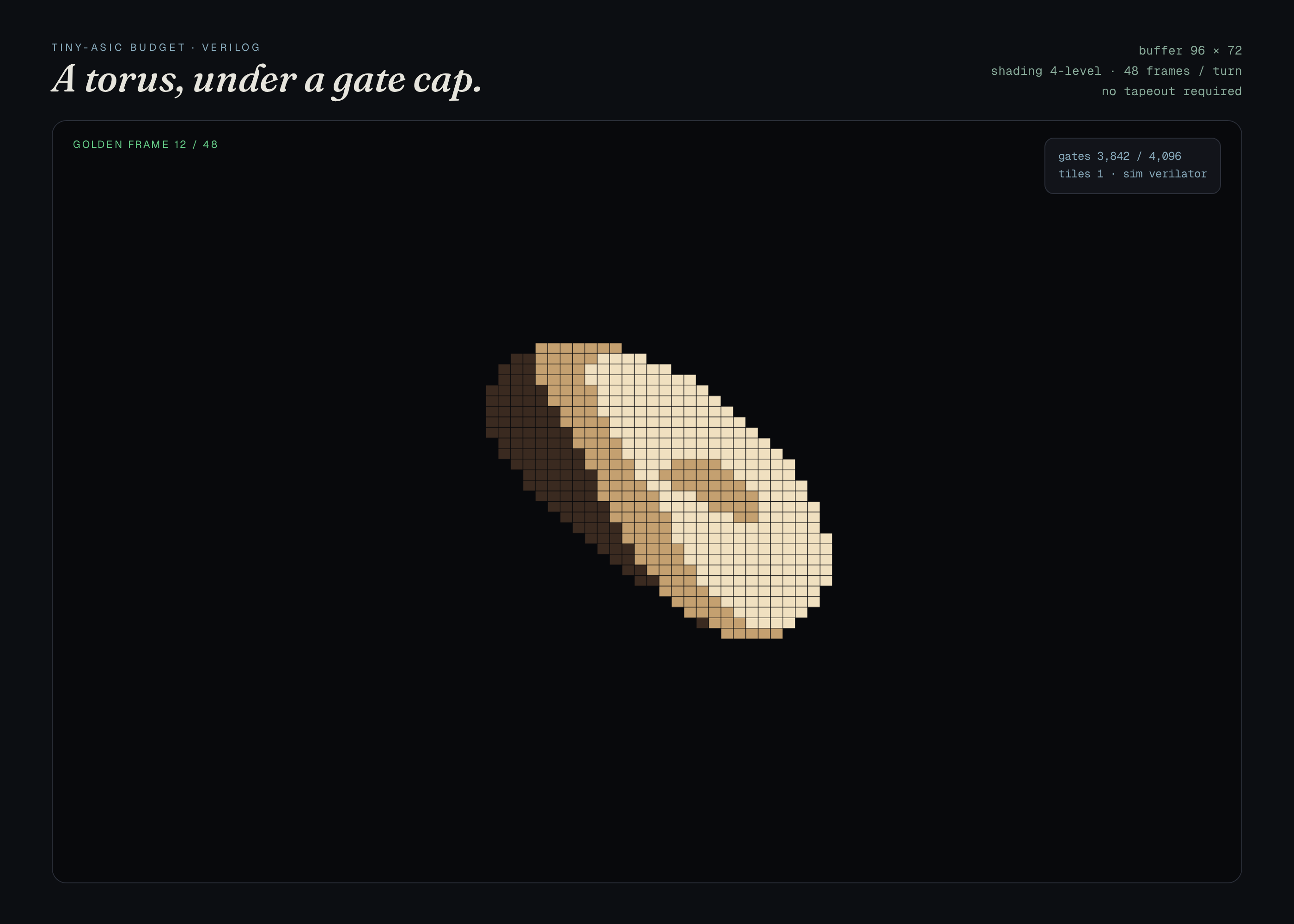
What can I customize?
Your choices go into the line you copy. Anything else is yours to edit, but it leaves the tested path.
What do I get?
-
spec.mdRequirements and acceptance checks.ASIC donut
What this builds
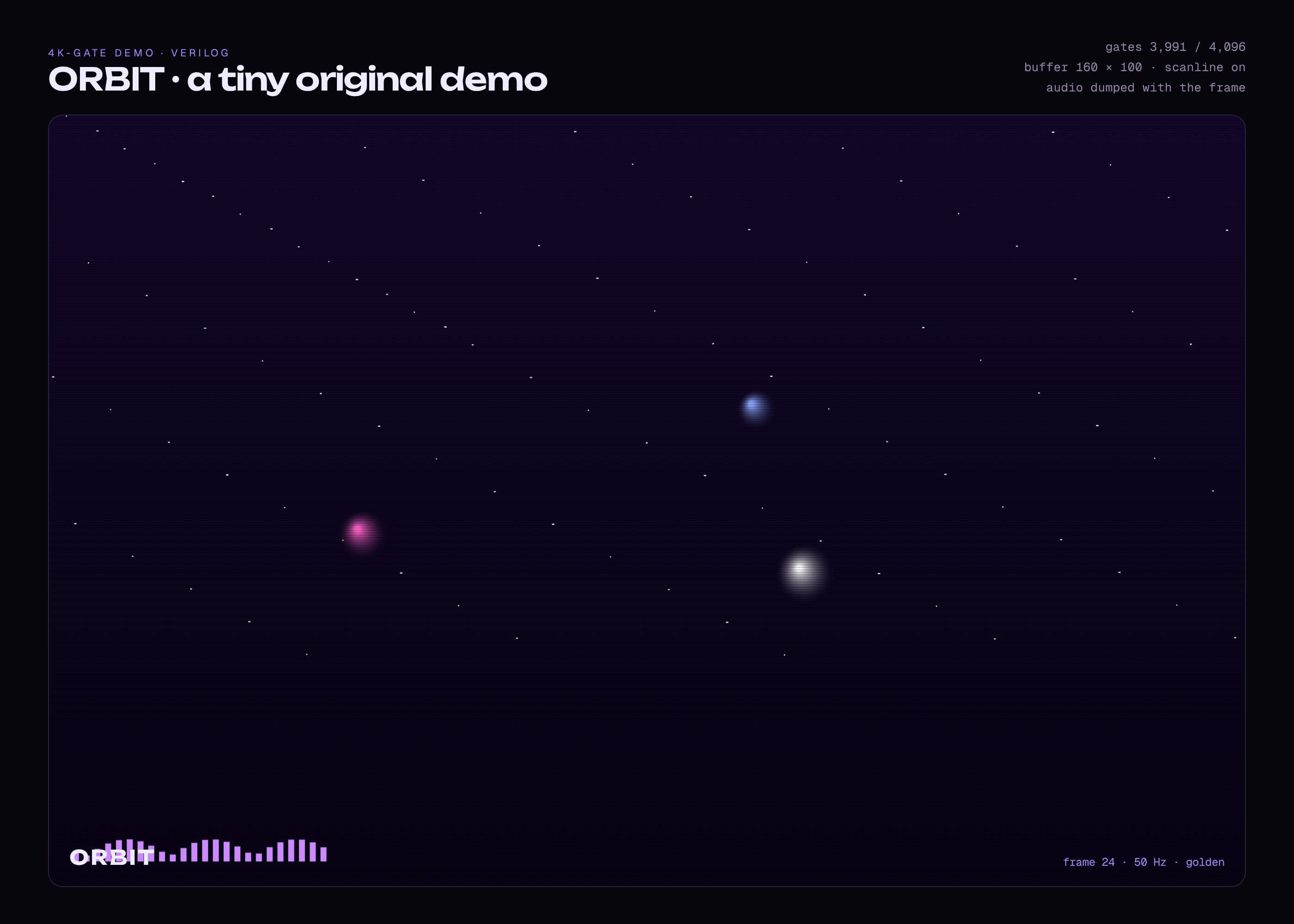
A tiny, original rotating torus, in Verilog, aimed at a tiny-ASIC-shaped gate or tile budget. A testbench dumps frames of a full turn. Golden dumps are compared. A size cap is checked with a documented script. No tapeout, no FPGA, and no board are required. This is not a copy of a particular silicon-demo's code.
Read
spekkr.inputs.jsonfirst.widthandheightsize the buffer.framesis a full turn.shadingandletterboxchange the picture.simis the simulator.Out of scope
- A real tapeout, a shuttle, or an FPGA board in the checks.
- A vendor's PDK licence in the checks.
- A copyrighted demo's code.
Requirements
Each requirement has an id. Checks name the id they cover.
R1. The loop
- The testbench dumps
framesframes of a complete turn. Frame 0, a quarter turn, and a half turn match goldens, exact or within the file's tolerance. - The last frame, followed by one more step, matches frame 0 (a closed loop), within the same tolerance.
- Two runs hash the same dumps.
Accept when: the three goldens match, the loop closes, and two runs hash equal.
R2. Cap and files
- A documented count script reports a figure at or under the bound in
design.md(a tiny-ASIC-like budget, for example a 4k-gate or a one-tile bound, as the file states). - Renders: frame 0, quarter, half, and a strip of the loop. One command simulates, counts, and writes the dumps. No tapeout.
Accept when: the cap holds, the command passes for both simulators, and a too-large fixture exceeds it.
R3. Inputs
- Inputs are read from
spekkr.inputs.json. Values outside the ranges or choices indesign.mdare refused before a netlist, a board or a testbench is built. - Options turn the optional circuits, ports or features in the Inputs table on or off.
Accept when: an illegal input is refused by name, and the default input set produces the measurements in
design.md.R4. Checks and report
- One command runs the simulation or the testbench, writes the plots or dumps, and compares them to the numbers in
design.md. - The command works without a physical board, a lab instrument or a network.
Accept when: the command passes at the defaults, and fails if a documented value in the netlist or the ROM is corrupted on purpose.
Verification
A testbench dumps a deterministic rotating torus; frame 0, a quarter, and a half match goldens, and the loop closes. A documented size cap is checked. No tapeout, no FPGA, and no board are required.
Definition of done
- Every acceptance check above runs from one command, and all pass at the person's inputs.
- A README says how to simulate, how the cap is counted, and that a tapeout is optional.
# ASIC donut

## What this builds

A tiny, original rotating torus, in Verilog, aimed at a tiny-ASIC-shaped
gate or tile budget. A testbench dumps frames of a full turn. Golden dumps
are compared. A size cap is checked with a documented script. No tapeout,
no FPGA, and no board are required. This is not a copy of a particular
silicon-demo's code.

Read `spekkr.inputs.json` first. `width` and `height` size the buffer.
`frames` is a full turn. `shading` and `letterbox` change the picture.
`sim` is the simulator.

## Out of scope

- A real tapeout, a shuttle, or an FPGA board in the checks.
- A vendor's PDK licence in the checks.
- A copyrighted demo's code.

## Requirements

Each requirement has an id. Checks name the id they cover.

### R1. The loop

- The testbench dumps `frames` frames of a complete turn. Frame 0, a
  quarter turn, and a half turn match goldens, exact or within the file's
  tolerance.
- The last frame, followed by one more step, matches frame 0 (a closed
  loop), within the same tolerance.
- Two runs hash the same dumps.

Accept when: the three goldens match, the loop closes, and two runs hash
equal.

### R2. Cap and files

- A documented count script reports a figure at or under the bound in
  `design.md` (a tiny-ASIC-like budget, for example a 4k-gate or a
  one-tile bound, as the file states).
- Renders: frame 0, quarter, half, and a strip of the loop. One command
  simulates, counts, and writes the dumps. No tapeout.

Accept when: the cap holds, the command passes for both simulators, and a
too-large fixture exceeds it.

### R3. Inputs

- Inputs are read from `spekkr.inputs.json`. Values outside the ranges or
  choices in `design.md` are refused before a netlist, a board or a
  testbench is built.
- Options turn the optional circuits, ports or features in the Inputs
  table on or off.

Accept when: an illegal input is refused by name, and the default input
set produces the measurements in `design.md`.

### R4. Checks and report

- One command runs the simulation or the testbench, writes the plots or
  dumps, and compares them to the numbers in `design.md`.
- The command works without a physical board, a lab instrument or a
  network.

Accept when: the command passes at the defaults, and fails if a documented
value in the netlist or the ROM is corrupted on purpose.

## Verification

A testbench dumps a deterministic rotating torus; frame 0, a quarter, and
a half match goldens, and the loop closes. A documented size cap is
checked. No tapeout, no FPGA, and no board are required.

## Definition of done

- Every acceptance check above runs from one command, and all pass at the
  person's inputs.
- A README says how to simulate, how the cap is counted, and that a
  tapeout is optional.
-
design.mdThe turntable testbench, loop-closure, and the tiny-ASIC budget cap.Design
This file fixes the circuits, the timings and the dumps a build must match. The toolchain can vary, as long as the numbers here hold.
Budget
The bound and the count script are
fixtures/donut-budget.json. The default 64 by 64, 24-frame design must fit.Goldens
fixtures/donut-frames/holds frame 0, quarter, and half. Loop-closure is a numeric compare of the last-plus-one dump to frame 0.Timing
Clock and reset cycles are in
fixtures/donut-timing.json.Inputs
Key Label Default Notes widthFramebuffer width 64 64, 96 or 128. heightFramebuffer height 64 64, 96 or 128. framesFrames in the loop 24 From 12 to 48, a full turn. shadingA simple shade on A documented lighting term in the dump. letterboxA letterbox off Blank rows, as in the file. simSimulator verilator Either must pass the same dumps, within a documented reset-cycle slack. Acceptance at the defaults
A tiny donut renderer in HDL. The testbench dumps a grayscale or RGB frame of an original torus, not a pasted scene from another project.
Quantity Value Tolerance Source Frame size 160 × 120 exact Default dump Torus major, minor radius 1.00, 0.35 0.01 In the documented scene units Rotation, frame i of 32 360 * i / 32 deg exact About the vertical axis Background 0 exact Black, unless letterbox is on Shading Lambertian, one light — When shadingis onFrames 0, 8, 16 and 24 are goldens. A CPU reference in Python may be used in CI; the HDL dump must match it within a documented pixel tolerance (for example at most 2 levels, 98% of pixels). No ASIC tape-out is required.
Screenshots
These pictures are dumps of a working reference model of the core, in
reference/preview.py, at the default inputs. They are not drawings of a product that has not been built or simulated. The first picture is the one Spekkr shows on the spec's card. A build may ship its own goldens; those goldens are of that build and do not have to match these frames pixel-for-pixel.File What it shows shots/frame-0.pngTorus frame 0 of 32, 160 × 120, Lambertian shade shots/frame-8.pngTorus frame 8 of 32 (90°), 160 × 120 How to verify
- Run the simulation or the HDL testbench at the defaults, with no physical board.
- Compare periods, trip points, register dumps or frames to the acceptance table in this file.
- Corrupt one documented value on purpose and confirm the check fails.
- A testbench dumps a deterministic rotating torus; frame 0, a quarter, and a half match goldens, and the loop closes. A documented size cap is checked. No tapeout, no FPGA, and no board are required.
# Design

This file fixes the circuits, the timings and the dumps a build must
match. The toolchain can vary, as long as the numbers here hold.

## Budget

The bound and the count script are `fixtures/donut-budget.json`. The
default 64 by 64, 24-frame design must fit.

## Goldens

`fixtures/donut-frames/` holds frame 0, quarter, and half. Loop-closure is
a numeric compare of the last-plus-one dump to frame 0.

## Timing

Clock and reset cycles are in `fixtures/donut-timing.json`.

## Inputs

| Key | Label | Default | Notes |
| --- | --- | --- | --- |
| `width` | Framebuffer width | 64 | 64, 96 or 128. |
| `height` | Framebuffer height | 64 | 64, 96 or 128. |
| `frames` | Frames in the loop | 24 | From 12 to 48, a full turn. |
| `shading` | A simple shade | on | A documented lighting term in the dump. |
| `letterbox` | A letterbox | off | Blank rows, as in the file. |
| `sim` | Simulator | verilator | Either must pass the same dumps, within a documented reset-cycle slack. |

## Acceptance at the defaults

A tiny donut renderer in HDL. The testbench dumps a grayscale or RGB frame
of an original torus, not a pasted scene from another project.

| Quantity | Value | Tolerance | Source |
| --- | --- | --- | --- |
| Frame size | 160 × 120 | exact | Default dump |
| Torus major, minor radius | 1.00, 0.35 | 0.01 | In the documented scene units |
| Rotation, frame i of 32 | 360 * i / 32 deg | exact | About the vertical axis |
| Background | 0 | exact | Black, unless letterbox is on |
| Shading | Lambertian, one light | — | When `shading` is on |

Frames 0, 8, 16 and 24 are goldens. A CPU reference in Python may be used
in CI; the HDL dump must match it within a documented pixel tolerance (for
example at most 2 levels, 98% of pixels). No ASIC tape-out is required.

## Screenshots

These pictures are dumps of a working reference model of the core, in `reference/preview.py`, at the default inputs. They are not drawings of a
product that has not been built or simulated. The first picture is the one Spekkr
shows on the spec's card. A build may ship its own goldens; those goldens
are of that build and do not have to match these frames pixel-for-pixel.

| File | What it shows |
| --- | --- |
| `shots/frame-0.png` | Torus  frame 0 of 32, 160 × 120, Lambertian shade |
| `shots/frame-8.png` | Torus  frame 8 of 32 (90°), 160 × 120 |


## How to verify

1. Run the simulation or the HDL testbench at the defaults, with no
physical board.

2. Compare periods, trip points, register dumps or frames to the
acceptance table in this file.

3. Corrupt one documented value on purpose and confirm the check fails.

4. A testbench dumps a deterministic rotating torus; frame 0, a quarter,
and a half match goldens, and the loop closes. A documented size cap is
checked. No tapeout, no FPGA, and no board are required.
-
tasks.mdBuild tasks in order, each with a check.Tasks
Work in order. Finish a task's check before starting the next.
- Set up. Install the simulator or the HDL toolchain named in
design.md(ngspice, Icarus, Verilator, or a KiCad/SVG board tool). Read the inputs into one place. Check: a trivial netlist or testbench runs and writes a file. - The loop (R1). Build what
R1. The loopasks for, to the numbers indesign.md. In particular: The testbench dumpsframesframes of a complete turn. Frame 0, a quarter turn, and a half turn match goldens, exact or within the file's tolerance. Check: theR1. The loopacceptance checks pass. - Cap and files (R2). Build what
R2. Cap and filesasks for, to the numbers indesign.md. In particular: A documented count script reports a figure at or under the bound indesign.md(a tiny-ASIC-like budget, for example a 4k-gate or a one-tile bound, as the file states). Check: theR2. Cap and filesacceptance checks pass. - Inputs (R3). Build what
R3. Inputsasks for, to the numbers indesign.md. In particular: Inputs are read fromspekkr.inputs.json. Values outside the ranges or choices indesign.mdare refused before a netlist, a board or a testbench is built. Check: theR3. Inputsacceptance checks pass. - Checks and report (R4). Build what
R4. Checks and reportasks for, to the numbers indesign.md. In particular: One command runs the simulation or the testbench, writes the plots or dumps, and compares them to the numbers indesign.md. Check: theR4. Checks and reportacceptance checks pass. - Plots, dumps and goldens. Write the plots or framebuffer dumps named in
design.mdand compare them to the tables there. Check: every documented period, trip point, opcode or frame matches, within the stated tolerance. - Finish. Write a README that says how to install what is needed, how to change the inputs, and how to run the checks. Run the one command from a clean folder. Check: every item under Definition of done in
spec.mdis true.
# Tasks

Work in order. Finish a task's check before starting the next.

1. **Set up.** Install the simulator or the HDL toolchain named in
`design.md` (ngspice, Icarus, Verilator, or a KiCad/SVG board tool). Read
the inputs into one place.
   Check: a trivial netlist or testbench runs and writes a file.

2. **The loop (R1).** Build what `R1. The loop` asks for, to the numbers
in `design.md`. In particular: The testbench dumps `frames` frames of a
complete turn. Frame 0, a quarter turn, and a half turn match goldens,
exact or within the file's tolerance.
   Check: the `R1. The loop` acceptance checks pass.

3. **Cap and files (R2).** Build what `R2. Cap and files` asks for, to the
numbers in `design.md`. In particular: A documented count script reports a
figure at or under the bound in `design.md` (a tiny-ASIC-like budget, for
example a 4k-gate or a one-tile bound, as the file states).
   Check: the `R2. Cap and files` acceptance checks pass.

4. **Inputs (R3).** Build what `R3. Inputs` asks for, to the numbers in
`design.md`. In particular: Inputs are read from `spekkr.inputs.json`.
Values outside the ranges or choices in `design.md` are refused before a
netlist, a board or a testbench is built.
   Check: the `R3. Inputs` acceptance checks pass.

5. **Checks and report (R4).** Build what `R4. Checks and report` asks
for, to the numbers in `design.md`. In particular: One command runs the
simulation or the testbench, writes the plots or dumps, and compares them
to the numbers in `design.md`.
   Check: the `R4. Checks and report` acceptance checks pass.

6. **Plots, dumps and goldens.** Write the plots or framebuffer dumps
named in `design.md` and compare them to the tables there.
   Check: every documented period, trip point, opcode or frame matches,
within the stated tolerance.

7. **Finish.** Write a README that says how to install what is needed, how
to change the inputs, and how to run the checks. Run the one command from
a clean folder.
   Check: every item under Definition of done in `spec.md` is true.
- Set up. Install the simulator or the HDL toolchain named in
-
reference/preview.pyA CPU reference marcher of the default torus. An HDL dump should match these poses. -
reference/preview.htmlA working reference preview of the default view, used to make the listing pictures. A build does not have to start from this file. -
reference/fonts/fonts.cssWebfont faces for the reference preview. -
reference/fonts/Geist.ttfGeist variable typeface for the reference preview. -
reference/fonts/GeistMono.ttfGeist Mono variable typeface for the reference preview. -
reference/fonts/Fraunces.ttfFraunces variable typeface for the reference preview. -
reference/fonts/Fraunces-Italic.ttfFraunces italic variable typeface for the reference preview.
Is it for me?
- Kind
- HDL
- Tools
- Verilog, Icarus, Verilator
What does it need?
- Agent permissions
- shell
- Commands it runs
install a Verilog simulator, such as Icarus or Verilatorinstall a tool that can write a PNG from a framebuffer dump
What changed?
- 0.2.114 Nov 2026Add animated loop to the listing shots.
- 0.2.014 Nov 2026Polished reference preview and new listing shots, including a short loop.
- 0.1.014 Nov 2026First version.
For agents: start.md says how to build this spec, spec.json holds everything on this page, and bundle.tar.gz holds its files.