Sign in with Google or GitHub
Sign-in through Google and GitHub, with linking rules that cannot be used to take over someone else's account.
This is an app part spec on Spekkr, published by kato. It is listed with the other specs. Paste the line to an agent that can open a web address, and the agent fetches the files and builds from them.
- Spec
kato/oauth-sign-in- Version
- 0.1.2
- Published by
- kato
- Updated
- 15 Nov 2026
Build this spec
Build the spec at https://spekkr.com/kato/oauth-sign-in/start.md.
Paste this to your AI agent. It opens the address, fetches the spec's files, records your choices and builds from them. Nothing to install, no account.
Published by kato.
What does the result look like?
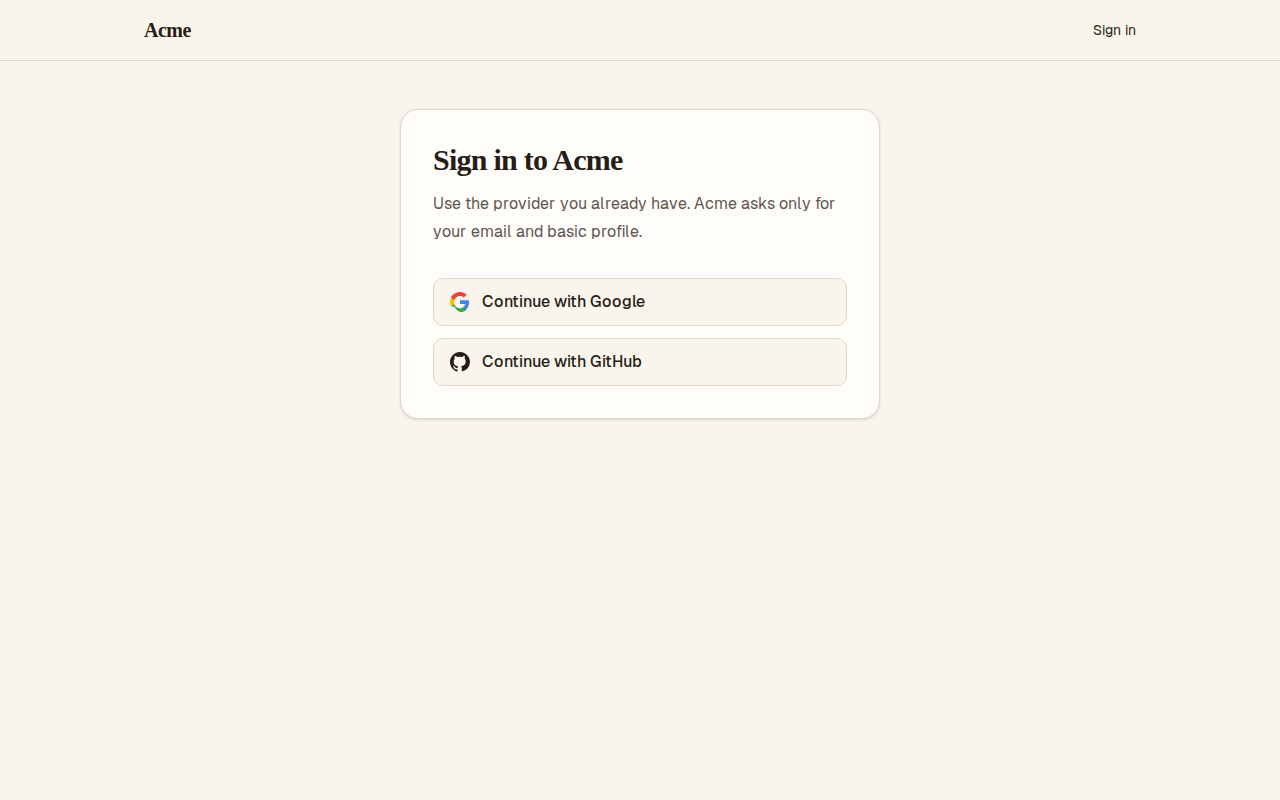
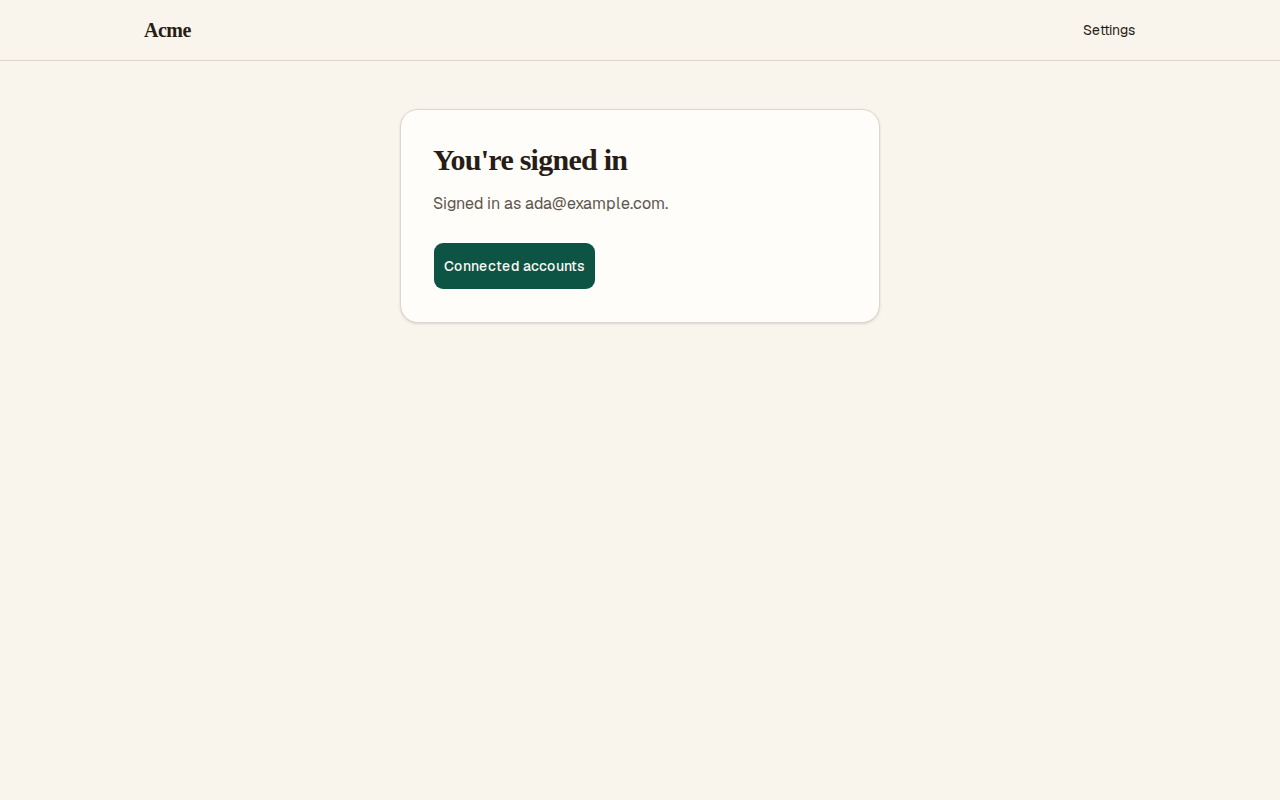
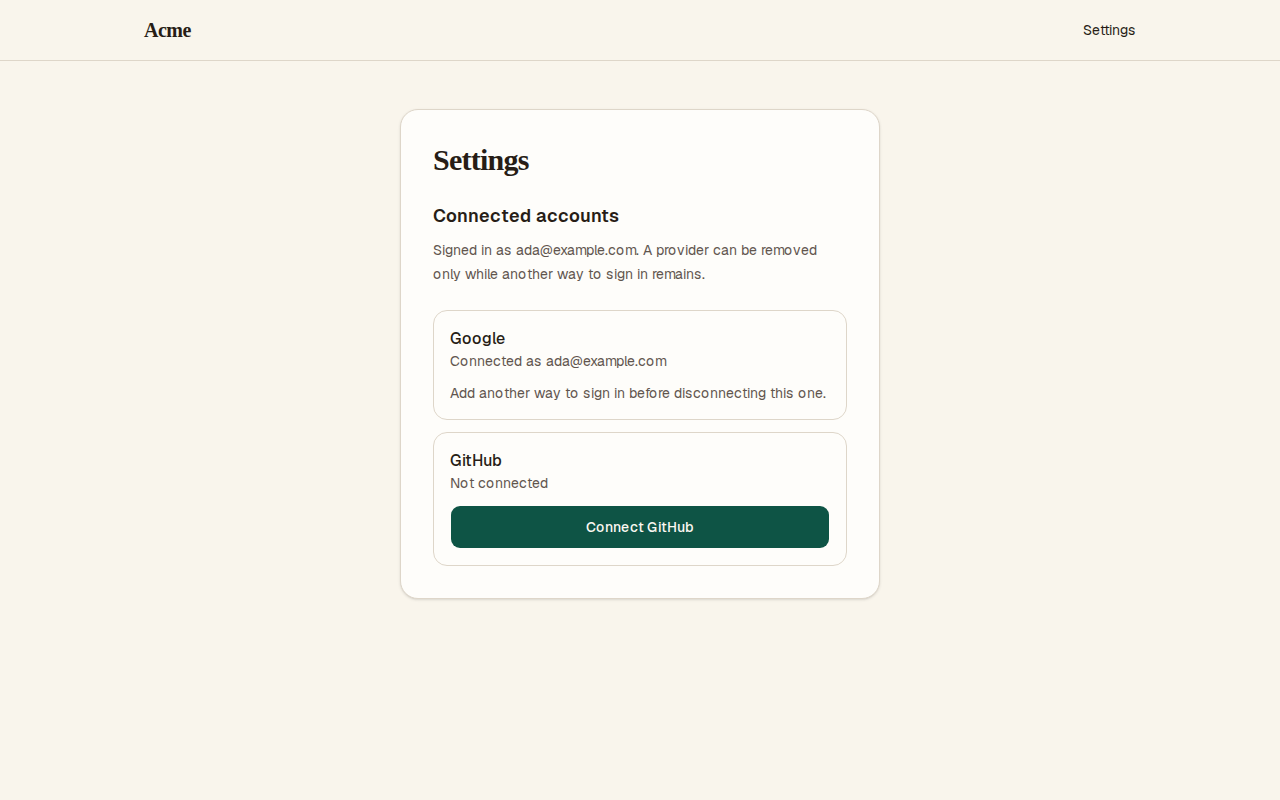
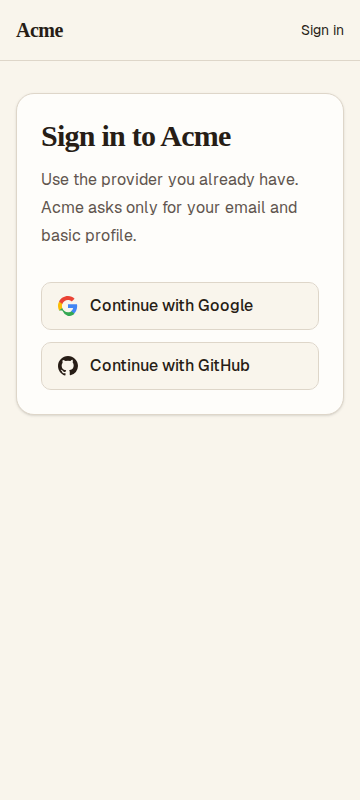
What can I customize?
Your choices go into the line you copy. Anything else is yours to edit, but it leaves the tested path.
What do I get?
-
spec.mdRequirements and acceptance criteria.Sign in with Google or GitHub
What this builds
"Continue with Google" and "Continue with GitHub" for a web app. A person is sent to the provider, comes back, and is signed in to the right account: the one they used before, a new one, or an existing one that provably belongs to them.
Read
spekkr.inputs.jsonfirst.providerssays which buttons exist.link_by_emailandallow_sign_upchange R4. Useapp_nameon the pages.The spec starts a session the way the app already does. If the app has no sessions yet, build the smallest kind: a random token in an
HttpOnly,Secure,SameSite=Laxcookie, stored as a hash.spekkr/email-sign-inhas the full rules.Out of scope
- Sign-in with a password or an emailed link.
spekkr/email-sign-inbuilds those. - Company single sign-on through SAML.
- Calling the provider's API later on the person's behalf. No provider token is kept once sign-in is done.
Requirements
Each requirement has an id. Tests name the id they cover.
R1. Send the person to the provider
GET /auth/PROVIDER/startredirects to the provider's authorization address.- The request carries a
stateof 32 random bytes, a PKCE challenge made withS256, and for Google anonce. Thestate, the PKCE verifier and the nonce are kept for 10 minutes in a cookie only this browser has. - It asks for the least it needs:
openid email profilefrom Google,read:user user:emailfrom GitHub. - A
nextaddress is kept only when it is a path on this site.
Accept when: the PKCE test vector in
design.mdis reproduced, the redirect holds every parameter in the table there, and anextthat points at another site is dropped.R2. The person comes back
GET /auth/PROVIDER/callbackcompares thestatein the address with the one in the cookie, in constant time. A missing or differentstateis refused, and the cookie is cleared either way, so astateworks once.- If the provider says the person declined, the page says so and offers the sign-in page again.
- The code is exchanged from the server, with the PKCE verifier and the client secret. No token ever appears in an address or reaches the browser.
Accept when: a callback with the wrong
statestarts no session, a second callback with the samestateis refused, and a declined sign-in shows the page.R3. Who the provider says it is
- Google: the ID token is checked before anything in it is believed: its signature against Google's published keys, the issuer, that the audience is this app's client id, that it has not expired, and that its
nonceis the one from R1. Thensub,emailandemail_verifiedare read. - GitHub: the user is read for the numeric
id, and the emails for the address that is both primary and verified. - The provider's own id for the person,
suborid, is the identity. An email address is never the identity: people change it, and providers reuse it.
Accept when: an ID token with a wrong audience, a wrong nonce, an expired time or a bad signature is refused, each in its own test, and a GitHub user whose primary email is not verified is treated as having no email.
R4. Which account
In this order:
- An identity with this provider and provider id exists: sign in to its account.
link_by_emailis on, the provider says the email is verified, and an account with that email exists whose own email is confirmed: add the identity to that account and sign in.- An account with that email exists but rule 2 does not hold: refuse. The page says to sign in the way they did before and connect the provider from their settings. No session starts.
- No account has that email and
allow_sign_upis on: create an account, with its email marked confirmed only if the provider says it is verified. - Otherwise: refuse, and say that sign-up is closed.
Accept when: each of the five rules has a test, and an attacker who controls a provider account with a victim's address unverified gets no session on the victim's account.
R5. Connect and disconnect from settings
- A signed-in person can connect another provider. That flow is tied to their session, so the identity can only land on the account that started it.
- An identity that already belongs to another account is not moved. The page says it is in use.
- A provider can be disconnected only while the account keeps another way to sign in: another provider, or a password if the app has them.
Accept when: connecting adds the identity to the signed-in account, an identity in use elsewhere is refused, and the last way to sign in cannot be removed.
R6. Start the session
- After rules 1, 2 or 4 the app's own session starts and the person lands on
next, or on the home page. - The provider's tokens are thrown away as soon as R3 is done.
Accept when: the database holds no provider access token, refresh token or ID token after sign-in.
R7. Pages
- The buttons, named "Continue with Google" and "Continue with GitHub", for the providers in
providers. - A page for each refusal in R2 and R4, in plain words, with a way forward.
- A "Connected accounts" part of the settings page for R5.
Accept when: each page works with a keyboard alone and at a 360 pixel wide screen.
Definition of done
- Every acceptance check above has an automated test, and all tests pass. Tests run against a stand-in provider on this machine, with no outside network.
- No log line holds a code, a token, a
stateor a client secret. - A README explains how to create the Google client and the GitHub app, which callback addresses to give them, and how to run the tests.
# Sign in with Google or GitHub

## What this builds

"Continue with Google" and "Continue with GitHub" for a web app. A person is sent
to the provider, comes back, and is signed in to the right account: the one they
used before, a new one, or an existing one that provably belongs to them.

Read `spekkr.inputs.json` first. `providers` says which buttons exist.
`link_by_email` and `allow_sign_up` change R4. Use `app_name` on the pages.

The spec starts a session the way the app already does. If the app has no
sessions yet, build the smallest kind: a random token in an `HttpOnly`, `Secure`,
`SameSite=Lax` cookie, stored as a hash. `spekkr/email-sign-in` has the full rules.

## Out of scope

- Sign-in with a password or an emailed link. `spekkr/email-sign-in` builds those.
- Company single sign-on through SAML.
- Calling the provider's API later on the person's behalf. No provider token is
  kept once sign-in is done.

## Requirements

Each requirement has an id. Tests name the id they cover.

### R1. Send the person to the provider

- `GET /auth/PROVIDER/start` redirects to the provider's authorization address.
- The request carries a `state` of 32 random bytes, a PKCE challenge made with
  `S256`, and for Google a `nonce`. The `state`, the PKCE verifier and the nonce
  are kept for 10 minutes in a cookie only this browser has.
- It asks for the least it needs: `openid email profile` from Google,
  `read:user user:email` from GitHub.
- A `next` address is kept only when it is a path on this site.

Accept when: the PKCE test vector in `design.md` is reproduced, the redirect holds
every parameter in the table there, and a `next` that points at another site is
dropped.

### R2. The person comes back

- `GET /auth/PROVIDER/callback` compares the `state` in the address with the one in
  the cookie, in constant time. A missing or different `state` is refused, and the
  cookie is cleared either way, so a `state` works once.
- If the provider says the person declined, the page says so and offers the
  sign-in page again.
- The code is exchanged from the server, with the PKCE verifier and the client
  secret. No token ever appears in an address or reaches the browser.

Accept when: a callback with the wrong `state` starts no session, a second
callback with the same `state` is refused, and a declined sign-in shows the page.

### R3. Who the provider says it is

- Google: the ID token is checked before anything in it is believed: its
  signature against Google's published keys, the issuer, that the audience is
  this app's client id, that it has not expired, and that its `nonce` is the one
  from R1. Then `sub`, `email` and `email_verified` are read.
- GitHub: the user is read for the numeric `id`, and the emails for the address
  that is both primary and verified.
- The provider's own id for the person, `sub` or `id`, is the identity. An email
  address is never the identity: people change it, and providers reuse it.

Accept when: an ID token with a wrong audience, a wrong nonce, an expired time or
a bad signature is refused, each in its own test, and a GitHub user whose primary
email is not verified is treated as having no email.

### R4. Which account

In this order:

1. An identity with this provider and provider id exists: sign in to its account.
2. `link_by_email` is on, the provider says the email is verified, and an account
   with that email exists whose own email is confirmed: add the identity to that
   account and sign in.
3. An account with that email exists but rule 2 does not hold: refuse. The page
   says to sign in the way they did before and connect the provider from their
   settings. No session starts.
4. No account has that email and `allow_sign_up` is on: create an account, with
   its email marked confirmed only if the provider says it is verified.
5. Otherwise: refuse, and say that sign-up is closed.

Accept when: each of the five rules has a test, and an attacker who controls a
provider account with a victim's address unverified gets no session on the
victim's account.

### R5. Connect and disconnect from settings

- A signed-in person can connect another provider. That flow is tied to their
  session, so the identity can only land on the account that started it.
- An identity that already belongs to another account is not moved. The page says
  it is in use.
- A provider can be disconnected only while the account keeps another way to sign
  in: another provider, or a password if the app has them.

Accept when: connecting adds the identity to the signed-in account, an identity in
use elsewhere is refused, and the last way to sign in cannot be removed.

### R6. Start the session

- After rules 1, 2 or 4 the app's own session starts and the person lands on
  `next`, or on the home page.
- The provider's tokens are thrown away as soon as R3 is done.

Accept when: the database holds no provider access token, refresh token or ID
token after sign-in.

### R7. Pages

- The buttons, named "Continue with Google" and "Continue with GitHub", for the
  providers in `providers`.
- A page for each refusal in R2 and R4, in plain words, with a way forward.
- A "Connected accounts" part of the settings page for R5.

Accept when: each page works with a keyboard alone and at a 360 pixel wide screen.

## Definition of done

- Every acceptance check above has an automated test, and all tests pass. Tests
  run against a stand-in provider on this machine, with no outside network.
- No log line holds a code, a token, a `state` or a client secret.
- A README explains how to create the Google client and the GitHub app, which
  callback addresses to give them, and how to run the tests.
- Sign-in with a password or an emailed link.
-
design.mdData model, rules and flows.Design
This file fixes the parts that are easy to get wrong. Choose the language and framework that fit the person's project; nothing here depends on them.
Data model
Use the database in the
databaseinput.Table Columns oauth_identitiesid,provider,provider_user_id,user_id,email_at_link,created_at; unique onproviderandprovider_user_idusersneeds anemailand a way to tell whether it is confirmed.Addresses
These were right when this was written. Confirm them in each provider's own documentation before building.
Google GitHub Authorize https://accounts.google.com/o/oauth2/v2/authhttps://github.com/login/oauth/authorizeToken https://oauth2.googleapis.com/tokenhttps://github.com/login/oauth/access_tokenWho it is The id_tokenin the token answerhttps://api.github.com/userand/user/emailsKeys https://www.googleapis.com/oauth2/v3/certsnone Issuer https://accounts.google.comnone Ask GitHub's token address for JSON with
Accept: application/json. Take every address from configuration, so tests can point at a stand-in.What the redirect carries
Parameter Value client_idThe app's client id for the provider redirect_uriThis site's callback address, exactly as registered response_typecodescopeAs in R1 state32 random bytes, base64url code_challengeFrom the verifier, as below code_challenge_methodS256nonceGoogle only: 32 random bytes, base64url Send the PKCE parameters to both providers. One that ignores them loses nothing.
PKCE test vector
The challenge is the SHA-256 of the verifier's ASCII bytes, in base64url without padding. From RFC 7636:
Verifier dBjftJeZ4CVP-mB92K27uhbUJU1p1r_wW1gFWFOEjXkChallenge E9Melhoa2OwvFrEMTJguCHaoeK1t8URWbuGJSstw-cMRules
- The cookie that holds the
state, the verifier, the nonce andnextisHttpOnly,Secure,SameSite=Lax, lasts 10 minutes, and is signed or encrypted withSESSION_SECRETso the browser cannot change it. - Cache Google's keys as their
Cache-Controlheader allows. Fetch them again once when a token names a key that is not in the cache. - Use a maintained library to check the ID token's signature. Check the issuer, audience, expiry and nonce yourself as well, each with a test.
- Rule 2 of R4 needs both sides proven: the provider vouches for the email, and the account's own email was confirmed. Linking on one side alone is how an account is taken over.
- Adding an identity and starting the session is one transaction. The unique index is the last guard against two requests linking one identity twice.
Configuration
Secret Purpose DATABASE_URLConnection string for the chosen database. SESSION_SECRETProtects the cookie in R1. At least 32 random bytes. GOOGLE_CLIENT_ID,GOOGLE_CLIENT_SECRETFrom the Google OAuth client. Not needed without Google. GITHUB_CLIENT_ID,GITHUB_CLIENT_SECRETFrom the GitHub OAuth app. Not needed without GitHub. Named here
- The provider says the person declined with
error=access_denied. - The token request also carries
grant_type=authorization_codeand the sameredirect_uri. - The audience may be the client id as text, or a list that holds it.
- A session lasts 30 days. Email addresses are compared trimmed and in lowercase.
What this spec leaves to you
Where this spec names something, use that name, so that two builds of it agree. Where it does not, the choice is yours. List what you chose in the README.
# Design

This file fixes the parts that are easy to get wrong. Choose the language and
framework that fit the person's project; nothing here depends on them.

## Data model

Use the database in the `database` input.

| Table | Columns |
| --- | --- |
| `oauth_identities` | `id`, `provider`, `provider_user_id`, `user_id`, `email_at_link`, `created_at`; unique on `provider` and `provider_user_id` |

`users` needs an `email` and a way to tell whether it is confirmed.

## Addresses

These were right when this was written. Confirm them in each provider's own
documentation before building.

| | Google | GitHub |
| --- | --- | --- |
| Authorize | `https://accounts.google.com/o/oauth2/v2/auth` | `https://github.com/login/oauth/authorize` |
| Token | `https://oauth2.googleapis.com/token` | `https://github.com/login/oauth/access_token` |
| Who it is | The `id_token` in the token answer | `https://api.github.com/user` and `/user/emails` |
| Keys | `https://www.googleapis.com/oauth2/v3/certs` | none |
| Issuer | `https://accounts.google.com` | none |

Ask GitHub's token address for JSON with `Accept: application/json`. Take every
address from configuration, so tests can point at a stand-in.

## What the redirect carries

| Parameter | Value |
| --- | --- |
| `client_id` | The app's client id for the provider |
| `redirect_uri` | This site's callback address, exactly as registered |
| `response_type` | `code` |
| `scope` | As in R1 |
| `state` | 32 random bytes, base64url |
| `code_challenge` | From the verifier, as below |
| `code_challenge_method` | `S256` |
| `nonce` | Google only: 32 random bytes, base64url |

Send the PKCE parameters to both providers. One that ignores them loses nothing.

## PKCE test vector

The challenge is the SHA-256 of the verifier's ASCII bytes, in base64url without
padding. From RFC 7636:

| | |
| --- | --- |
| Verifier | `dBjftJeZ4CVP-mB92K27uhbUJU1p1r_wW1gFWFOEjXk` |
| Challenge | `E9Melhoa2OwvFrEMTJguCHaoeK1t8URWbuGJSstw-cM` |

## Rules

- The cookie that holds the `state`, the verifier, the nonce and `next` is
  `HttpOnly`, `Secure`, `SameSite=Lax`, lasts 10 minutes, and is signed or
  encrypted with `SESSION_SECRET` so the browser cannot change it.
- Cache Google's keys as their `Cache-Control` header allows. Fetch them again
  once when a token names a key that is not in the cache.
- Use a maintained library to check the ID token's signature. Check the issuer,
  audience, expiry and nonce yourself as well, each with a test.
- Rule 2 of R4 needs both sides proven: the provider vouches for the email, and
  the account's own email was confirmed. Linking on one side alone is how an
  account is taken over.
- Adding an identity and starting the session is one transaction. The unique
  index is the last guard against two requests linking one identity twice.

## Configuration

| Secret | Purpose |
| --- | --- |
| `DATABASE_URL` | Connection string for the chosen database. |
| `SESSION_SECRET` | Protects the cookie in R1. At least 32 random bytes. |
| `GOOGLE_CLIENT_ID`, `GOOGLE_CLIENT_SECRET` | From the Google OAuth client. Not needed without Google. |
| `GITHUB_CLIENT_ID`, `GITHUB_CLIENT_SECRET` | From the GitHub OAuth app. Not needed without GitHub. |

## Named here

- The provider says the person declined with `error=access_denied`.
- The token request also carries `grant_type=authorization_code` and the same
  `redirect_uri`.
- The audience may be the client id as text, or a list that holds it.
- A session lasts 30 days. Email addresses are compared trimmed and in
  lowercase.

## What this spec leaves to you

Where this spec names something, use that name, so that two builds of it agree.
Where it does not, the choice is yours. List what you chose in the README.
- The cookie that holds the
-
tasks.mdBuild tasks in order, each with a check.Tasks
Work in order. Finish a task's check before starting the next.
- Set up. Add the table in
design.md. If there is no app yet, build the smallest one: auserstable and sessions. Write a stand-in provider that tests can drive. Check: migrations run from empty and the stand-in answers on this machine. - PKCE and the redirect (R1). For the providers in the
providersinput. Check: a test reproduces the vector indesign.md, and the R1 tests pass. - The callback (R2). Check: the R2 acceptance tests pass.
- Who it is (R3). The ID token checks for Google, the two calls for GitHub. Check: the R3 acceptance tests pass, one per way a token can be wrong.
- Which account (R4). A pure function from what the provider said and what the database holds to one of the five outcomes. Honour
link_by_emailandallow_sign_up. Check: the R4 acceptance tests pass without a network. - Session (R6) and settings (R5). Check: the R5 and R6 acceptance tests pass.
- Pages (R7). Use the
app_nameinput. Check: every page can be used with a keyboard alone and at 360 pixels wide. - Finish. Write the README and run the whole test suite. Check: every item under "Definition of done" in
spec.mdis true.
# Tasks

Work in order. Finish a task's check before starting the next.

1. **Set up.** Add the table in `design.md`. If there is no app yet, build the
   smallest one: a `users` table and sessions. Write a stand-in provider that
   tests can drive.
   Check: migrations run from empty and the stand-in answers on this machine.

2. **PKCE and the redirect (R1).** For the providers in the `providers` input.
   Check: a test reproduces the vector in `design.md`, and the R1 tests pass.

3. **The callback (R2).**
   Check: the R2 acceptance tests pass.

4. **Who it is (R3).** The ID token checks for Google, the two calls for GitHub.
   Check: the R3 acceptance tests pass, one per way a token can be wrong.

5. **Which account (R4).** A pure function from what the provider said and what
   the database holds to one of the five outcomes. Honour `link_by_email` and
   `allow_sign_up`.
   Check: the R4 acceptance tests pass without a network.

6. **Session (R6) and settings (R5).**
   Check: the R5 and R6 acceptance tests pass.

7. **Pages (R7).** Use the `app_name` input.
   Check: every page can be used with a keyboard alone and at 360 pixels wide.

8. **Finish.** Write the README and run the whole test suite.
   Check: every item under "Definition of done" in `spec.md` is true.
- Set up. Add the table in
Is it for me?
- Kind
- app part
- Platforms
- web, backend
What does it need?
- Accounts
- A Google OAuth client, A GitHub OAuth app
- Agent permissions
- shell, network
- Secrets it reads
DATABASE_URLSESSION_SECRETGOOGLE_CLIENT_IDGOOGLE_CLIENT_SECRETGITHUB_CLIENT_IDGITHUB_CLIENT_SECRET
What changed?
- 0.1.215 Nov 2026Names what it builds.
- 0.1.114 Nov 2026Says "person" where it said "buyer".
- 0.1.014 Nov 2026Moved from dwrtz/oauth-sign-in.
For agents: start.md says how to build this spec, spec.json holds everything on this page, and bundle.tar.gz holds its files.