Two-factor sign-in
A second sign-in step with authenticator-app codes and recovery codes, added to the sign-in an app already has.
This is an app part spec on Spekkr, published by kato. It is listed with the other specs. Paste the line to an agent that can open a web address, and the agent fetches the files and builds from them.
- Spec
kato/two-factor- Version
- 0.1.2
- Published by
- kato
- Updated
- 15 Nov 2026
Build this spec
Build the spec at https://spekkr.com/kato/two-factor/start.md.
Paste this to your AI agent. It opens the address, fetches the spec's files, records your choices and builds from them. Nothing to install, no account.
Published by kato.
What does the result look like?
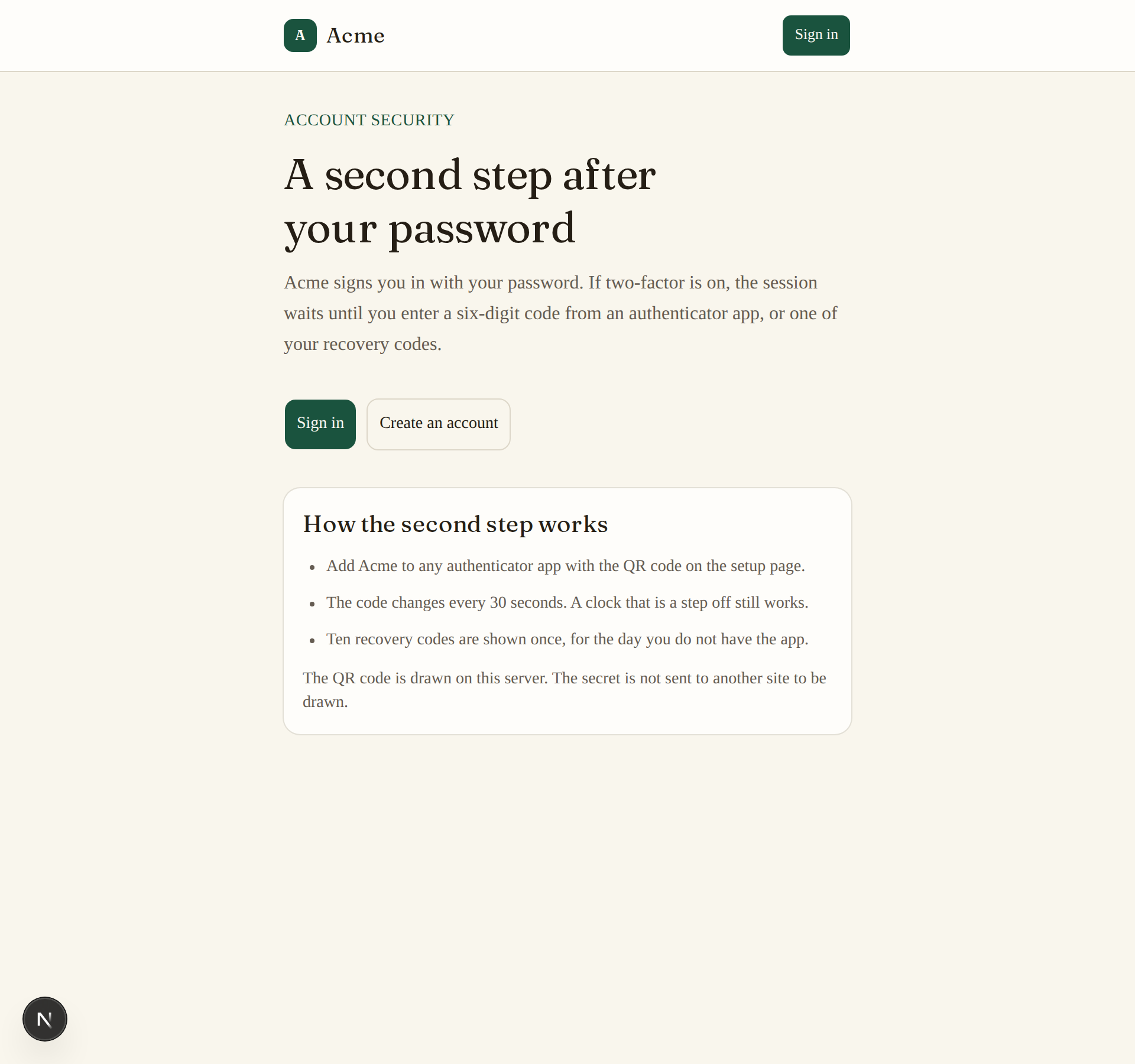
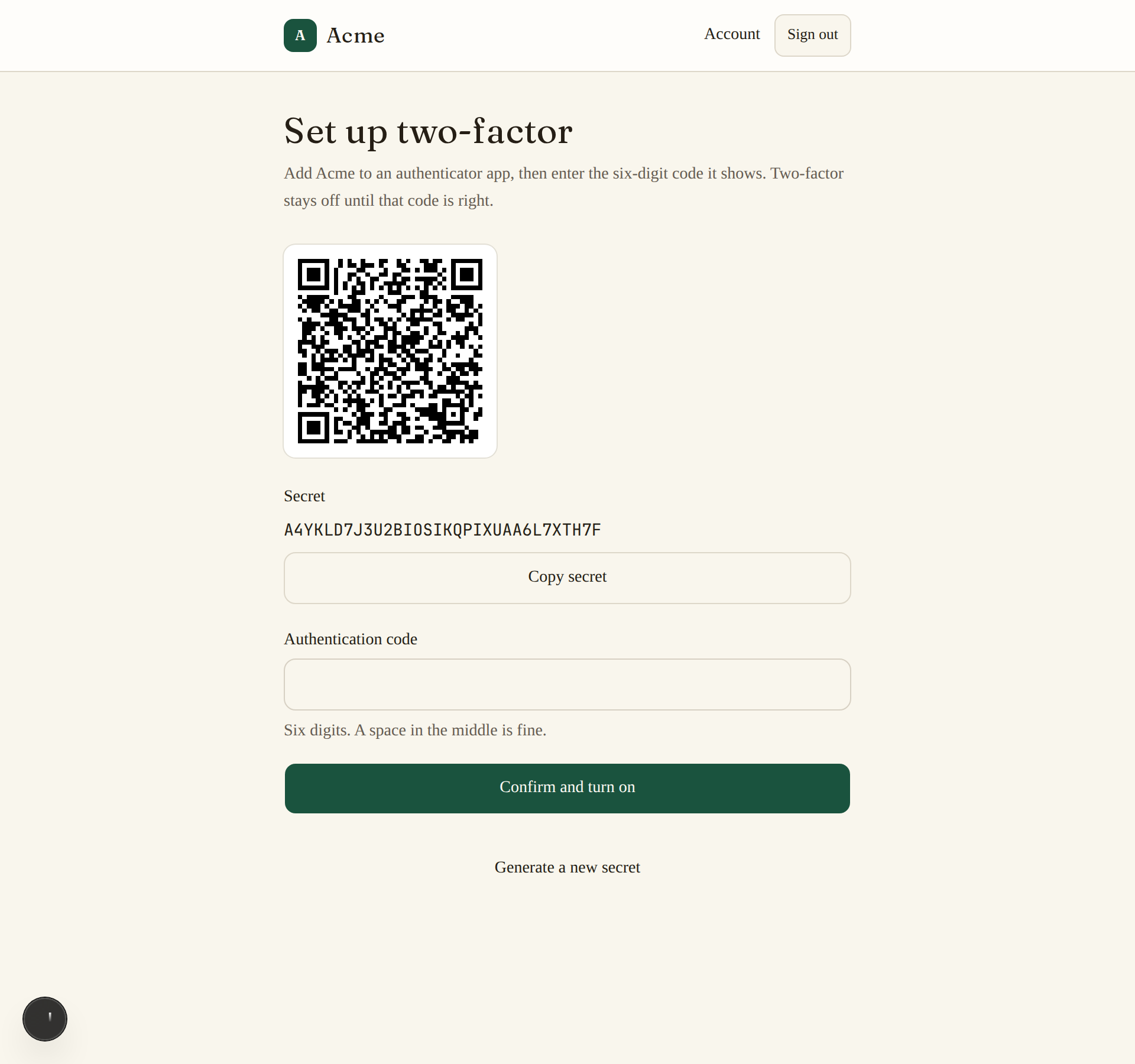
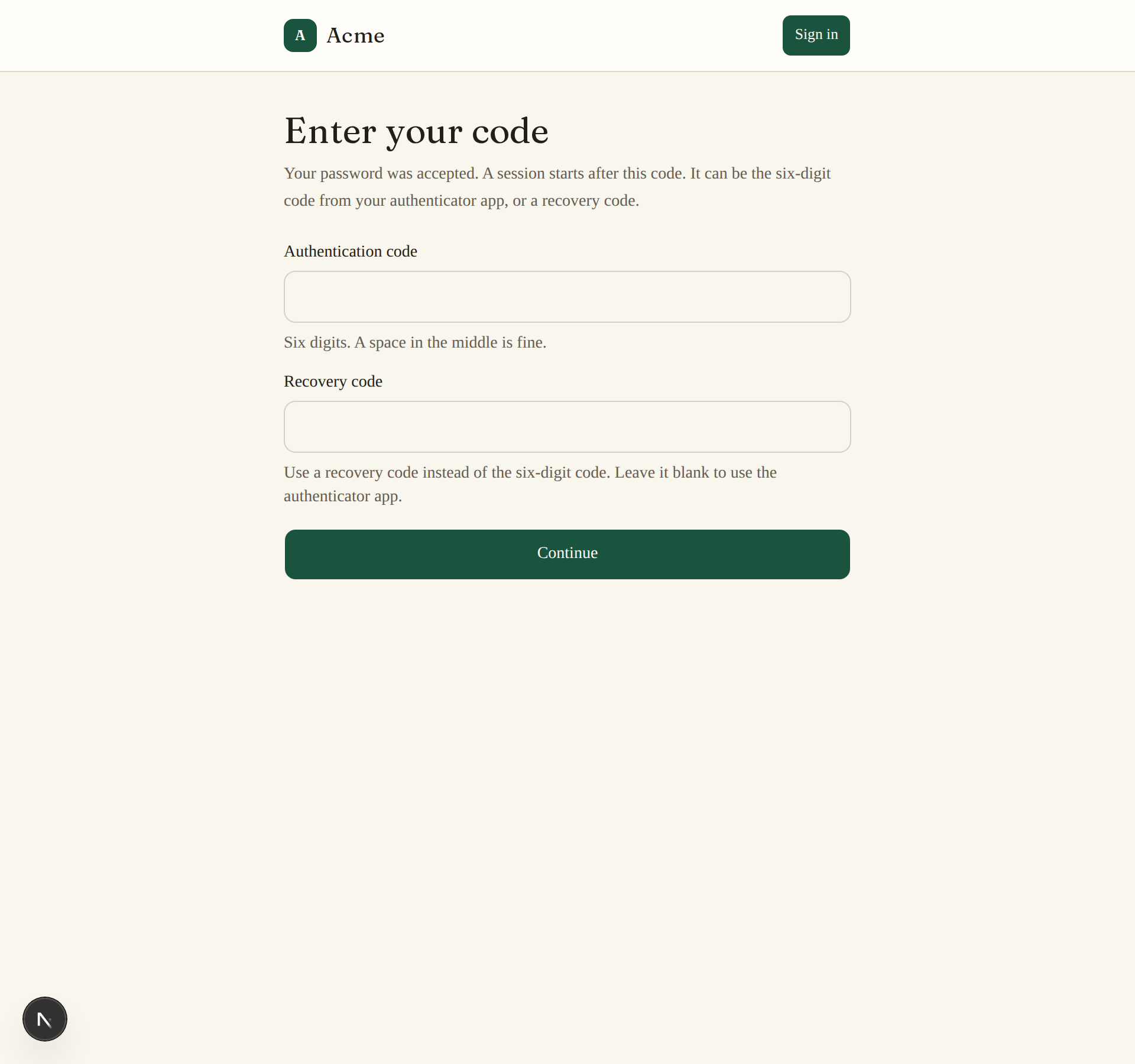
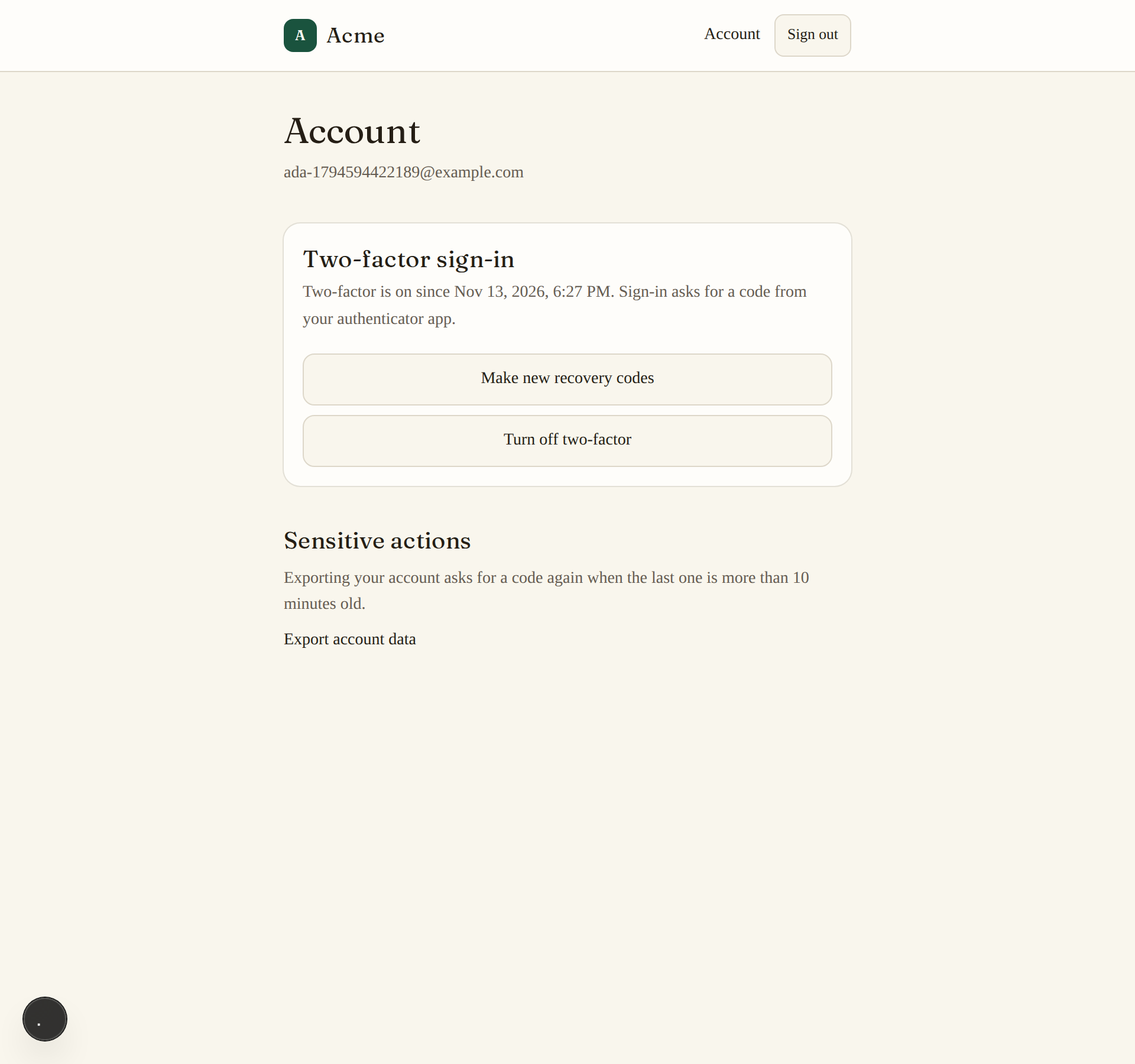
What can I customize?
Your choices go into the line you copy. Anything else is yours to edit, but it leaves the tested path.
What do I get?
-
spec.mdRequirements and acceptance criteria.Two-factor sign-in
What this builds
A second step for an app that already has sign-in. After the first step, a person with two-factor turned on enters a six-digit code from an authenticator app, or a recovery code, before a session starts.
Read
spekkr.inputs.jsonfirst.issuer_nameis the name authenticator apps show.remember_devicedecides whether R5 exists andrequired_for_allwhether R6 does.This spec needs two things from the app it is added to: a
userstable, and the place in the sign-in code where the first step has succeeded and a session is about to start.spekkr/email-sign-inhas both.Out of scope
- Codes by text message or email.
- Passkeys and hardware keys.
- The first sign-in step itself.
Requirements
Each requirement has an id. Tests name the id they cover.
R1. Turn it on
- The person asks to turn two-factor on and is shown a QR code and the same secret as text, to add to an authenticator app.
- Two-factor is on only after they enter a code the app made from that secret.
- The secret is 20 random bytes. It is stored encrypted, never as it is.
- Turning it on shows the recovery codes of R3 once, and sends an email that says two-factor was turned on.
Accept when: a correct code turns it on, a wrong code leaves it off, and the stored secret cannot be read without
TOTP_ENCRYPTION_KEY.R2. The second step
- When the first step succeeds for an account with two-factor on, no session starts. The person gets a pending sign-in that lasts 10 minutes and is asked for a code.
- A code is the six-digit TOTP for the current 30 seconds. The step before and the step after are accepted too, to allow for clocks that differ.
- A code works once. The same code a second time is refused, even inside its 30 seconds.
- After 5 wrong codes the pending sign-in ends and the person starts again.
Accept when: the tests in
design.mdproduce the expected codes, a correct code starts a session, a repeated code is refused, and the sixth attempt is refused even with a correct code.R3. Recovery codes
- 10 codes, each 10 characters from letters and digits that are not easily confused, shown once and stored as hashes.
- A recovery code can be used in place of a code in R2. It works once. Using one sends an email that says how many are left.
- The person can make a new set, which cancels the old one. That needs a current code.
Accept when: a recovery code signs in once and never again, and a new set cancels every old code.
R4. Turn it off
- Turning two-factor off needs a current code or a recovery code.
- It deletes the secret, the recovery codes and any trusted devices, and sends an email that says two-factor was turned off.
Accept when: after turning it off the first step alone starts a session, and the secret is gone from the database.
R5. Trusted devices
Only if
remember_deviceis on.- At the second step the person can tick "trust this device for 30 days". The device gets a cookie with a random token, stored as a hash.
- On a trusted device the second step is skipped.
- The account page lists trusted devices and can remove one or all. Changing the password, if the app has one, removes them all.
Accept when: a trusted device skips the code for 30 days and not after, and a removed device is asked for a code again.
R6. Required for every account
Only if
required_for_allis on.- An account without two-factor is sent to R1 after the first step. Until it is on, every other page redirects there and every API call answers 403.
- R4 is not offered.
Accept when: an account without two-factor can reach nothing but the set-up pages and sign-out.
R7. Ask again before something sensitive
- A guard,
require_recent_second_factor(minutes), lets a route ask for a code again when the last one was entered longer ago thanminutes. - The person is sent to a page that asks for a code and then back to what they were doing.
Accept when: a guarded route asks for a code after the time has passed and not before.
R8. Pages
- Pages: set up (QR code, secret as text, code field), the recovery codes with a way to copy and download them, the second step, and the two-factor part of the account page.
- The code field takes digits only, offers the device's one-time-code autofill, and accepts a code typed with a space in the middle.
- Under it, "Use a recovery code" swaps it for a second field that takes a recovery code's letters and digits. The two are never one field.
Accept when: each page works with a keyboard alone and at a 360 pixel wide screen.
Definition of done
- Every acceptance check above has an automated test, and all tests pass.
- No test or log line contains a secret, a code or a recovery code.
- A README explains how to set the secrets, where the two hooks into the app's sign-in are, and how to run the tests.
# Two-factor sign-in

## What this builds

A second step for an app that already has sign-in. After the first step, a person
with two-factor turned on enters a six-digit code from an authenticator app, or a
recovery code, before a session starts.

Read `spekkr.inputs.json` first. `issuer_name` is the name authenticator apps show.
`remember_device` decides whether R5 exists and `required_for_all` whether R6 does.

This spec needs two things from the app it is added to: a `users` table, and the
place in the sign-in code where the first step has succeeded and a session is about
to start. `spekkr/email-sign-in` has both.

## Out of scope

- Codes by text message or email.
- Passkeys and hardware keys.
- The first sign-in step itself.

## Requirements

Each requirement has an id. Tests name the id they cover.

### R1. Turn it on

- The person asks to turn two-factor on and is shown a QR code and the same secret
  as text, to add to an authenticator app.
- Two-factor is on only after they enter a code the app made from that secret.
- The secret is 20 random bytes. It is stored encrypted, never as it is.
- Turning it on shows the recovery codes of R3 once, and sends an email that says
  two-factor was turned on.

Accept when: a correct code turns it on, a wrong code leaves it off, and the stored
secret cannot be read without `TOTP_ENCRYPTION_KEY`.

### R2. The second step

- When the first step succeeds for an account with two-factor on, no session
  starts. The person gets a pending sign-in that lasts 10 minutes and is asked for
  a code.
- A code is the six-digit TOTP for the current 30 seconds. The step before and the
  step after are accepted too, to allow for clocks that differ.
- A code works once. The same code a second time is refused, even inside its 30
  seconds.
- After 5 wrong codes the pending sign-in ends and the person starts again.

Accept when: the tests in `design.md` produce the expected codes, a correct code
starts a session, a repeated code is refused, and the sixth attempt is refused even
with a correct code.

### R3. Recovery codes

- 10 codes, each 10 characters from letters and digits that are not easily
  confused, shown once and stored as hashes.
- A recovery code can be used in place of a code in R2. It works once. Using one
  sends an email that says how many are left.
- The person can make a new set, which cancels the old one. That needs a current
  code.

Accept when: a recovery code signs in once and never again, and a new set cancels
every old code.

### R4. Turn it off

- Turning two-factor off needs a current code or a recovery code.
- It deletes the secret, the recovery codes and any trusted devices, and sends an
  email that says two-factor was turned off.

Accept when: after turning it off the first step alone starts a session, and the
secret is gone from the database.

### R5. Trusted devices

Only if `remember_device` is on.

- At the second step the person can tick "trust this device for 30 days". The device
  gets a cookie with a random token, stored as a hash.
- On a trusted device the second step is skipped.
- The account page lists trusted devices and can remove one or all. Changing the
  password, if the app has one, removes them all.

Accept when: a trusted device skips the code for 30 days and not after, and a
removed device is asked for a code again.

### R6. Required for every account

Only if `required_for_all` is on.

- An account without two-factor is sent to R1 after the first step. Until it is on,
  every other page redirects there and every API call answers 403.
- R4 is not offered.

Accept when: an account without two-factor can reach nothing but the set-up pages
and sign-out.

### R7. Ask again before something sensitive

- A guard, `require_recent_second_factor(minutes)`, lets a route ask for a code
  again when the last one was entered longer ago than `minutes`.
- The person is sent to a page that asks for a code and then back to what they were
  doing.

Accept when: a guarded route asks for a code after the time has passed and not
before.

### R8. Pages

- Pages: set up (QR code, secret as text, code field), the recovery codes with a
  way to copy and download them, the second step, and the two-factor part of the
  account page.
- The code field takes digits only, offers the device's one-time-code autofill, and
  accepts a code typed with a space in the middle.
- Under it, "Use a recovery code" swaps it for a second field that takes a
  recovery code's letters and digits. The two are never one field.

Accept when: each page works with a keyboard alone and at a 360 pixel wide screen.

## Definition of done

- Every acceptance check above has an automated test, and all tests pass.
- No test or log line contains a secret, a code or a recovery code.
- A README explains how to set the secrets, where the two hooks into the app's
  sign-in are, and how to run the tests.
-
design.mdData model, rules and flows.Design
This file fixes the parts that are easy to get wrong. Choose the language and framework that fit the person's project; nothing here depends on them.
Data model
Use the database in the
databaseinput.Table Columns two_factoruser_id(primary key),secret_encrypted,enabled_at(null until confirmed),last_steprecovery_codesid,user_id,code_hash,used_atpending_sign_insid,user_id,token_hash(unique),attempts,expires_attrusted_devicesid,user_id,token_hash(unique),user_agent,created_at,expires_at(only ifremember_deviceis on)Sessions gain one column,
second_factor_at, for R7.The code
Codes follow RFC 6238: HMAC-SHA-1 over the number of 30-second steps since 1970, six digits. Use a maintained library if the language has one, and check it against these values. The secret is the ASCII text
12345678901234567890.Time, in seconds since 1970 Code 59 2870821111111109 0818041111111111 0504711234567890 0059242000000000 279037Rules:
- Accept the current step and one step either side. Store the step of the last accepted code in
last_stepand refuse any code whose step is not greater. - Compare codes in constant time.
- Take the time from one function, so tests can set it.
The secret
- Show it to the person in base32 without padding, and in the QR code as
otpauth://totp/ISSUER:EMAIL?secret=SECRET&issuer=ISSUER, with theissuer_nameinput as the issuer and both parts URL-encoded. - Encrypt it with AES-256-GCM under
TOTP_ENCRYPTION_KEY, with a fresh random nonce stored next to it. - Draw the QR code on the server or in the page. Never send the secret to another site to have it drawn.
The hook into sign-in
- Where the first step succeeds, ask
second_factor_needed(user, request). It is true when two-factor is on and the device is not trusted. - If true, create a pending sign-in, set its token in a short-lived cookie and send the person to the second step. Do not start a session.
- When the second step succeeds, delete the pending sign-in and start the session the app's own way, with
second_factor_atset.
Recovery codes are stored as SHA-256 hashes; they are random and long enough for that. Count wrong recovery codes toward the same 5 attempts as wrong codes.
Configuration
Secret Purpose DATABASE_URLConnection string for the chosen database. TOTP_ENCRYPTION_KEYEncrypts the secrets. 32 random bytes, base64. EMAIL_API_KEYSends the security notices. Optional in development. EMAIL_API_URLWhere send_emailposts each message. Optional in development.EMAIL_FROMThe address every email is sent from. Optional in development. Sending email
Send every email through one function,
send_email(to, subject, text).- With
EMAIL_API_URLandEMAIL_API_KEYset, it makes onePOSTtoEMAIL_API_URLwith the headerAuthorization: Bearer <EMAIL_API_KEY>and the JSON body{"from": EMAIL_FROM, "to": ..., "subject": ..., "text": ...}. Any 2xx answer means sent. The person points the address at their email service, or at a few lines that translate for it. - With neither set, outside production, the message goes to a local outbox that tests read. It is not printed: a message can hold a link that signs someone in.
In production the app refuses to start without both.
Named here
- Recovery codes are drawn from
ABCDEFGHJKLMNPQRSTUVWXYZ23456789. - "A current code" is a code from the authenticator app, not a recovery code.
What this spec leaves to you
Where this spec names something, use that name, so that two builds of it agree. Where it does not, the choice is yours. List what you chose in the README.
# Design This file fixes the parts that are easy to get wrong. Choose the language and framework that fit the person's project; nothing here depends on them. ## Data model Use the database in the `database` input. | Table | Columns | | --- | --- | | `two_factor` | `user_id` (primary key), `secret_encrypted`, `enabled_at` (null until confirmed), `last_step` | | `recovery_codes` | `id`, `user_id`, `code_hash`, `used_at` | | `pending_sign_ins` | `id`, `user_id`, `token_hash` (unique), `attempts`, `expires_at` | | `trusted_devices` | `id`, `user_id`, `token_hash` (unique), `user_agent`, `created_at`, `expires_at` (only if `remember_device` is on) | Sessions gain one column, `second_factor_at`, for R7. ## The code Codes follow RFC 6238: HMAC-SHA-1 over the number of 30-second steps since 1970, six digits. Use a maintained library if the language has one, and check it against these values. The secret is the ASCII text `12345678901234567890`. | Time, in seconds since 1970 | Code | | --- | --- | | 59 | `287082` | | 1111111109 | `081804` | | 1111111111 | `050471` | | 1234567890 | `005924` | | 2000000000 | `279037` | Rules: - Accept the current step and one step either side. Store the step of the last accepted code in `last_step` and refuse any code whose step is not greater. - Compare codes in constant time. - Take the time from one function, so tests can set it. ## The secret - Show it to the person in base32 without padding, and in the QR code as `otpauth://totp/ISSUER:EMAIL?secret=SECRET&issuer=ISSUER`, with the `issuer_name` input as the issuer and both parts URL-encoded. - Encrypt it with AES-256-GCM under `TOTP_ENCRYPTION_KEY`, with a fresh random nonce stored next to it. - Draw the QR code on the server or in the page. Never send the secret to another site to have it drawn. ## The hook into sign-in 1. Where the first step succeeds, ask `second_factor_needed(user, request)`. It is true when two-factor is on and the device is not trusted. 2. If true, create a pending sign-in, set its token in a short-lived cookie and send the person to the second step. Do not start a session. 3. When the second step succeeds, delete the pending sign-in and start the session the app's own way, with `second_factor_at` set. Recovery codes are stored as SHA-256 hashes; they are random and long enough for that. Count wrong recovery codes toward the same 5 attempts as wrong codes. ## Configuration | Secret | Purpose | | --- | --- | | `DATABASE_URL` | Connection string for the chosen database. | | `TOTP_ENCRYPTION_KEY` | Encrypts the secrets. 32 random bytes, base64. | | `EMAIL_API_KEY` | Sends the security notices. Optional in development. | | `EMAIL_API_URL` | Where `send_email` posts each message. Optional in development. | | `EMAIL_FROM` | The address every email is sent from. Optional in development. | ## Sending email Send every email through one function, `send_email(to, subject, text)`. - With `EMAIL_API_URL` and `EMAIL_API_KEY` set, it makes one `POST` to `EMAIL_API_URL` with the header `Authorization: Bearer <EMAIL_API_KEY>` and the JSON body `{"from": EMAIL_FROM, "to": ..., "subject": ..., "text": ...}`. Any 2xx answer means sent. The person points the address at their email service, or at a few lines that translate for it. - With neither set, outside production, the message goes to a local outbox that tests read. It is not printed: a message can hold a link that signs someone in. In production the app refuses to start without both. ## Named here - Recovery codes are drawn from `ABCDEFGHJKLMNPQRSTUVWXYZ23456789`. - "A current code" is a code from the authenticator app, not a recovery code. ## What this spec leaves to you Where this spec names something, use that name, so that two builds of it agree. Where it does not, the choice is yours. List what you chose in the README. - Accept the current step and one step either side. Store the step of the last accepted code in
-
tasks.mdBuild tasks in order, each with a check.Tasks
Work in order. Finish a task's check before starting the next.
- Find the two hooks. Read the app's sign-in code and note where the first step succeeds and how a session starts. If there is no app yet, build the smallest one: a
userstable and a password form. Check: a test signs a user in the existing way. - Create the schema. Add the tables in
design.md. Check: migrations run from empty. - Codes. The TOTP function with a settable clock. Check: a test produces every code in the table in
design.md. - Turn it on (R1). Secret, encryption, QR code and confirmation. Check: the R1 acceptance tests pass.
- The second step (R2). Pending sign-ins, the attempt limit and reuse. Check: the R2 acceptance tests pass.
- Recovery codes (R3) and turning it off (R4). Check: the R3 and R4 acceptance tests pass.
- Trusted devices (R5). Only if
remember_deviceis on. Check: the R5 acceptance tests pass. - Required for all (R6). Only if
required_for_allis on. Check: the R6 acceptance tests pass. - Ask again (R7) and pages (R8). Use the
issuer_nameinput in the QR code. Check: the R7 tests pass, and every page can be used with a keyboard alone and at 360 pixels wide. - Finish. Write the README and run the whole test suite. Check: every item under "Definition of done" in
spec.mdis true.
# Tasks Work in order. Finish a task's check before starting the next. 1. **Find the two hooks.** Read the app's sign-in code and note where the first step succeeds and how a session starts. If there is no app yet, build the smallest one: a `users` table and a password form. Check: a test signs a user in the existing way. 2. **Create the schema.** Add the tables in `design.md`. Check: migrations run from empty. 3. **Codes.** The TOTP function with a settable clock. Check: a test produces every code in the table in `design.md`. 4. **Turn it on (R1).** Secret, encryption, QR code and confirmation. Check: the R1 acceptance tests pass. 5. **The second step (R2).** Pending sign-ins, the attempt limit and reuse. Check: the R2 acceptance tests pass. 6. **Recovery codes (R3) and turning it off (R4).** Check: the R3 and R4 acceptance tests pass. 7. **Trusted devices (R5).** Only if `remember_device` is on. Check: the R5 acceptance tests pass. 8. **Required for all (R6).** Only if `required_for_all` is on. Check: the R6 acceptance tests pass. 9. **Ask again (R7) and pages (R8).** Use the `issuer_name` input in the QR code. Check: the R7 tests pass, and every page can be used with a keyboard alone and at 360 pixels wide. 10. **Finish.** Write the README and run the whole test suite. Check: every item under "Definition of done" in `spec.md` is true. - Find the two hooks. Read the app's sign-in code and note where the first step succeeds and how a session starts. If there is no app yet, build the smallest one: a
Is it for me?
- Kind
- app part
- Platforms
- web, backend
What does it need?
- Accounts
- An email-sending service for security notices
- Agent permissions
- shell, network
- Secrets it reads
DATABASE_URLTOTP_ENCRYPTION_KEYEMAIL_API_KEY
What changed?
- 0.1.215 Nov 2026Names what it builds.
- 0.1.114 Nov 2026Says "person" where it said "buyer".
- 0.1.014 Nov 2026Moved from dwrtz/two-factor.
For agents: start.md says how to build this spec, spec.json holds everything on this page, and bundle.tar.gz holds its files.