Animated title card
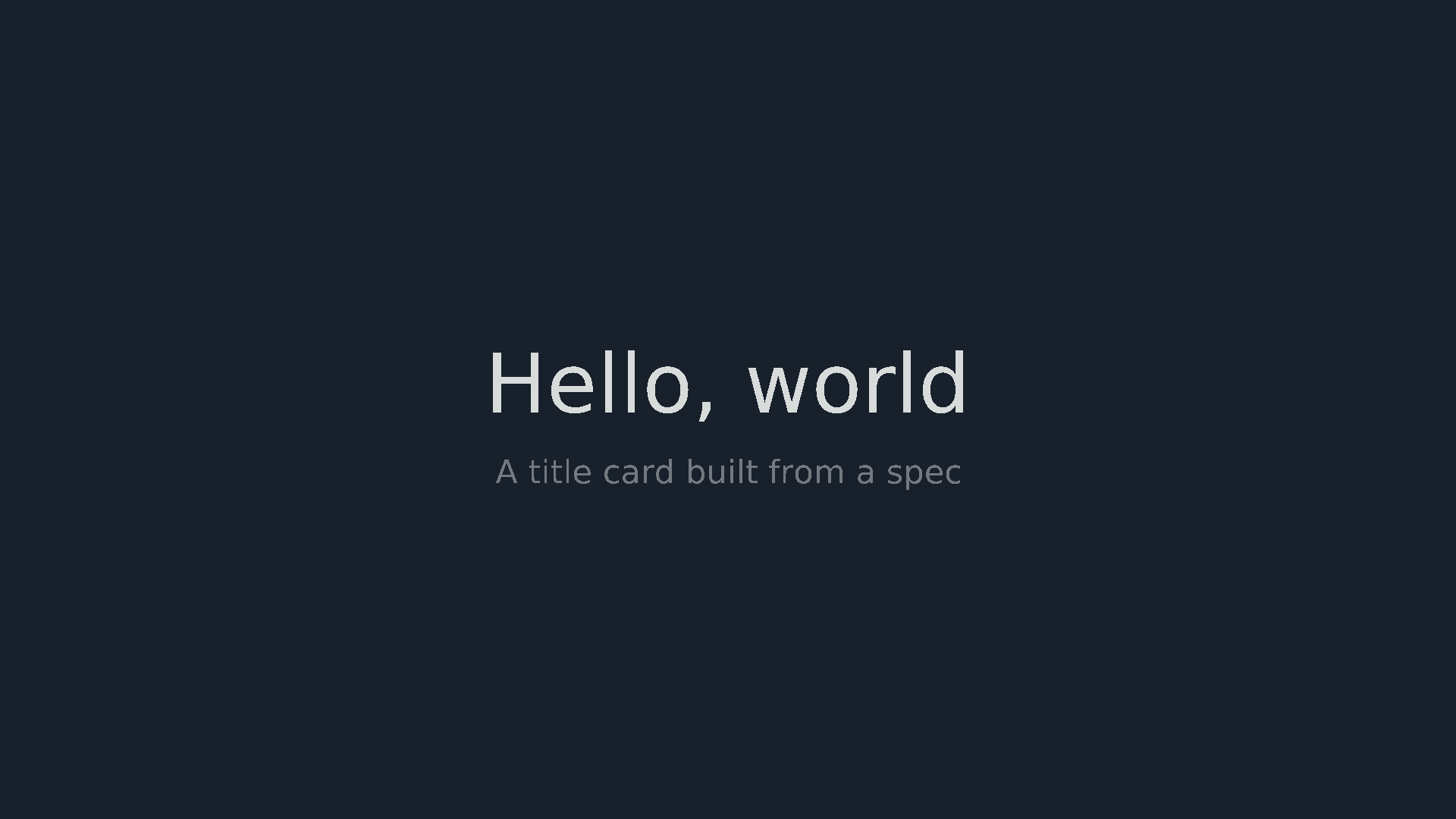
A title that eases in, holds and fades, rendered from code, with every frame's timing and position given so a render can be checked.
This is an animation spec on Spekkr, published by onyx. It is listed with the other specs. Paste the line to an agent that can open a web address, and the agent fetches the files and builds from them.
- Spec
onyx/title-card- Version
- 0.1.1
- Published by
- onyx
- Updated
- 14 Nov 2026
Build this spec
Build the spec at https://spekkr.com/onyx/title-card/start.md.
Paste this to your AI agent. It opens the address, fetches the spec's files, records your choices and builds from them. Nothing to install, no account.
Published by onyx.
What does the result look like?



What can I customize?
Your choices go into the line you copy. Anything else is yours to edit, but it leaves the tested path.
What do I get?
-
spec.mdRequirements and acceptance checks.Animated title card
What this builds
A short piece of video: a title rises into place and fades in, a subtitle follows, both hold, and both fade out. It is made from code, so the words, the colours and the shape are the person's, and the result can be checked frame by frame against this spec.
Read
spekkr.inputs.jsonfirst. The words aretitleandsubtitle. They stay forhold_secondsseconds. The colours arebackgroundandforeground.formatis the shape,toolwhat renders it, andshow_subtitlewhether there is a second line.Out of scope
- Sound.
- Pictures, logos and video behind the text.
- More than one card in a row.
Requirements
Each requirement has an id. Checks name the id they cover.
R1. The frame
- 30 frames a second. The size follows
format: 1920 by 1080, 1080 by 1920 or 1080 by 1080. - Every pixel that is not text is
background. - Text stays inside a safe area that leaves a tenth of the width and of the height free on every side.
Accept when: the rendered file has the right size and frame rate, and at the middle of the hold no pixel outside the safe area differs from
background.R2. The timeline
- The title arrives over 18 frames. If
show_subtitleis on, the subtitle starts 6 frames after the title and takes 18 frames too. - Both hold for
hold_secondstimes 30 frames, counted from when the last of them has arrived. - Both leave together over 12 frames.
- The length is the sum, as
design.mdlays out: 96 frames at the defaults.
Accept when: the rendered file has exactly the number of frames in
design.mdfor the person's inputs, and forhold_secondsof 1 and of 3.5.R3. Arriving
- While arriving, a line's opacity goes from 0 to 1 and it rises 40 pixels into its resting place.
- Both follow the same curve, ease-out cubic, given in
design.mdwith its value at six frames.
Accept when: the function that drives the motion gives every value in the table in
design.md, and in the render the title's top edge at frames 9 and 18 is where the table puts it, within 1 pixel.R4. Leaving
- While leaving, opacity goes from 1 to 0 by ease-in cubic. The lines do not move.
- The last frame is
backgroundand nothing else.
Accept when: the first frame and the last frame are a single colour, equal to
backgroundwithin 2 levels of each channel.R5. The words
- The title is centred across the frame. It is as large as fits the safe area's width on one line, up to a tenth of the frame's height. If it would be smaller than half that, it breaks onto two lines at the space nearest its middle.
- The subtitle is one line, 40% of the title's size, centred, below the title. If it does not fit, it is cut at a word with an ellipsis.
- Title and subtitle together are centred up and down.
- The font is one that ships with the project, so a render needs no network and looks the same on any machine.
Accept when: at the middle of the hold the block of text is centred within 2 pixels both ways, a title of 60 characters is on two lines, and a subtitle of 200 characters ends in an ellipsis inside the safe area.
R6. Colours
backgroundandforegroundare#rrggbb. Anything else is refused before rendering, with a message.- A pair whose contrast is under 4.5 to 1 is refused too: the words would be hard to read.
Accept when:
#17202bwith#f4f6f3renders,#777777with#888888is refused, andblueis refused.R7. The same every time
- Rendering twice from the same inputs gives the same pixels in every frame.
Accept when: frames 0, 9, 18, the middle of the hold and the last frame have the same hashes across two renders.
R8. Files
- An MP4 with H.264 video and no sound, playable in a browser.
- A PNG of the middle of the hold, to use as a still.
- One command that makes both from the inputs.
Accept when: a tool that reads video files reports H.264, the size, 30 frames a second and the frame count, and the still equals that frame of the video within the loss of the encoding.
Definition of done
- Every acceptance check above runs from one command, and all pass at the person's inputs.
- A README says how to install the tool, how to render, and how to change the words.
# Animated title card

## What this builds

A short piece of video: a title rises into place and fades in, a subtitle
follows, both hold, and both fade out. It is made from code, so the words, the
colours and the shape are the person's, and the result can be checked frame by
frame against this spec.

Read `spekkr.inputs.json` first. The words are `title` and `subtitle`. They stay
for `hold_seconds` seconds. The colours are `background` and `foreground`.
`format` is the shape, `tool` what renders it, and `show_subtitle` whether there
is a second line.

## Out of scope

- Sound.
- Pictures, logos and video behind the text.
- More than one card in a row.

## Requirements

Each requirement has an id. Checks name the id they cover.

### R1. The frame

- 30 frames a second. The size follows `format`: 1920 by 1080, 1080 by 1920 or
  1080 by 1080.
- Every pixel that is not text is `background`.
- Text stays inside a safe area that leaves a tenth of the width and of the
  height free on every side.

Accept when: the rendered file has the right size and frame rate, and at the
middle of the hold no pixel outside the safe area differs from `background`.

### R2. The timeline

- The title arrives over 18 frames. If `show_subtitle` is on, the subtitle
  starts 6 frames after the title and takes 18 frames too.
- Both hold for `hold_seconds` times 30 frames, counted from when the last of
  them has arrived.
- Both leave together over 12 frames.
- The length is the sum, as `design.md` lays out: 96 frames at the defaults.

Accept when: the rendered file has exactly the number of frames in `design.md`
for the person's inputs, and for `hold_seconds` of 1 and of 3.5.

### R3. Arriving

- While arriving, a line's opacity goes from 0 to 1 and it rises 40 pixels into
  its resting place.
- Both follow the same curve, ease-out cubic, given in `design.md` with its value
  at six frames.

Accept when: the function that drives the motion gives every value in the table
in `design.md`, and in the render the title's top edge at frames 9 and 18 is
where the table puts it, within 1 pixel.

### R4. Leaving

- While leaving, opacity goes from 1 to 0 by ease-in cubic. The lines do not
  move.
- The last frame is `background` and nothing else.

Accept when: the first frame and the last frame are a single colour, equal to
`background` within 2 levels of each channel.

### R5. The words

- The title is centred across the frame. It is as large as fits the safe area's
  width on one line, up to a tenth of the frame's height. If it would be smaller
  than half that, it breaks onto two lines at the space nearest its middle.
- The subtitle is one line, 40% of the title's size, centred, below the title. If
  it does not fit, it is cut at a word with an ellipsis.
- Title and subtitle together are centred up and down.
- The font is one that ships with the project, so a render needs no network and
  looks the same on any machine.

Accept when: at the middle of the hold the block of text is centred within 2
pixels both ways, a title of 60 characters is on two lines, and a subtitle of 200
characters ends in an ellipsis inside the safe area.

### R6. Colours

- `background` and `foreground` are `#rrggbb`. Anything else is refused before
  rendering, with a message.
- A pair whose contrast is under 4.5 to 1 is refused too: the words would be hard
  to read.

Accept when: `#17202b` with `#f4f6f3` renders, `#777777` with `#888888` is
refused, and `blue` is refused.

### R7. The same every time

- Rendering twice from the same inputs gives the same pixels in every frame.

Accept when: frames 0, 9, 18, the middle of the hold and the last frame have the
same hashes across two renders.

### R8. Files

- An MP4 with H.264 video and no sound, playable in a browser.
- A PNG of the middle of the hold, to use as a still.
- One command that makes both from the inputs.

Accept when: a tool that reads video files reports H.264, the size, 30 frames a
second and the frame count, and the still equals that frame of the video within
the loss of the encoding.

## Definition of done

- Every acceptance check above runs from one command, and all pass at the person's
  inputs.
- A README says how to install the tool, how to render, and how to change the
  words.
-
design.mdThe timeline, the easing and the frames a render must match.Design
This file fixes the timing and the motion. The font, and how the code is organised, are up to you.
The timeline
In frames, at 30 a second.
holdis thehold_secondsinput times 30, rounded to a whole frame.With a subtitle Without Title arrives 0 to 18 0 to 18 Subtitle arrives 6 to 24 Hold 24 to 24 + hold18 to 18 + holdBoth leave the next 12 frames the next 12 frames Length 36 + hold30 + holdAt the defaults that is 96 frames, 3.2 seconds. Frames are numbered from 0, so the last frame is number 95. "Arrives 0 to 18" means the line is at its start in frame 0 and at rest from frame 18 on.
The middle of the hold is frame
24 + hold / 2with a subtitle and18 + hold / 2without, rounded down.The curves
ease_out(t) = 1 - (1 - t) * (1 - t) * (1 - t)
ease_in(t)  = t * t * t
For a line that starts arriving at frame
s, at framef:t = (f - s) / 18, held between 0 and 1 opacity = ease_out(t) rise = 40 * (1 - ease_out(t)) pixels below its resting placeFor the title, which starts at frame 0:
Frame t Opacity Pixels below rest 0 0 0 40 3 0.166667 0.421296 23.148 6 0.333333 0.703704 11.852 9 0.5 0.875 5 12 0.666667 0.962963 1.481 18 1 1 0 For leaving, with
ethe first frame of leaving:t = (f - e + 1) / 12 opacity = 1 - ease_in(t)The twelfth frame of leaving is the last frame of the piece. There
tis 1 and the frame is empty.Contrast
Contrast is measured as the web's accessibility guidelines do: each colour's relative luminance from its linear red, green and blue, then the lighter plus 0.05 over the darker plus 0.05.
Background Foreground Contrast Allowed #17202b#f4f6f3about 15.1 to 1 yes #777777#888888about 1.3 to 1 no #000000#ffffff21 to 1 yes How to check a render
- Read the size, the frame rate and the frame count from the file with a tool made for it, such as
ffprobe. - Pull single frames out as PNG and read their pixels.
- The top edge of the title is the first row, from the top, that holds a pixel differing from
backgroundby more than 8 levels in any channel. - Encoding changes pixels a little. Compare colours with the allowance each requirement gives, and hash frames taken from the renderer before encoding for R7.
Named here
- The middle of a title is character
(length - 1) / 2, rounded down. Of two spaces equally near, the earlier is the break. - A still equals its frame when the mean difference per channel is under 4 and the largest is under 40, on a scale of 0 to 255.
What this spec leaves to you
Where this spec names something, use that name, so that two builds of it agree. Where it does not, the choice is yours. List what you chose in the README.
# Design

This file fixes the timing and the motion. The font, and how the code is
organised, are up to you.

## The timeline

In frames, at 30 a second. `hold` is the `hold_seconds` input times 30, rounded
to a whole frame.

| | With a subtitle | Without |
| --- | --- | --- |
| Title arrives | 0 to 18 | 0 to 18 |
| Subtitle arrives | 6 to 24 | |
| Hold | 24 to `24 + hold` | 18 to `18 + hold` |
| Both leave | the next 12 frames | the next 12 frames |
| Length | `36 + hold` | `30 + hold` |

At the defaults that is 96 frames, 3.2 seconds. Frames are numbered from 0, so
the last frame is number 95. "Arrives 0 to 18" means the line is at its start in
frame 0 and at rest from frame 18 on.

The middle of the hold is frame `24 + hold / 2` with a subtitle and
`18 + hold / 2` without, rounded down.

## The curves

```
ease_out(t) = 1 - (1 - t) * (1 - t) * (1 - t)
ease_in(t)  = t * t * t
```

For a line that starts arriving at frame `s`, at frame `f`:

```
t       = (f - s) / 18, held between 0 and 1
opacity = ease_out(t)
rise    = 40 * (1 - ease_out(t))        pixels below its resting place
```

For the title, which starts at frame 0:

| Frame | t | Opacity | Pixels below rest |
| --- | --- | --- | --- |
| 0 | 0 | 0 | 40 |
| 3 | 0.166667 | 0.421296 | 23.148 |
| 6 | 0.333333 | 0.703704 | 11.852 |
| 9 | 0.5 | 0.875 | 5 |
| 12 | 0.666667 | 0.962963 | 1.481 |
| 18 | 1 | 1 | 0 |

For leaving, with `e` the first frame of leaving:

```
t       = (f - e + 1) / 12
opacity = 1 - ease_in(t)
```

The twelfth frame of leaving is the last frame of the piece. There `t` is 1 and
the frame is empty.

## Contrast

Contrast is measured as the web's accessibility guidelines do: each colour's
relative luminance from its linear red, green and blue, then the lighter plus
0.05 over the darker plus 0.05.

| Background | Foreground | Contrast | Allowed |
| --- | --- | --- | --- |
| `#17202b` | `#f4f6f3` | about 15.1 to 1 | yes |
| `#777777` | `#888888` | about 1.3 to 1 | no |
| `#000000` | `#ffffff` | 21 to 1 | yes |

## How to check a render

- Read the size, the frame rate and the frame count from the file with a tool
  made for it, such as `ffprobe`.
- Pull single frames out as PNG and read their pixels.
- The top edge of the title is the first row, from the top, that holds a pixel
  differing from `background` by more than 8 levels in any channel.
- Encoding changes pixels a little. Compare colours with the allowance each
  requirement gives, and hash frames taken from the renderer before encoding for
  R7.

## Named here

- The middle of a title is character `(length - 1) / 2`, rounded down. Of two
  spaces equally near, the earlier is the break.
- A still equals its frame when the mean difference per channel is under 4 and
  the largest is under 40, on a scale of 0 to 255.

## What this spec leaves to you

Where this spec names something, use that name, so that two builds of it agree.
Where it does not, the choice is yours. List what you chose in the README.
- Read the size, the frame rate and the frame count from the file with a tool made for it, such as
-
tasks.mdBuild tasks in order, each with a check.Tasks
Work in order. Finish a task's check before starting the next.
- Set up. Install the tool in the
toolinput and a tool that reads video files. Put a font file in the project. Read the inputs into one place. Check: one frame of plainbackgroundrenders at the sizeformatgives. - The curves (R3, R4). Pure functions for both curves and for the timeline. Check: every value in the table in
design.mdis reproduced, and the length is right forhold_secondsof 1, 2 and 3.5, with and withoutshow_subtitle. - Colours (R6). Use
backgroundandforeground. Check: the R6 checks pass, including the contrast values indesign.md. - The words (R5). Lay out
titleandsubtitleat rest, with no motion. Check: the R5 checks pass on a single still. - Motion (R2, R3, R4). Check: the R2, R3 and R4 checks pass on a render.
- The frame (R1) and the same every time (R7). Check: the R1 and R7 checks pass.
- Files (R8). Check: the R8 checks pass.
- Finish. Write the README and run the command from a clean folder. Check: every item under "Definition of done" in
spec.mdis true.
# Tasks

Work in order. Finish a task's check before starting the next.

1. **Set up.** Install the tool in the `tool` input and a tool that reads video
   files. Put a font file in the project. Read the inputs into one place.
   Check: one frame of plain `background` renders at the size `format` gives.

2. **The curves (R3, R4).** Pure functions for both curves and for the timeline.
   Check: every value in the table in `design.md` is reproduced, and the length
   is right for `hold_seconds` of 1, 2 and 3.5, with and without `show_subtitle`.

3. **Colours (R6).** Use `background` and `foreground`.
   Check: the R6 checks pass, including the contrast values in `design.md`.

4. **The words (R5).** Lay out `title` and `subtitle` at rest, with no motion.
   Check: the R5 checks pass on a single still.

5. **Motion (R2, R3, R4).**
   Check: the R2, R3 and R4 checks pass on a render.

6. **The frame (R1) and the same every time (R7).**
   Check: the R1 and R7 checks pass.

7. **Files (R8).**
   Check: the R8 checks pass.

8. **Finish.** Write the README and run the command from a clean folder.
   Check: every item under "Definition of done" in `spec.md` is true.
- Set up. Install the tool in the
Is it for me?
- Kind
- animation
- Tools
- Remotion, Manim
What does it need?
- Agent permissions
- shell
- Commands it runs
install Remotion or Manim, whichever the tool input namesinstall a tool that reads video, such as ffprobe
What changed?
- 0.1.114 Nov 2026Says "person" where it said "buyer".
- 0.1.014 Nov 2026Moved from dwrtz/title-card.
For agents: start.md says how to build this spec, spec.json holds everything on this page, and bundle.tar.gz holds its files.