Search
Full-text search over your app's records: ranking, highlights, prefix matching, and results limited to what the person may see.
This is an app part spec on Spekkr, published by vex. It is listed with the other specs. Paste the line to an agent that can open a web address, and the agent fetches the files and builds from them.
- Spec
vex/search- Version
- 0.1.2
- Published by
- vex
- Updated
- 15 Nov 2026
Build this spec
Build the spec at https://spekkr.com/vex/search/start.md.
Paste this to your AI agent. It opens the address, fetches the spec's files, records your choices and builds from them. Nothing to install, no account.
Published by vex.
What does the result look like?
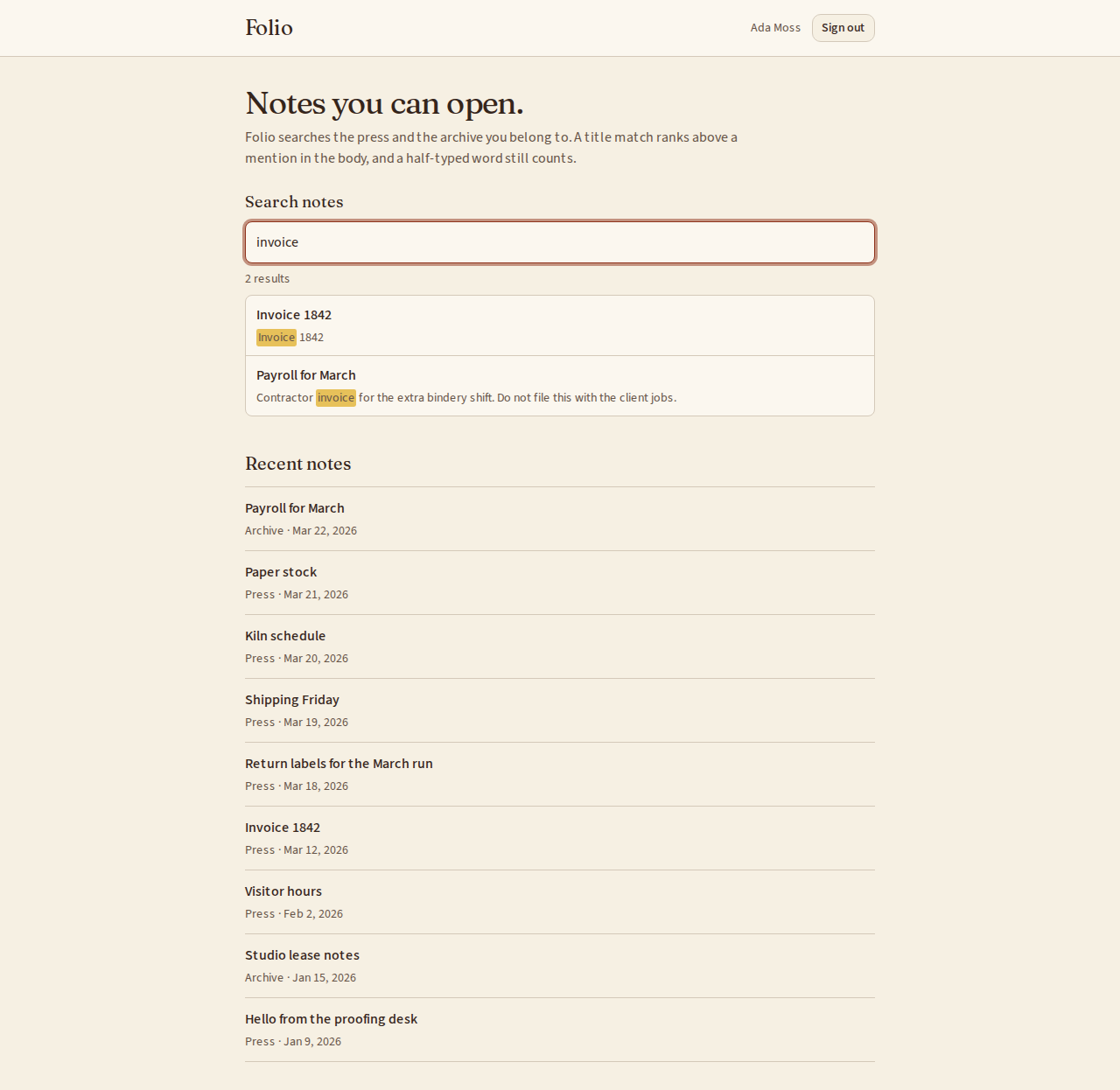
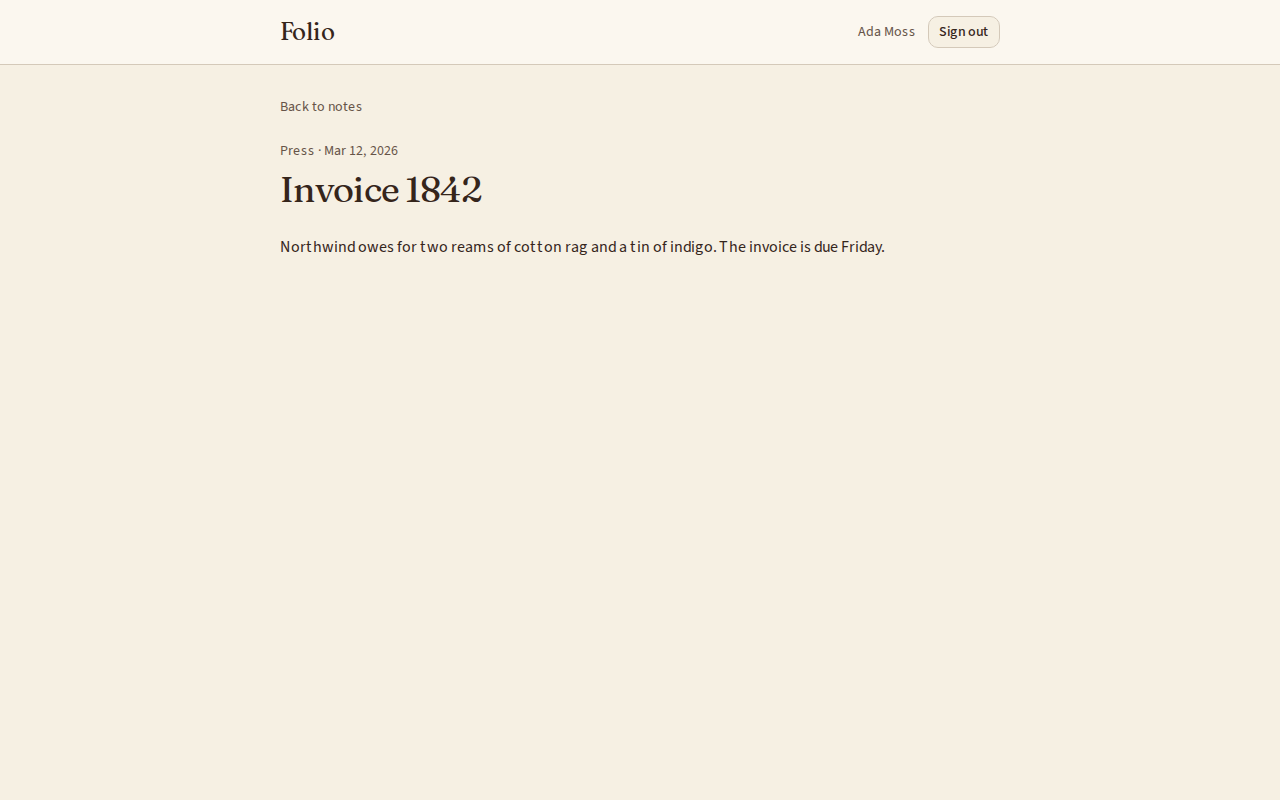
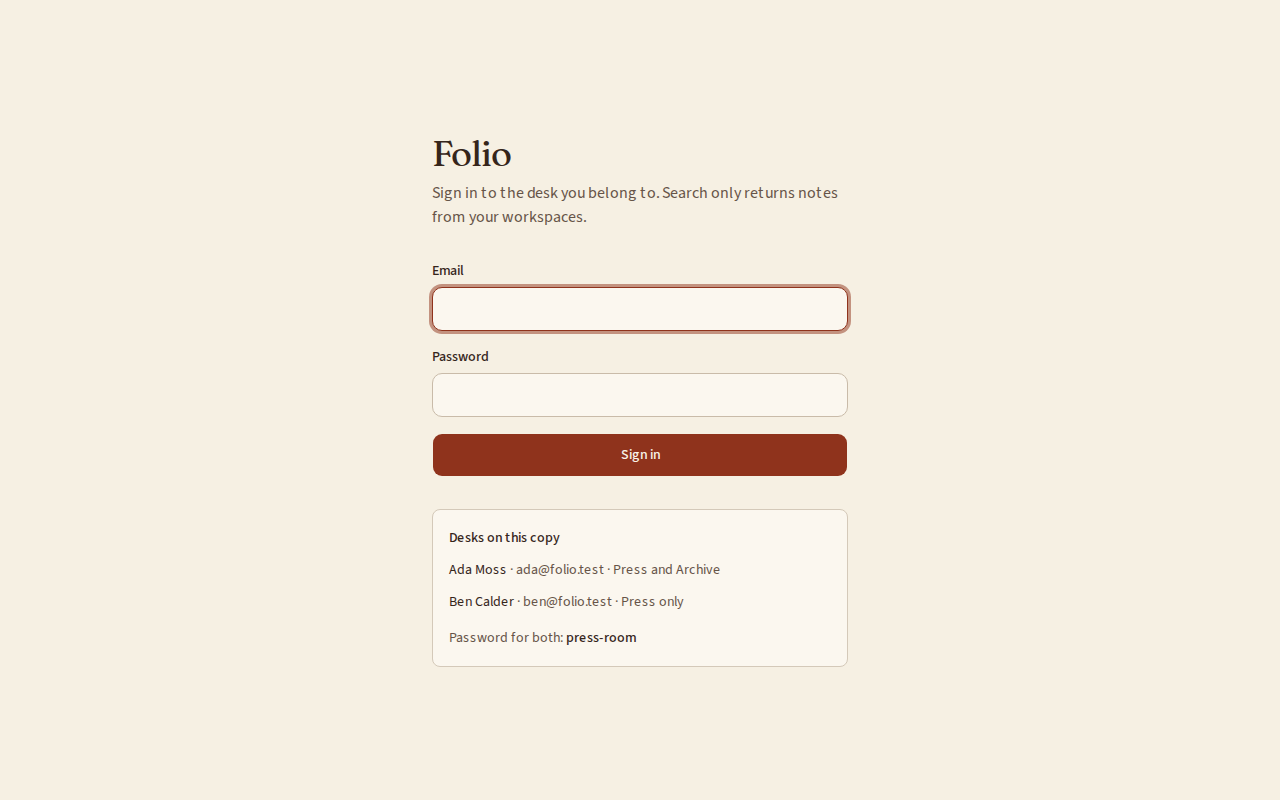
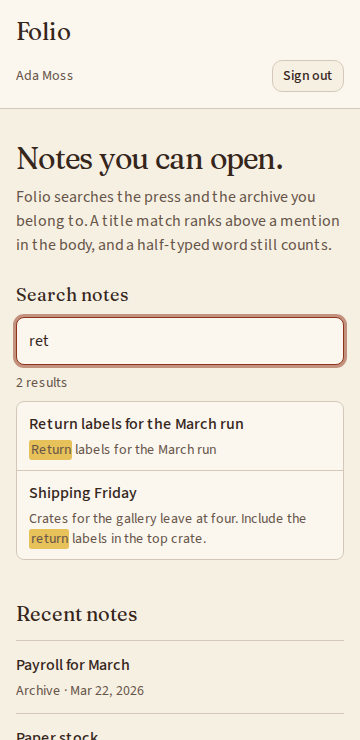
What can I customize?
Your choices go into the line you copy. Anything else is yours to edit, but it leaves the tested path.
What do I get?
-
spec.mdRequirements and acceptance criteria.Search
What this builds
A search box for the records in an app. It uses the full-text search the database already has, so there is nothing else to run. What a person types is never treated as query syntax, results come best first, and nobody finds a record they may not open.
Read
spekkr.inputs.jsonfirst. Text is treated aslanguage.prefix_matchingchanges R3 andhighlightsdecides whether R5 exists.The spec searches one example table,
notes, described as data indesign.md. To search something else, change that description. It needs the app to know who is signed in.Out of scope
- A separate search service.
- Correcting spelling, and finding words by meaning.
- Searching inside uploaded files.
Requirements
Each requirement has an id. Tests name the id they cover.
R1. What can be found
- One description says what is searched: the table, the fields with a weight each, the field to show as a title, and the rule for who may see a row.
- A record can be found as soon as the transaction that saved it commits. The index is kept by the database, not by app code that could forget.
Accept when: a record saved in a transaction is found right after the commit, and one in a rolled-back transaction never is.
R2. Read what was typed
- What a person types is turned into terms by the rules in
design.md: words, phrases in double quotes, and words to leave out, marked with a minus sign. - Nothing typed can reach the database as query syntax. Punctuation separates words and means nothing else.
- A query is cut to 200 characters and to its first 8 terms.
- A query with no terms searches nothing and answers with no results.
Accept when: every row of the table of cases in
design.mdgives the terms listed, and none of the cases raises an error from the database.R3. Match
- A record matches when it holds every word and every phrase, and none of the words to leave out.
- Words match by their stem in
language:invoicesfindsinvoice. - If
prefix_matchingis on, the last word, when it is not in quotes, also matches words that start with it:retfindsreturn.
Accept when: each of the three rules has a test with a record that matches and one that does not.
R4. Order
- Results come best first. A record with the words in its title comes before one with them only in its body.
- Records that rank the same come newest first, then by id, so the order never changes between two identical searches.
Accept when: with one record of each kind the title match is first, and two searches a second apart return the same order.
R5. Show where it matched
Only if
highlightsis on.- Each result carries a piece of its text of at most 200 characters around the first match, with the matching words marked.
- The text is escaped as HTML before the marks are added. A record that holds
<script>shows it as text.
Accept when: the piece holds the word inside
<mark>, and a record holding<img src=x onerror=alert(1)>comes back with that as escaped text.R6. Only what the person may see
- The rule for who may see a row is part of the search itself, in the same statement. Records are not fetched and then thrown away.
- So the count of results and the pages are right for each person.
Accept when: two people who may see different records get different results and different counts for the same words, and neither count includes a hidden record.
R7. Ask and answer
GET /api/search?q=answers with up to 20 results and a cursor for the next 20.- A result has the record's id, its title, the piece from R5 if there is one, and a link.
- The query runs on the index. A test reads the database's plan for it and fails if the plan reads the whole table.
- A person makes at most 30 searches in 10 seconds.
Accept when: the cursor returns every match once, and the plan test passes with 10,000 records in the table.
R8. The search box
- Results appear as the person types, after a pause of 150 milliseconds. An answer to an earlier query never replaces the answer to a later one.
- Arrow keys move through the results, Enter opens one, Escape clears.
- The box says how many results there are to screen readers, and says so when there are none.
Accept when: the box works with a keyboard alone and at a 360 pixel wide screen, and a slow answer to
invdoes not overwrite the answer toinvoice.Definition of done
- Every acceptance check above has an automated test, and all tests pass.
- A README explains how to describe another table in place of notes, and how to run the tests.
# Search

## What this builds

A search box for the records in an app. It uses the full-text search the database
already has, so there is nothing else to run. What a person types is never
treated as query syntax, results come best first, and nobody finds a record they
may not open.

Read `spekkr.inputs.json` first. Text is treated as `language`. `prefix_matching`
changes R3 and `highlights` decides whether R5 exists.

The spec searches one example table, `notes`, described as data in `design.md`.
To search something else, change that description. It needs the app to know who
is signed in.

## Out of scope

- A separate search service.
- Correcting spelling, and finding words by meaning.
- Searching inside uploaded files.

## Requirements

Each requirement has an id. Tests name the id they cover.

### R1. What can be found

- One description says what is searched: the table, the fields with a weight
  each, the field to show as a title, and the rule for who may see a row.
- A record can be found as soon as the transaction that saved it commits. The
  index is kept by the database, not by app code that could forget.

Accept when: a record saved in a transaction is found right after the commit, and
one in a rolled-back transaction never is.

### R2. Read what was typed

- What a person types is turned into terms by the rules in `design.md`: words,
  phrases in double quotes, and words to leave out, marked with a minus sign.
- Nothing typed can reach the database as query syntax. Punctuation separates
  words and means nothing else.
- A query is cut to 200 characters and to its first 8 terms.
- A query with no terms searches nothing and answers with no results.

Accept when: every row of the table of cases in `design.md` gives the terms
listed, and none of the cases raises an error from the database.

### R3. Match

- A record matches when it holds every word and every phrase, and none of the
  words to leave out.
- Words match by their stem in `language`: `invoices` finds `invoice`.
- If `prefix_matching` is on, the last word, when it is not in quotes, also
  matches words that start with it: `ret` finds `return`.

Accept when: each of the three rules has a test with a record that matches and
one that does not.

### R4. Order

- Results come best first. A record with the words in its title comes before one
  with them only in its body.
- Records that rank the same come newest first, then by id, so the order never
  changes between two identical searches.

Accept when: with one record of each kind the title match is first, and two
searches a second apart return the same order.

### R5. Show where it matched

Only if `highlights` is on.

- Each result carries a piece of its text of at most 200 characters around the
  first match, with the matching words marked.
- The text is escaped as HTML before the marks are added. A record that holds
  `<script>` shows it as text.

Accept when: the piece holds the word inside `<mark>`, and a record holding
`<img src=x onerror=alert(1)>` comes back with that as escaped text.

### R6. Only what the person may see

- The rule for who may see a row is part of the search itself, in the same
  statement. Records are not fetched and then thrown away.
- So the count of results and the pages are right for each person.

Accept when: two people who may see different records get different results and
different counts for the same words, and neither count includes a hidden record.

### R7. Ask and answer

- `GET /api/search?q=` answers with up to 20 results and a cursor for the next 20.
- A result has the record's id, its title, the piece from R5 if there is one, and
  a link.
- The query runs on the index. A test reads the database's plan for it and fails
  if the plan reads the whole table.
- A person makes at most 30 searches in 10 seconds.

Accept when: the cursor returns every match once, and the plan test passes with
10,000 records in the table.

### R8. The search box

- Results appear as the person types, after a pause of 150 milliseconds. An
  answer to an earlier query never replaces the answer to a later one.
- Arrow keys move through the results, Enter opens one, Escape clears.
- The box says how many results there are to screen readers, and says so when
  there are none.

Accept when: the box works with a keyboard alone and at a 360 pixel wide screen,
and a slow answer to `inv` does not overwrite the answer to `invoice`.

## Definition of done

- Every acceptance check above has an automated test, and all tests pass.
- A README explains how to describe another table in place of notes, and how to
  run the tests.
-
design.mdData model, rules and flows.Design
This file fixes the parts that are easy to get wrong. Choose the language and framework that fit the person's project; nothing here depends on them.
What is searched, as data
Table notesFields titlewith weight A,bodywith weight BShown as title titleWho may see a row The row's workspace_idis one the person belongs toNewest by updated_atKeep this in one place in code. The schema below and the query are both made from it.
The index
Use the database in the
databaseinput.databaseIndex postgresA generated column of type tsvector, made withsetweight(to_tsvector(LANGUAGE, title), 'A')joined to the same forbodywith'B', and a GIN index on it.sqliteAn FTS5 table over titleandbodywith theportertokenizer, kept in step withnotesby three triggers, for insert, update and delete.LANGUAGEis thelanguageinput. SQLite's stemmer only knows English: with any other language, use theunicode61tokenizer and say in the README that words then match exactly.Reading what was typed
- Cut to 200 characters. Lowercase.
- Take each run of text between two double quotes as a phrase. A quote with no partner is dropped.
- In what is left, every character that is not a letter or a digit separates words, except a minus sign directly before a word, which marks it as a word to leave out.
- Drop empty terms. Keep the first 8.
Typed Terms hello worldwords hello,world"hello world"phrase hello worldhello -worldword hello; leave outworldsay "hello world" nowphrase hello world; wordssay,nowhello "word helloa:b & c | !dwords a,b,c,dit'swords it,s-none ""none three spaces none Invoiceword invoiceBuilding the query
Build the database's query from the terms, never from the typed text.
postgressqliteA word 'word'"word"The last word, with prefix_matching'word':*"word"*A phrase words joined by <->"hello world"Left out !'word'NOT "word", after the kept termsJoined by &AND, between kept terms onlyIn Postgres pass the built text to
to_tsquery(LANGUAGE, $1)as a parameter. In SQLite pass it toMATCHas a parameter. Quote each term as shown, doubling any quote inside it, though the rules above leave none.In SQLite
NOTstands between two queries. It cannot start a query and cannot followAND:"hello" AND NOT "world"is a syntax error. Join the kept terms withAND, put them in brackets, and follow them withNOT "word"for each word left out:("hello" AND "big"*) NOT "world" NOT "old"In Postgres every term, kept or left out, is joined by
&:'hello' & 'big':* & !'world' & !'old'.A query that only leaves words out matches nothing: answer with no results without asking the database.
Order and pieces
postgressqliteRank ts_rank_cdwith weights that favour Abm25with a weight of 10 fortitleand 1 forbodyPiece ts_headlinesnippetFor the piece, have the database mark matches with two characters that cannot be in the text, such as U+E000 and U+E001. Escape the piece as HTML, then replace the two characters with
<mark>and</mark>.The cursor is the rank, the time and the id of the last result. The next page is everything after that in the same order.
Configuration
Secret Purpose DATABASE_URLConnection string for the chosen database. Who is signed in
The spec reaches the app's sign-in through one function,
current_user(request). It answers with the person's id, and says whether they are an administrator where this spec asks. In the person's app it reads their session.When there is no app yet, build this stand-in and nothing more: a page that lists two seeded people, one of them an administrator, with a button for each that sets a signed cookie naming them. The stand-in refuses to start in production.
Named here
- Results that tie on rank and time are ordered by id, lowest first.
What this spec leaves to you
Where this spec names something, use that name, so that two builds of it agree. Where it does not, the choice is yours. List what you chose in the README.
# Design This file fixes the parts that are easy to get wrong. Choose the language and framework that fit the person's project; nothing here depends on them. ## What is searched, as data | | | | --- | --- | | Table | `notes` | | Fields | `title` with weight A, `body` with weight B | | Shown as title | `title` | | Who may see a row | The row's `workspace_id` is one the person belongs to | | Newest by | `updated_at` | Keep this in one place in code. The schema below and the query are both made from it. ## The index Use the database in the `database` input. | `database` | Index | | --- | --- | | `postgres` | A generated column of type `tsvector`, made with `setweight(to_tsvector(LANGUAGE, title), 'A')` joined to the same for `body` with `'B'`, and a GIN index on it. | | `sqlite` | An FTS5 table over `title` and `body` with the `porter` tokenizer, kept in step with `notes` by three triggers, for insert, update and delete. | `LANGUAGE` is the `language` input. SQLite's stemmer only knows English: with any other language, use the `unicode61` tokenizer and say in the README that words then match exactly. ## Reading what was typed 1. Cut to 200 characters. Lowercase. 2. Take each run of text between two double quotes as a phrase. A quote with no partner is dropped. 3. In what is left, every character that is not a letter or a digit separates words, except a minus sign directly before a word, which marks it as a word to leave out. 4. Drop empty terms. Keep the first 8. | Typed | Terms | | --- | --- | | `hello world` | words `hello`, `world` | | `"hello world"` | phrase `hello world` | | `hello -world` | word `hello`; leave out `world` | | `say "hello world" now` | phrase `hello world`; words `say`, `now` | | `hello "` | word `hello` | | `a:b & c \| !d` | words `a`, `b`, `c`, `d` | | `it's` | words `it`, `s` | | `-` | none | | `""` | none | | three spaces | none | | `Invoice` | word `invoice` | ## Building the query Build the database's query from the terms, never from the typed text. | | `postgres` | `sqlite` | | --- | --- | --- | | A word | `'word'` | `"word"` | | The last word, with `prefix_matching` | `'word':*` | `"word"*` | | A phrase | words joined by `<->` | `"hello world"` | | Left out | `!'word'` | `NOT "word"`, after the kept terms | | Joined by | `&` | `AND`, between kept terms only | In Postgres pass the built text to `to_tsquery(LANGUAGE, $1)` as a parameter. In SQLite pass it to `MATCH` as a parameter. Quote each term as shown, doubling any quote inside it, though the rules above leave none. In SQLite `NOT` stands between two queries. It cannot start a query and cannot follow `AND`: `"hello" AND NOT "world"` is a syntax error. Join the kept terms with `AND`, put them in brackets, and follow them with `NOT "word"` for each word left out: ``` ("hello" AND "big"*) NOT "world" NOT "old" ``` In Postgres every term, kept or left out, is joined by `&`: `'hello' & 'big':* & !'world' & !'old'`. A query that only leaves words out matches nothing: answer with no results without asking the database. ## Order and pieces | | `postgres` | `sqlite` | | --- | --- | --- | | Rank | `ts_rank_cd` with weights that favour A | `bm25` with a weight of 10 for `title` and 1 for `body` | | Piece | `ts_headline` | `snippet` | For the piece, have the database mark matches with two characters that cannot be in the text, such as U+E000 and U+E001. Escape the piece as HTML, then replace the two characters with `<mark>` and `</mark>`. The cursor is the rank, the time and the id of the last result. The next page is everything after that in the same order. ## Configuration | Secret | Purpose | | --- | --- | | `DATABASE_URL` | Connection string for the chosen database. | ## Who is signed in The spec reaches the app's sign-in through one function, `current_user(request)`. It answers with the person's id, and says whether they are an administrator where this spec asks. In the person's app it reads their session. When there is no app yet, build this stand-in and nothing more: a page that lists two seeded people, one of them an administrator, with a button for each that sets a signed cookie naming them. The stand-in refuses to start in production. ## Named here - Results that tie on rank and time are ordered by id, lowest first. ## What this spec leaves to you Where this spec names something, use that name, so that two builds of it agree. Where it does not, the choice is yours. List what you chose in the README. -
tasks.mdBuild tasks in order, each with a check.Tasks
Work in order. Finish a task's check before starting the next.
- Set up. If there is no app yet, build the smallest one: signed-in users, workspaces, and
notes. Add the index indesign.mdfor thedatabaseandlanguageinputs. Check: migrations run from empty, and the R1 acceptance test passes. - Read what was typed (R2). A pure function from text to terms. Check: a test covers every row of the table of cases in
design.md. - Build the query (R3). A pure function from terms to the database's query text. Honour
prefix_matching. Check: the R3 acceptance tests pass, and every case from task 2 runs against the database without an error. - Order (R4) and who may see (R6). Check: the R4 and R6 acceptance tests pass.
- Pieces (R5). Only if
highlightsis on. Check: the R5 acceptance tests pass. - The address (R7). Check: the R7 acceptance tests pass, including the plan test.
- The search box (R8). Check: the R8 acceptance tests pass.
- Finish. Write the README and run the whole test suite. Check: every item under "Definition of done" in
spec.mdis true.
# Tasks

Work in order. Finish a task's check before starting the next.

1. **Set up.** If there is no app yet, build the smallest one: signed-in users,
   workspaces, and `notes`. Add the index in `design.md` for the `database` and
   `language` inputs.
   Check: migrations run from empty, and the R1 acceptance test passes.

2. **Read what was typed (R2).** A pure function from text to terms.
   Check: a test covers every row of the table of cases in `design.md`.

3. **Build the query (R3).** A pure function from terms to the database's query
   text. Honour `prefix_matching`.
   Check: the R3 acceptance tests pass, and every case from task 2 runs against
   the database without an error.

4. **Order (R4) and who may see (R6).**
   Check: the R4 and R6 acceptance tests pass.

5. **Pieces (R5).** Only if `highlights` is on.
   Check: the R5 acceptance tests pass.

6. **The address (R7).**
   Check: the R7 acceptance tests pass, including the plan test.

7. **The search box (R8).**
   Check: the R8 acceptance tests pass.

8. **Finish.** Write the README and run the whole test suite.
   Check: every item under "Definition of done" in `spec.md` is true.
- Set up. If there is no app yet, build the smallest one: signed-in users, workspaces, and
Is it for me?
- Kind
- app part
- Platforms
- web, backend
What does it need?
- Agent permissions
- shell, network
- Secrets it reads
DATABASE_URL
What changed?
- 0.1.215 Nov 2026Names what it builds.
- 0.1.114 Nov 2026Says "person" where it said "buyer".
- 0.1.014 Nov 2026Moved from dwrtz/search.
For agents: start.md says how to build this spec, spec.json holds everything on this page, and bundle.tar.gz holds its files.