Changelog
A public changelog with a feed, and a badge in your app that knows which entries each person has not seen yet.
This is an app part spec on Spekkr, published by rook. It is listed with the other specs. Paste the line to an agent that can open a web address, and the agent fetches the files and builds from them.
- Spec
rook/changelog- Version
- 0.1.2
- Published by
- rook
- Updated
- 15 Nov 2026
Build this spec
Build the spec at https://spekkr.com/rook/changelog/start.md.
Paste this to your AI agent. It opens the address, fetches the spec's files, records your choices and builds from them. Nothing to install, no account.
Published by rook.
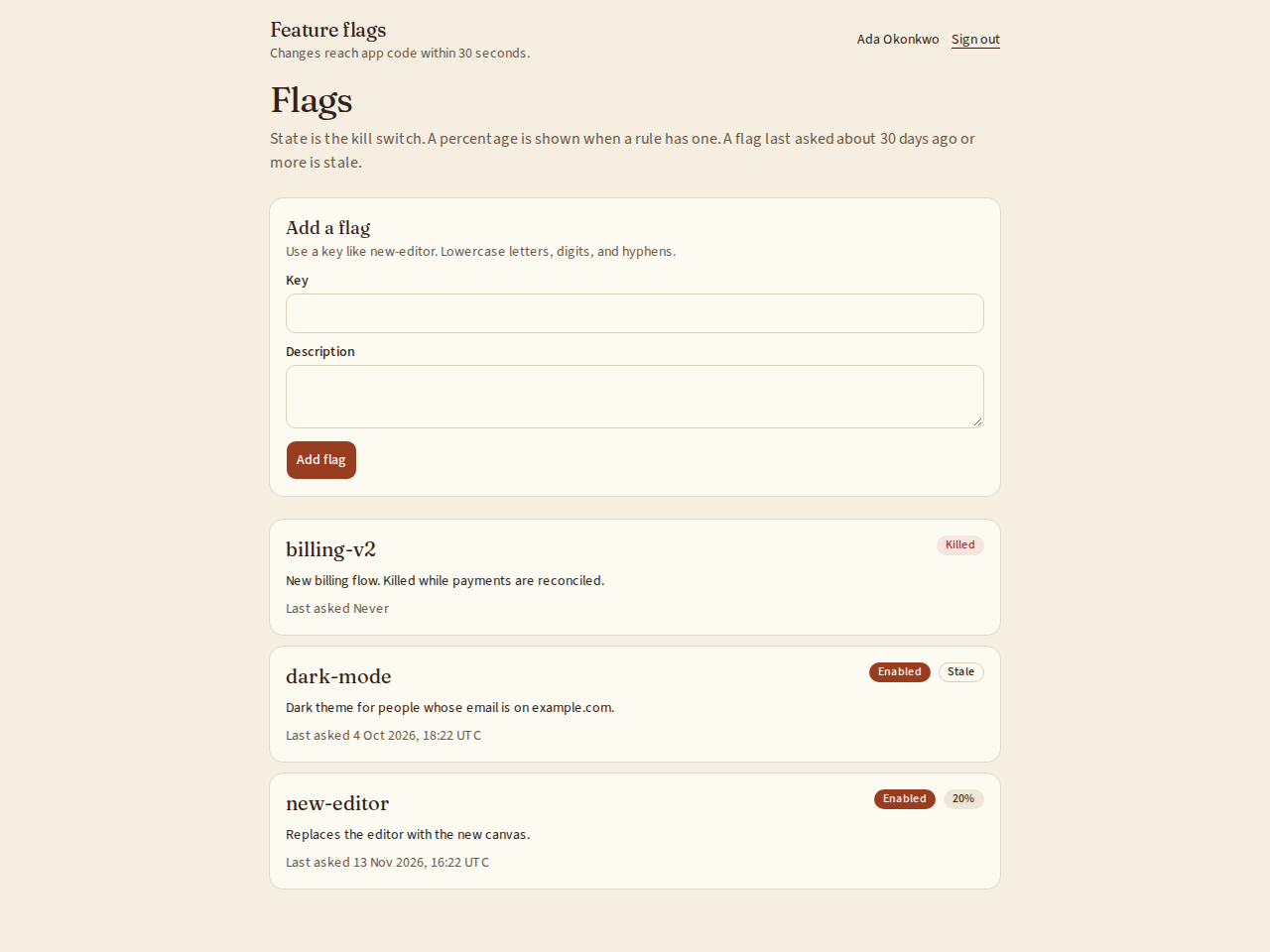
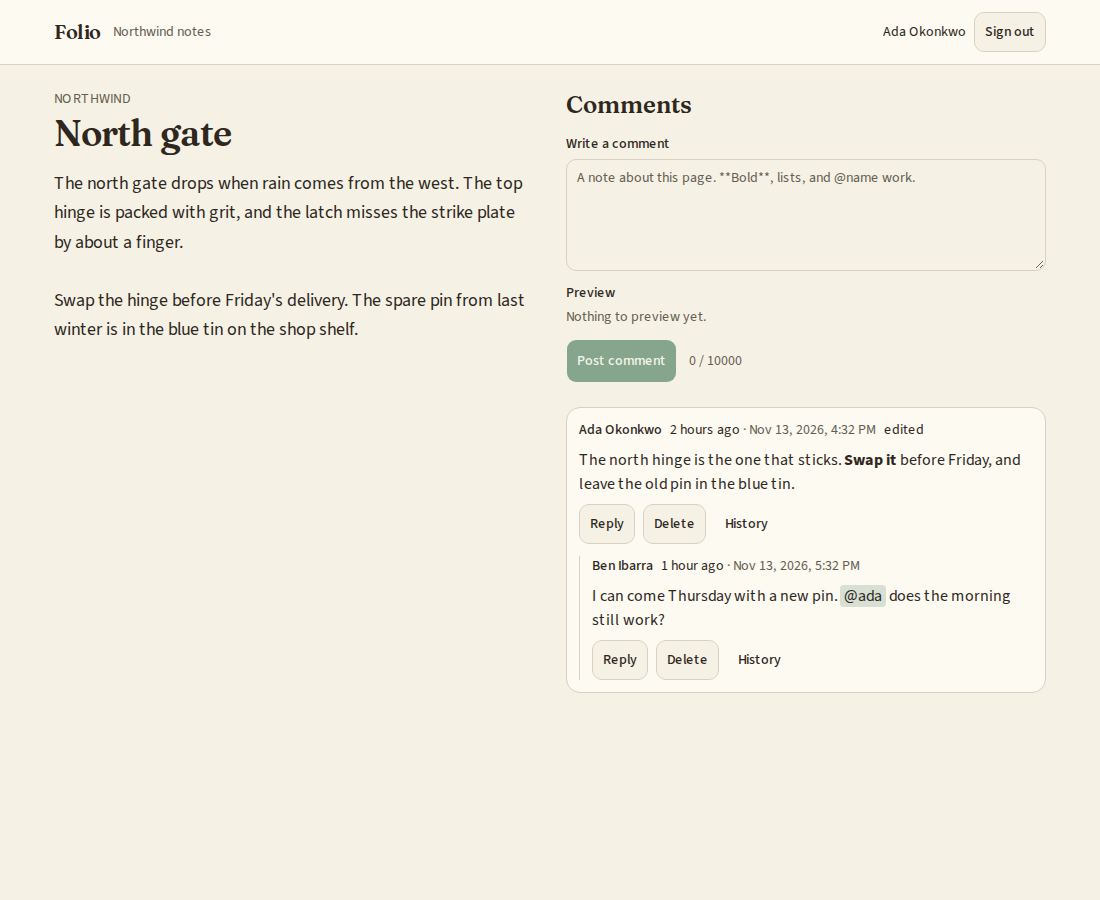
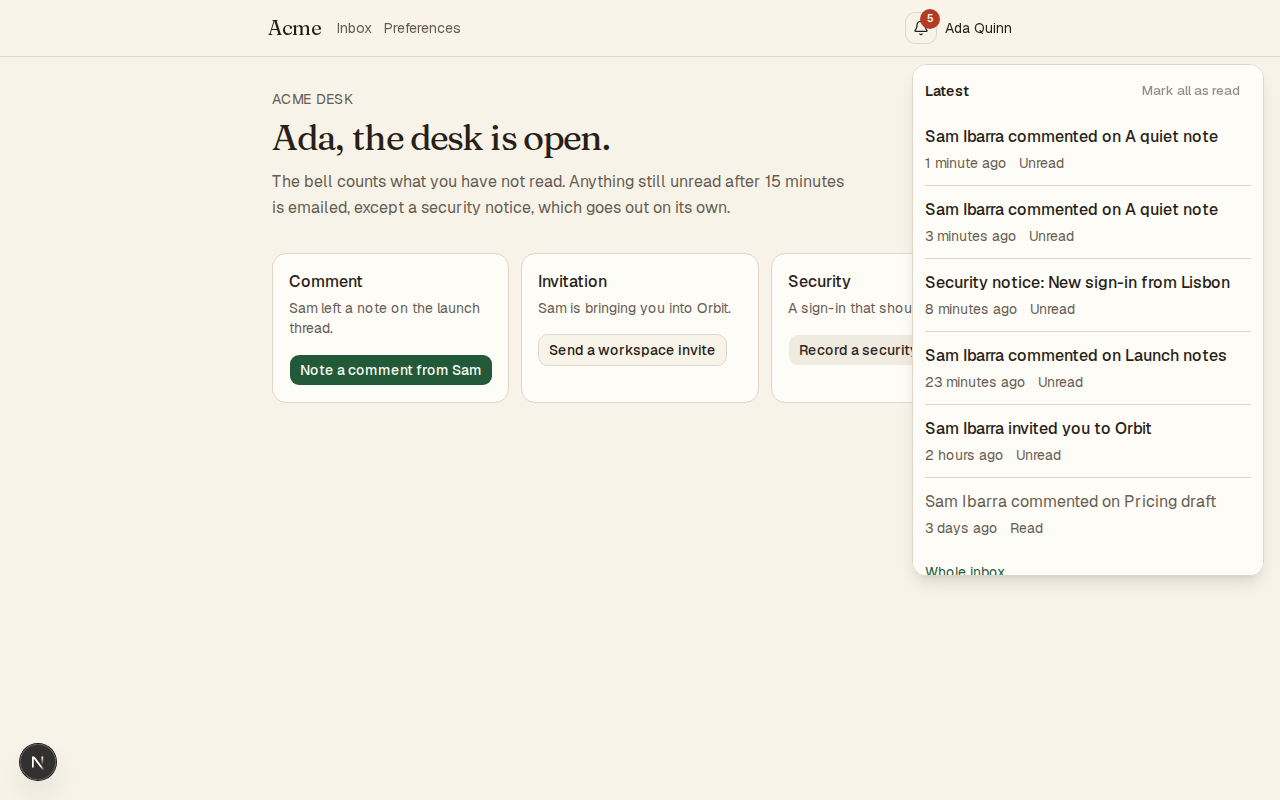
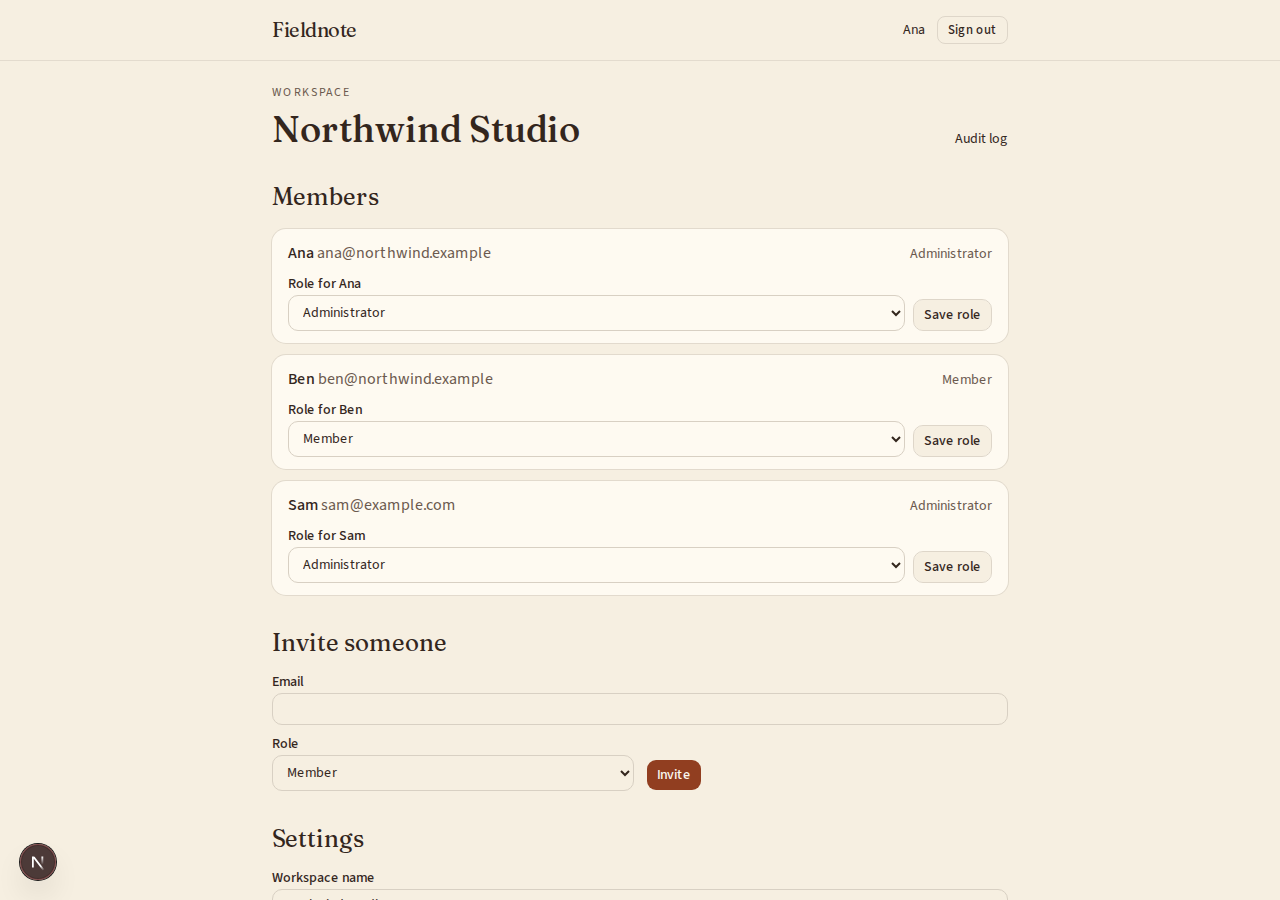
What does the result look like?
What can I customize?
Your choices go into the line you copy. Anything else is yours to edit, but it leaves the tested path.
What do I get?
-
spec.mdRequirements and acceptance criteria.Changelog
What this builds
A place where a team tells its customers what changed: a public page, a feed that readers and other tools can follow, and a mark inside the app that tells each person there is news they have not read.
Read
spekkr.inputs.jsonfirst.authoringsays where entries are written.in_app_badgedecides whether R5 exists andemail_subscriberswhether R6 does. Useapp_nameon the page and in the feed.Out of scope
- A roadmap, votes and comments.
- Writing the entries. The team does that.
- Translating entries.
Requirements
Each requirement has an id. Tests name the id they cover.
R1. Entries
- An entry has a title, a body in Markdown, a kind from
new,improvedandfixed, and the time it was published. - Its address is made from its title when it is first published and never changes after, even when the title does.
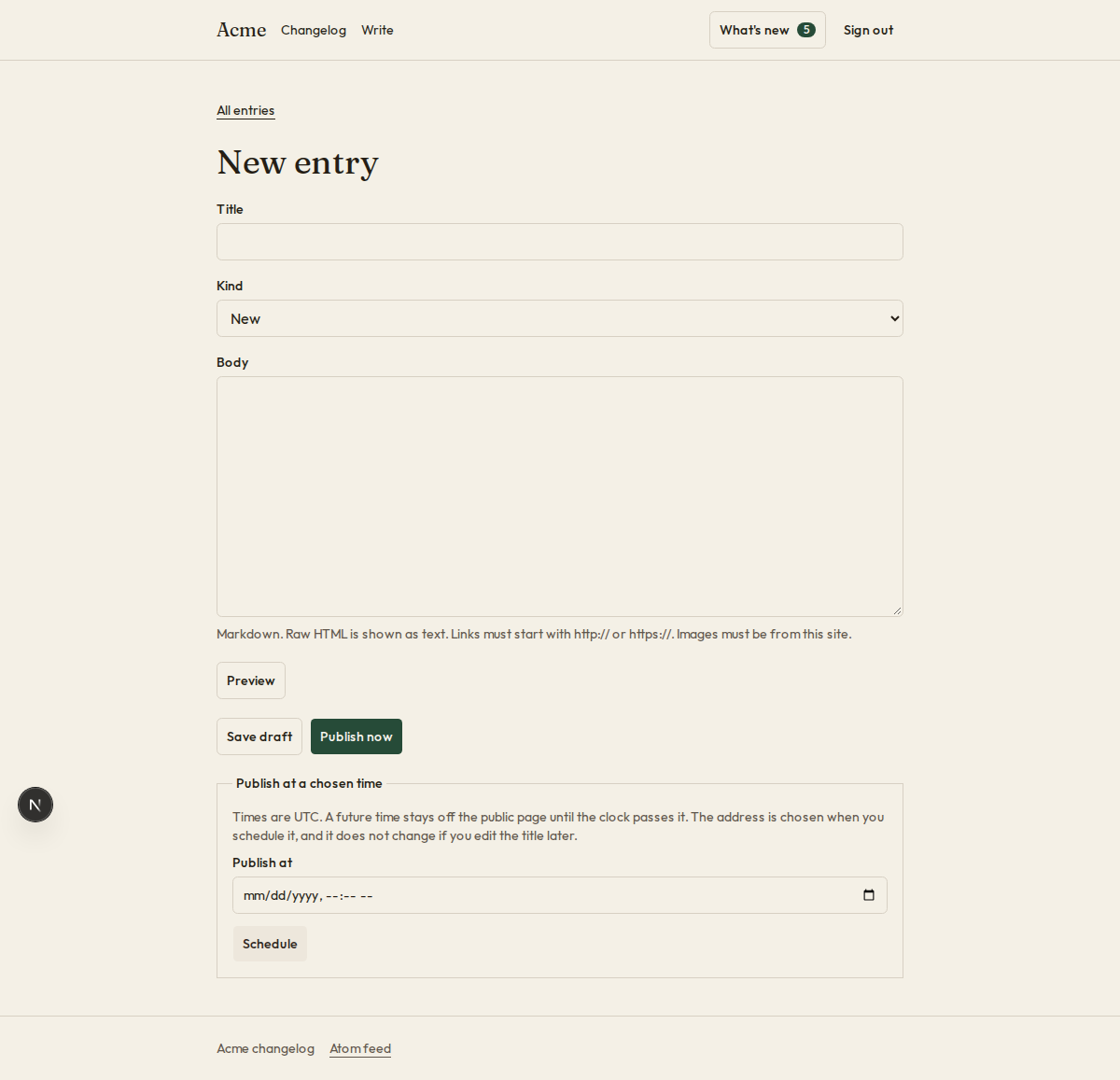
- An entry is a draft until it is published. It can be given a time in the future, and appears by itself when that time comes.
- The body is turned into HTML by a renderer that passes no HTML through and keeps only links that start with
http://orhttps://, and images from this site.
Accept when: changing a published entry's title leaves its address as it was, a draft appears nowhere public, and an entry set for the future appears when the clock passes its time.
R2. The page
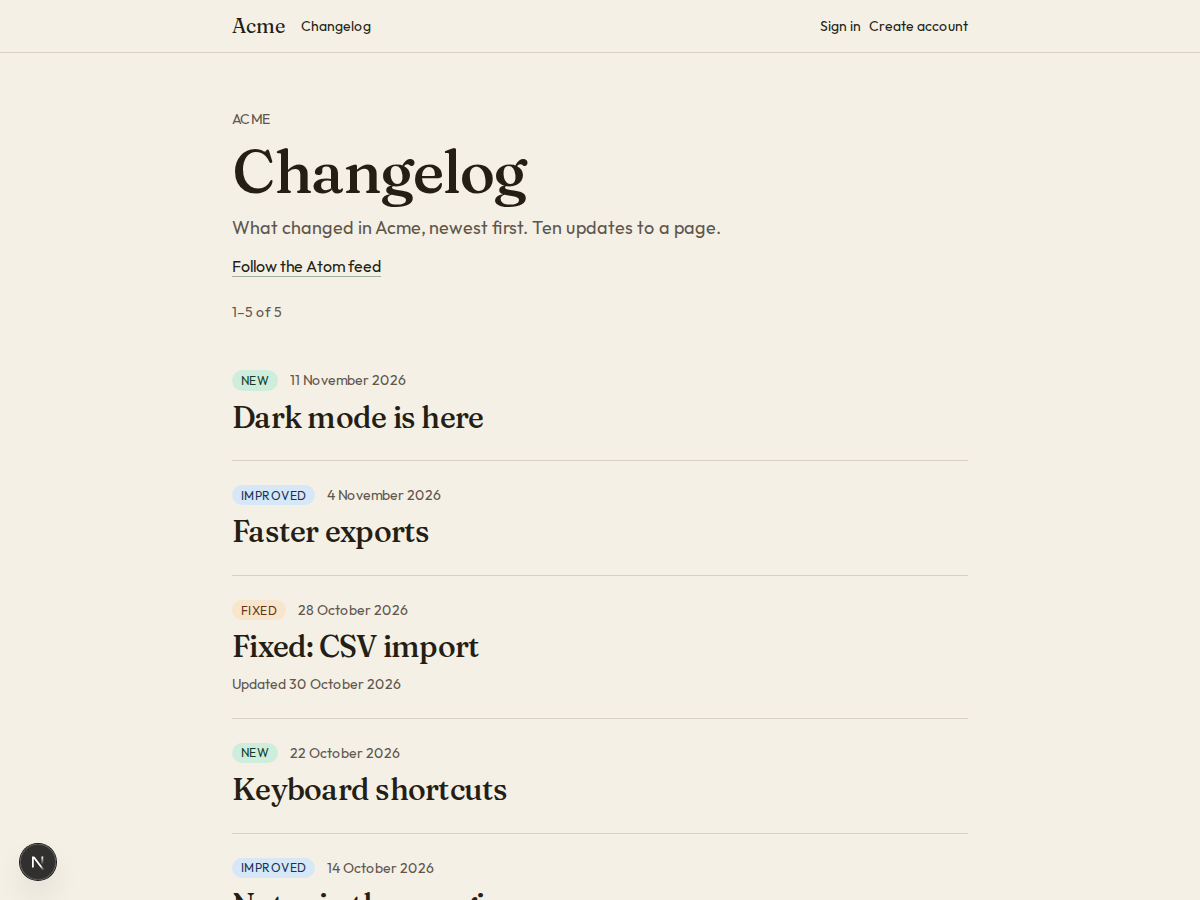
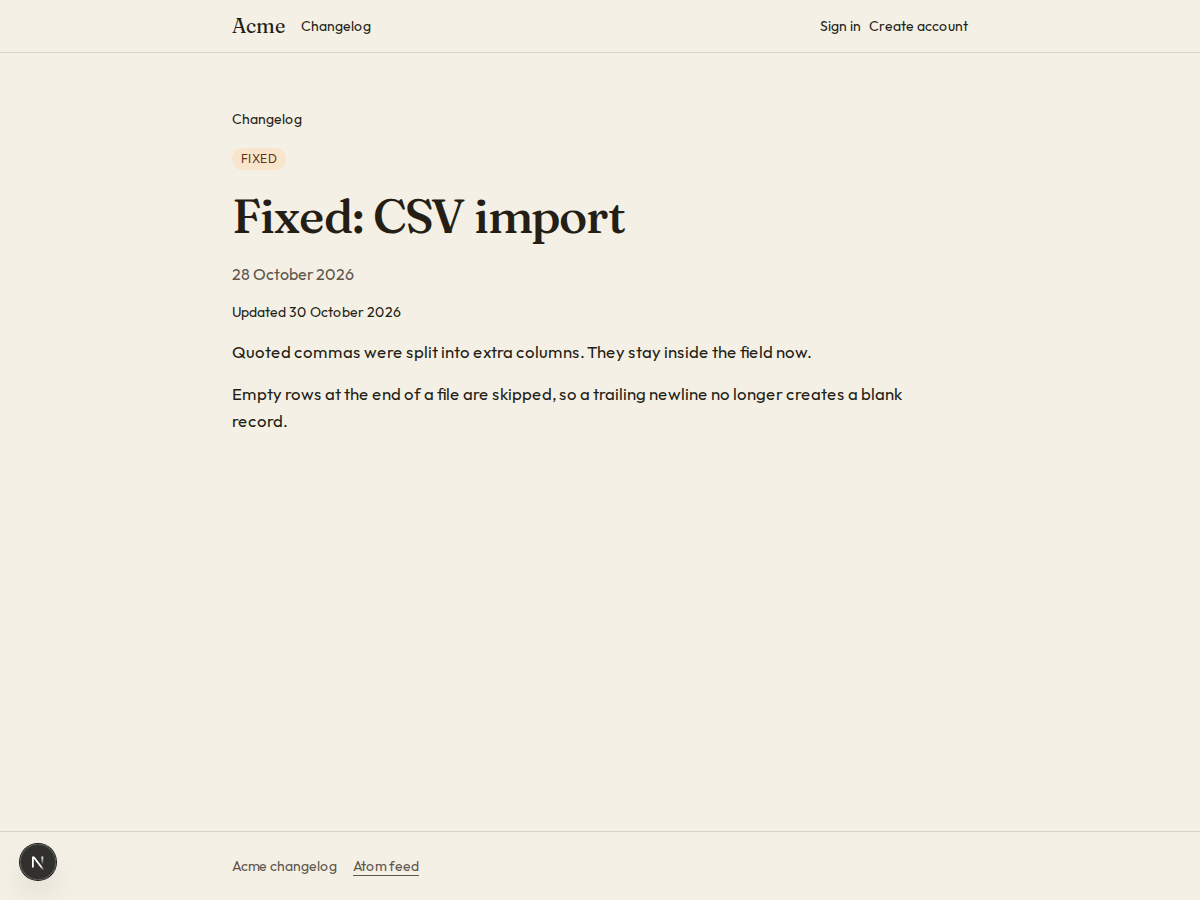
/changeloglists published entries newest first, 10 to a page.- Each entry has a page of its own, with a title, a description and a link picture for sites that show previews.
- Entries show their date in words, such as "13 November 2026".
Accept when: the page lists entries in order, and an entry's page has a description made from its first 160 characters of text.
R3. The feed
/changelog/feed.xmlis an Atom feed of the 30 newest entries.- Each entry's id in the feed never changes, whatever happens to its title, its body or the site's address.
- An entry that is edited after it was published keeps its published time and gets a new updated time.
- The feed answers with an
ETag. A request that sends the same tag back gets status 304 and no body. - The page names the feed in a
linkelement, so feed readers find it.
Accept when: the feed passes an Atom validator, an edited entry keeps its id, and a request with the current
ETaggets 304.R4. Editing after publishing
- An edited entry says "Updated" with the date.
- An entry can be taken down. Its address then answers 410, and it leaves the page and the feed.
Accept when: a taken-down entry's address answers 410.
R5. The badge
Only if
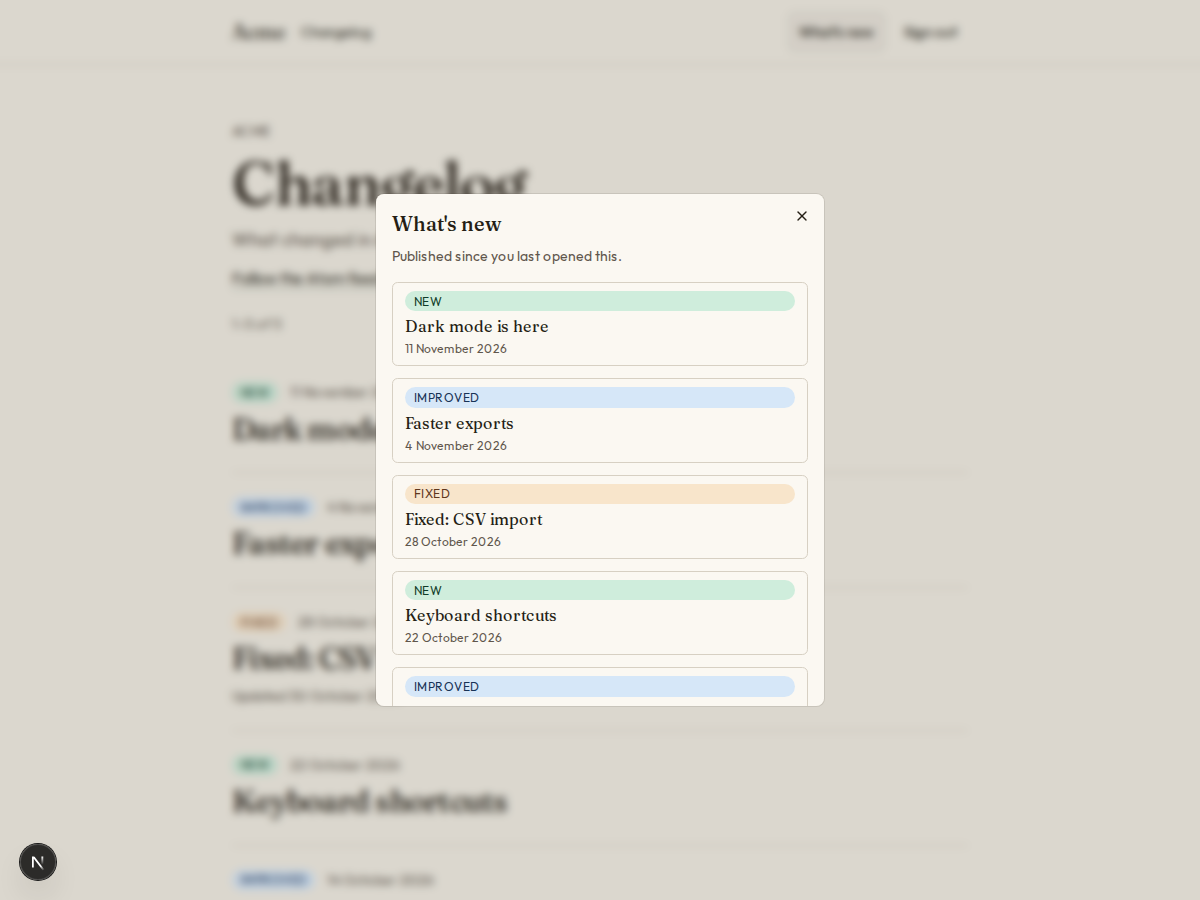
in_app_badgeis on.GET /api/changelog/unseenanswers a signed-in person with the number of entries published since they last looked, and the newest 5 of them.- Opening the panel marks everything as seen up to that moment.
- A new account starts with nothing unseen. People do not sign up to find years of old news waiting.
- The count is at most 9. Above that the badge shows
9+.
Accept when: a person who signed up after an entry was published does not have it counted, opening the panel sets the count to zero, and an entry published afterwards makes it one.
R6. Email
Only if
email_subscribersis on.- A form on the page takes an email address and sends a link to confirm it. Only confirmed addresses get email.
- Publishing an entry sends it to every confirmed address, once, even if the entry is edited later.
- Each email has a link that unsubscribes in one click, without signing in, and the headers that let a mail program offer the same.
Accept when: an address that did not confirm gets nothing, an edit sends nothing, and a
POSTto the unsubscribe address removes the subscriber.R7. Writing entries
- If
authoringisadmin_page: a page for administrators to write, preview, publish, set a time, edit and take down. - If
authoringismarkdown_files: each entry is a file in achangelogfolder, with its title, kind and time at the top. A command reads the folder into the database, and the build fails on a file it cannot read.
Accept when: an entry made the chosen way appears on the page and in the feed.
R8. Pages
- The list, an entry's page, and the panel that opens from the badge.
Accept when: each page works with a keyboard alone and at a 360 pixel wide screen.
Definition of done
- Every acceptance check above has an automated test, and all tests pass. Tests set the clock.
- A README explains how to write an entry, how to put the badge in the app, and how to run the tests.
# Changelog

## What this builds

A place where a team tells its customers what changed: a public page, a feed that
readers and other tools can follow, and a mark inside the app that tells each
person there is news they have not read.

Read `spekkr.inputs.json` first. `authoring` says where entries are written.
`in_app_badge` decides whether R5 exists and `email_subscribers` whether R6 does.
Use `app_name` on the page and in the feed.

## Out of scope

- A roadmap, votes and comments.
- Writing the entries. The team does that.
- Translating entries.

## Requirements

Each requirement has an id. Tests name the id they cover.

### R1. Entries

- An entry has a title, a body in Markdown, a kind from `new`, `improved` and
  `fixed`, and the time it was published.
- Its address is made from its title when it is first published and never
  changes after, even when the title does.
- An entry is a draft until it is published. It can be given a time in the
  future, and appears by itself when that time comes.
- The body is turned into HTML by a renderer that passes no HTML through and
  keeps only links that start with `http://` or `https://`, and images from this
  site.

Accept when: changing a published entry's title leaves its address as it was, a
draft appears nowhere public, and an entry set for the future appears when the
clock passes its time.

### R2. The page

- `/changelog` lists published entries newest first, 10 to a page.
- Each entry has a page of its own, with a title, a description and a link
  picture for sites that show previews.
- Entries show their date in words, such as "13 November 2026".

Accept when: the page lists entries in order, and an entry's page has a
description made from its first 160 characters of text.

### R3. The feed

- `/changelog/feed.xml` is an Atom feed of the 30 newest entries.
- Each entry's id in the feed never changes, whatever happens to its title, its
  body or the site's address.
- An entry that is edited after it was published keeps its published time and
  gets a new updated time.
- The feed answers with an `ETag`. A request that sends the same tag back gets
  status 304 and no body.
- The page names the feed in a `link` element, so feed readers find it.

Accept when: the feed passes an Atom validator, an edited entry keeps its id,
and a request with the current `ETag` gets 304.

### R4. Editing after publishing

- An edited entry says "Updated" with the date.
- An entry can be taken down. Its address then answers 410, and it leaves the
  page and the feed.

Accept when: a taken-down entry's address answers 410.

### R5. The badge

Only if `in_app_badge` is on.

- `GET /api/changelog/unseen` answers a signed-in person with the number of
  entries published since they last looked, and the newest 5 of them.
- Opening the panel marks everything as seen up to that moment.
- A new account starts with nothing unseen. People do not sign up to find years
  of old news waiting.
- The count is at most 9. Above that the badge shows `9+`.

Accept when: a person who signed up after an entry was published does not have it
counted, opening the panel sets the count to zero, and an entry published
afterwards makes it one.

### R6. Email

Only if `email_subscribers` is on.

- A form on the page takes an email address and sends a link to confirm it. Only
  confirmed addresses get email.
- Publishing an entry sends it to every confirmed address, once, even if the
  entry is edited later.
- Each email has a link that unsubscribes in one click, without signing in, and
  the headers that let a mail program offer the same.

Accept when: an address that did not confirm gets nothing, an edit sends nothing,
and a `POST` to the unsubscribe address removes the subscriber.

### R7. Writing entries

- If `authoring` is `admin_page`: a page for administrators to write, preview,
  publish, set a time, edit and take down.
- If `authoring` is `markdown_files`: each entry is a file in a `changelog`
  folder, with its title, kind and time at the top. A command reads the folder
  into the database, and the build fails on a file it cannot read.

Accept when: an entry made the chosen way appears on the page and in the feed.

### R8. Pages

- The list, an entry's page, and the panel that opens from the badge.

Accept when: each page works with a keyboard alone and at a 360 pixel wide screen.

## Definition of done

- Every acceptance check above has an automated test, and all tests pass. Tests
  set the clock.
- A README explains how to write an entry, how to put the badge in the app, and
  how to run the tests.
-
design.mdData model, rules and flows.Design
This file fixes the parts that are easy to get wrong. Choose the language and framework that fit the person's project; nothing here depends on them.
Data model
Use the database in the
databaseinput.Table Columns changelog_entriesid(a UUID, made once),slug(unique),title,body,kind,publish_at,updated_at,removed_at,emailed_atchangelog_seenuser_id(primary key),seen_at(only ifin_app_badgeis on)changelog_subscribersid,email(unique, lowercase),confirmed_at,created_at(only ifemail_subscribersis on)An entry is public when
publish_athas passed andremoved_atis empty. There is no separate "published" switch to forget: a draft has nopublish_at.Addresses
The slug is the title in lowercase, with every run of characters that are not letters or digits turned into one hyphen, cut to 60 characters, with no hyphen at either end. If it is taken, add
-2,-3and so on.Title Slug Dark mode is here!dark-mode-is-hereFaster exportsfaster-exportsFixed: CSV import (again)fixed-csv-import-againA second Dark mode is here!dark-mode-is-here-2The feed
- The feed's
idand every entry'sidareurn:uuid:followed by a UUID. The entry's is its ownidcolumn. The feed's is a fixed UUID in configuration. titleis theapp_nameinput followed bychangelog.- An entry's
publishedispublish_at. Itsupdatedisupdated_atif it was edited after publishing, andpublish_atotherwise. The feed'supdatedis the newest of those. - Times are written as
2026-11-13T09:30:00Z. contenthastype="html", holding the rendered body with its<,>and&escaped once more, as Atom requires.- The
ETagis a hash of the feed's bytes, in quotes.
Unseen
unseen = entries where publish_at > the later of (seen_at, the account's creation)
         and publish_at <= now and removed_at is empty
A person with no row in
changelog_seenis treated as havingseen_atequal to when their account was made.Email
- Sending is a job that runs once a minute: it takes public entries whose
emailed_atis empty, sends them, and setsemailed_at. An edit never clears it. - The unsubscribe token is the subscriber's id, a full stop, and an HMAC-SHA-256 of the id keyed with
CHANGELOG_SECRET. The headers areList-UnsubscribeandList-Unsubscribe-Post: List-Unsubscribe=One-Click. - The page reached by
GETchanges nothing until its button is pressed.
Configuration
Secret Purpose DATABASE_URLConnection string for the chosen database. EMAIL_API_KEYSends the emails. Only with email_subscribers.EMAIL_API_URLWhere send_emailposts each message. Only withemail_subscribers.EMAIL_FROMThe address every email is sent from. Only with email_subscribers.CHANGELOG_SECRETSigns unsubscribe links. Only with email_subscribers.Who is signed in
The spec reaches the app's sign-in through one function,
current_user(request). It answers with the person's id, and says whether they are an administrator where this spec asks. In the person's app it reads their session.When there is no app yet, build this stand-in and nothing more: a page that lists two seeded people, one of them an administrator, with a button for each that sets a signed cookie naming them. The stand-in refuses to start in production.
Sending email
Send every email through one function,
send_email(to, subject, text).- With
EMAIL_API_URLandEMAIL_API_KEYset, it makes onePOSTtoEMAIL_API_URLwith the headerAuthorization: Bearer <EMAIL_API_KEY>and the JSON body{"from": EMAIL_FROM, "to": ..., "subject": ..., "text": ...}. Any 2xx answer means sent. The person points the address at their email service, or at a few lines that translate for it. - With neither set, outside production, the message goes to a local outbox that tests read. It is not printed: a message can hold a link that signs someone in.
In production the app refuses to start without both.
Named here
- The feed's author is the app's name. A time an administrator types is read as UTC.
- A title with no letter or digit gets the slug
entry.
What this spec leaves to you
Where this spec names something, use that name, so that two builds of it agree. Where it does not, the choice is yours. List what you chose in the README.
# Design This file fixes the parts that are easy to get wrong. Choose the language and framework that fit the person's project; nothing here depends on them. ## Data model Use the database in the `database` input. | Table | Columns | | --- | --- | | `changelog_entries` | `id` (a UUID, made once), `slug` (unique), `title`, `body`, `kind`, `publish_at`, `updated_at`, `removed_at`, `emailed_at` | | `changelog_seen` | `user_id` (primary key), `seen_at` (only if `in_app_badge` is on) | | `changelog_subscribers` | `id`, `email` (unique, lowercase), `confirmed_at`, `created_at` (only if `email_subscribers` is on) | An entry is public when `publish_at` has passed and `removed_at` is empty. There is no separate "published" switch to forget: a draft has no `publish_at`. ## Addresses The slug is the title in lowercase, with every run of characters that are not letters or digits turned into one hyphen, cut to 60 characters, with no hyphen at either end. If it is taken, add `-2`, `-3` and so on. | Title | Slug | | --- | --- | | `Dark mode is here!` | `dark-mode-is-here` | | ` Faster exports ` | `faster-exports` | | `Fixed: CSV import (again)` | `fixed-csv-import-again` | | A second `Dark mode is here!` | `dark-mode-is-here-2` | ## The feed - The feed's `id` and every entry's `id` are `urn:uuid:` followed by a UUID. The entry's is its own `id` column. The feed's is a fixed UUID in configuration. - `title` is the `app_name` input followed by ` changelog`. - An entry's `published` is `publish_at`. Its `updated` is `updated_at` if it was edited after publishing, and `publish_at` otherwise. The feed's `updated` is the newest of those. - Times are written as `2026-11-13T09:30:00Z`. - `content` has `type="html"`, holding the rendered body with its `<`, `>` and `&` escaped once more, as Atom requires. - The `ETag` is a hash of the feed's bytes, in quotes. ## Unseen ``` unseen = entries where publish_at > the later of (seen_at, the account's creation) and publish_at <= now and removed_at is empty ``` A person with no row in `changelog_seen` is treated as having `seen_at` equal to when their account was made. ## Email - Sending is a job that runs once a minute: it takes public entries whose `emailed_at` is empty, sends them, and sets `emailed_at`. An edit never clears it. - The unsubscribe token is the subscriber's id, a full stop, and an HMAC-SHA-256 of the id keyed with `CHANGELOG_SECRET`. The headers are `List-Unsubscribe` and `List-Unsubscribe-Post: List-Unsubscribe=One-Click`. - The page reached by `GET` changes nothing until its button is pressed. ## Configuration | Secret | Purpose | | --- | --- | | `DATABASE_URL` | Connection string for the chosen database. | | `EMAIL_API_KEY` | Sends the emails. Only with `email_subscribers`. | | `EMAIL_API_URL` | Where `send_email` posts each message. Only with `email_subscribers`. | | `EMAIL_FROM` | The address every email is sent from. Only with `email_subscribers`. | | `CHANGELOG_SECRET` | Signs unsubscribe links. Only with `email_subscribers`. | ## Who is signed in The spec reaches the app's sign-in through one function, `current_user(request)`. It answers with the person's id, and says whether they are an administrator where this spec asks. In the person's app it reads their session. When there is no app yet, build this stand-in and nothing more: a page that lists two seeded people, one of them an administrator, with a button for each that sets a signed cookie naming them. The stand-in refuses to start in production. ## Sending email Send every email through one function, `send_email(to, subject, text)`. - With `EMAIL_API_URL` and `EMAIL_API_KEY` set, it makes one `POST` to `EMAIL_API_URL` with the header `Authorization: Bearer <EMAIL_API_KEY>` and the JSON body `{"from": EMAIL_FROM, "to": ..., "subject": ..., "text": ...}`. Any 2xx answer means sent. The person points the address at their email service, or at a few lines that translate for it. - With neither set, outside production, the message goes to a local outbox that tests read. It is not printed: a message can hold a link that signs someone in. In production the app refuses to start without both. ## Named here - The feed's author is the app's name. A time an administrator types is read as UTC. - A title with no letter or digit gets the slug `entry`. ## What this spec leaves to you Where this spec names something, use that name, so that two builds of it agree. Where it does not, the choice is yours. List what you chose in the README. - The feed's
-
tasks.mdBuild tasks in order, each with a check.Tasks
Work in order. Finish a task's check before starting the next.
- Set up. Add the tables in
design.mdand a clock that tests can set. Check: migrations run from empty. - Addresses and entries (R1). The slug as a pure function, and the safe renderer. Check: a test covers every row of the slug table in
design.md, and the R1 acceptance tests pass. - Writing entries (R7). As the
authoringinput says. Check: the R7 acceptance test passes. - The page (R2) and editing (R4). Use the
app_nameinput. Check: the R2 and R4 acceptance tests pass. - The feed (R3). Check: the R3 acceptance tests pass.
- The badge (R5). Only if
in_app_badgeis on. Check: the R5 acceptance tests pass. - Email (R6). Only if
email_subscribersis on. Check: the R6 acceptance tests pass with email captured in memory. - Pages (R8). Check: every page can be used with a keyboard alone and at 360 pixels wide.
- Finish. Write the README and run the whole test suite. Check: every item under "Definition of done" in
spec.mdis true.
# Tasks

Work in order. Finish a task's check before starting the next.

1. **Set up.** Add the tables in `design.md` and a clock that tests can set.
   Check: migrations run from empty.

2. **Addresses and entries (R1).** The slug as a pure function, and the safe
   renderer.
   Check: a test covers every row of the slug table in `design.md`, and the R1
   acceptance tests pass.

3. **Writing entries (R7).** As the `authoring` input says.
   Check: the R7 acceptance test passes.

4. **The page (R2) and editing (R4).** Use the `app_name` input.
   Check: the R2 and R4 acceptance tests pass.

5. **The feed (R3).**
   Check: the R3 acceptance tests pass.

6. **The badge (R5).** Only if `in_app_badge` is on.
   Check: the R5 acceptance tests pass.

7. **Email (R6).** Only if `email_subscribers` is on.
   Check: the R6 acceptance tests pass with email captured in memory.

8. **Pages (R8).**
   Check: every page can be used with a keyboard alone and at 360 pixels wide.

9. **Finish.** Write the README and run the whole test suite.
   Check: every item under "Definition of done" in `spec.md` is true.
- Set up. Add the tables in
Is it for me?
- Kind
- app part
- Platforms
- web, backend
What does it need?
- Accounts
- An email-sending service, if entries are emailed
- Agent permissions
- shell, network
- Secrets it reads
DATABASE_URLEMAIL_API_KEYCHANGELOG_SECRET
What changed?
- 0.1.215 Nov 2026Names what it builds.
- 0.1.114 Nov 2026Says "person" where it said "buyer".
- 0.1.014 Nov 2026Moved from dwrtz/changelog.
For agents: start.md says how to build this spec, spec.json holds everything on this page, and bundle.tar.gz holds its files.