Team accounts and permissions
Workspaces, roles, invitations and an audit log for a multi-tenant app, with a test for every permission rule.
This is an app part spec on Spekkr, published by kato. It is listed with the other specs. Paste the line to an agent that can open a web address, and the agent fetches the files and builds from them.
- Spec
kato/team-permissions- Version
- 0.1.2
- Published by
- kato
- Updated
- 15 Nov 2026
Build this spec
Build the spec at https://spekkr.com/kato/team-permissions/start.md.
Paste this to your AI agent. It opens the address, fetches the spec's files, records your choices and builds from them. Nothing to install, no account.
Published by kato.
What does the result look like?
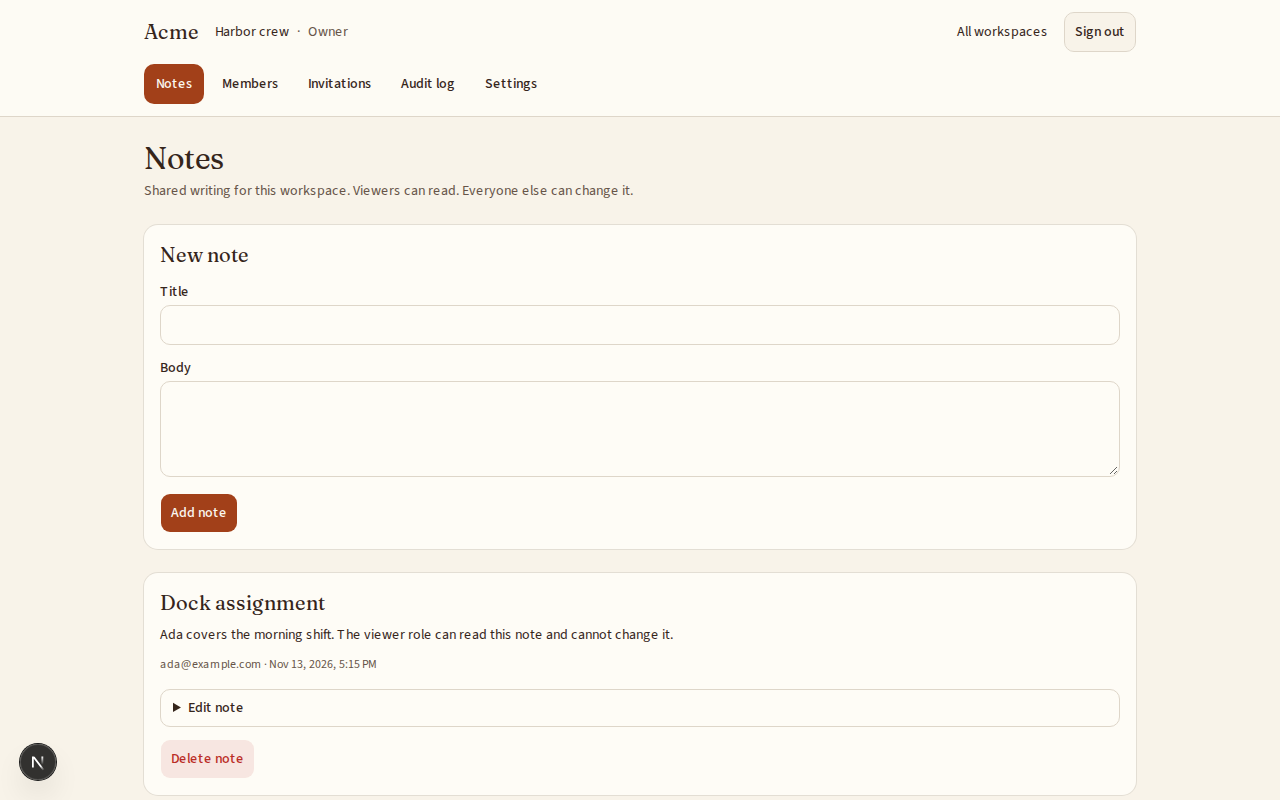
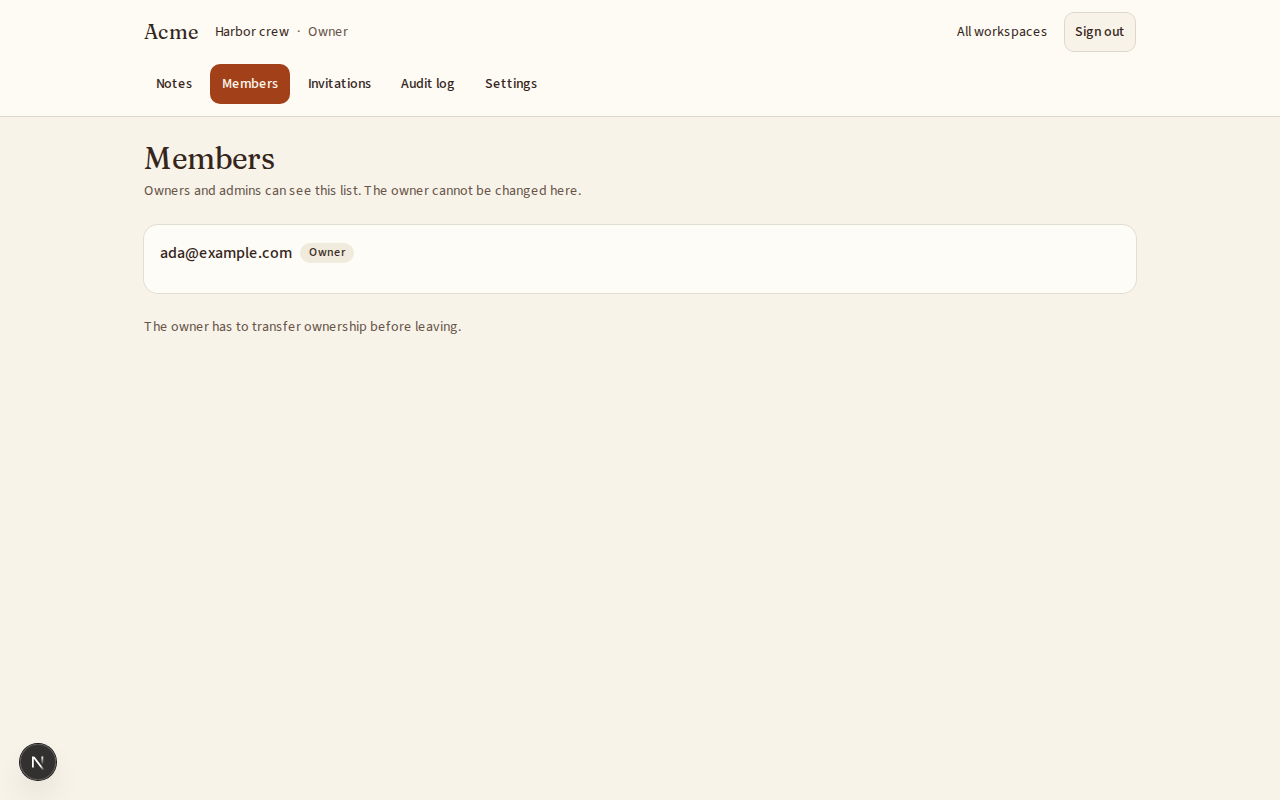
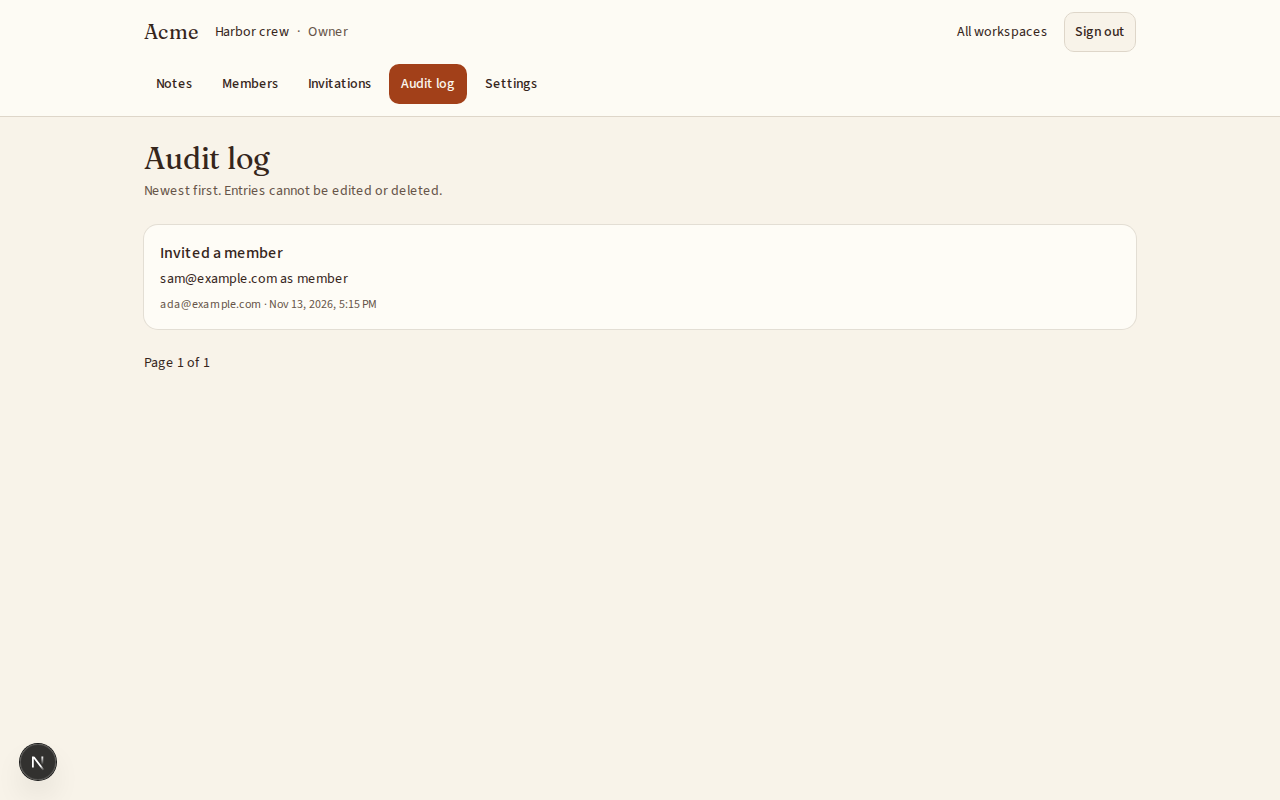
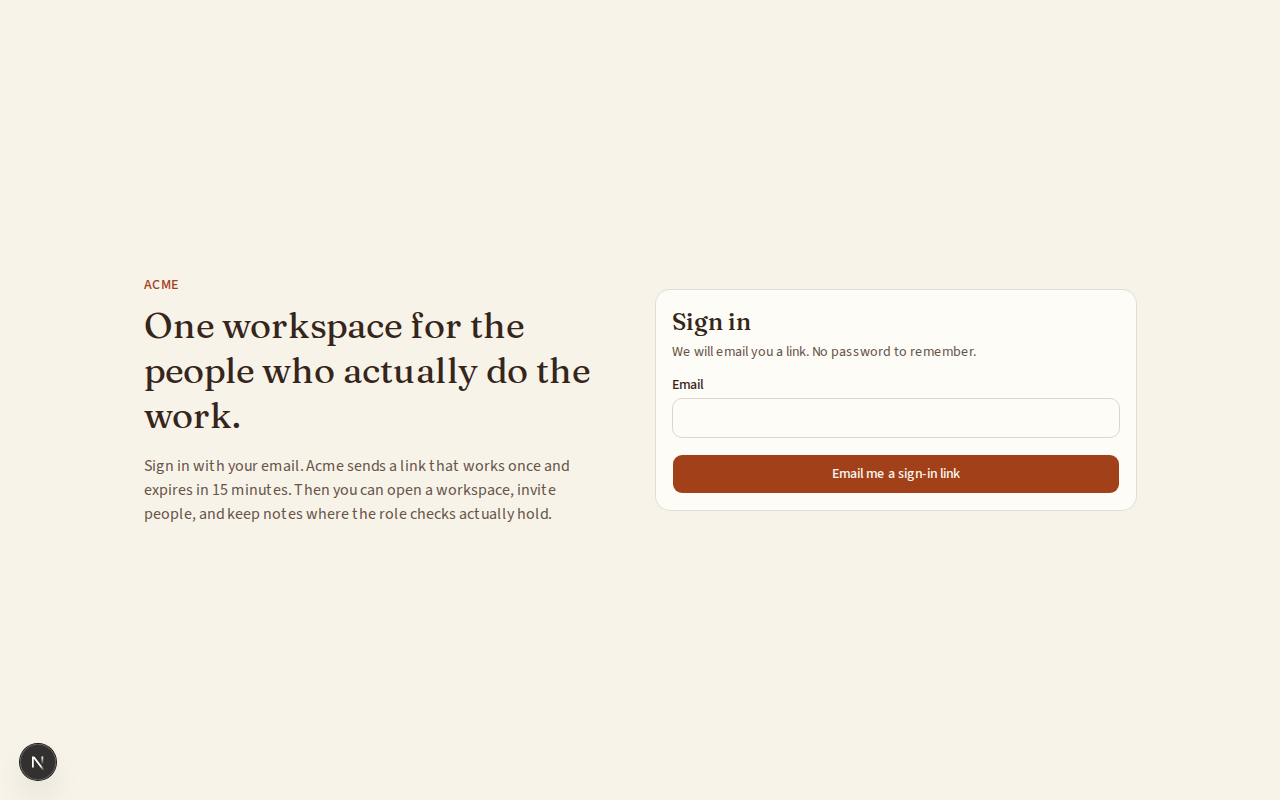
What can I customize?
Your choices go into the line you copy. Anything else is yours to edit, but it leaves the tested path.
What do I get?
-
spec.mdRequirements and acceptance criteria.Team accounts and permissions
What this builds
A multi-tenant foundation for a web app. People sign in, create a workspace, invite others, and give each member a role. Every request is checked against that role, and no request can read or change another workspace's data.
Read
spekkr.inputs.jsonfirst. Where this spec says workspace, use the person'sworkspace_nounin everything a person sees. Keepworkspacein code and in the database.Out of scope
- Billing and plans.
- Single sign-on with an identity provider.
- Any product feature beyond the sample resource described in R7.
Roles
Role Can do Owner Everything an admin can, plus delete the workspace and transfer ownership. Admin Invite and remove members, change roles below owner, change workspace settings. Member Create, read, update and delete the workspace's resources. Viewer Read the workspace's resources. A workspace always has exactly one owner.
Requirements
Each requirement has an id. Tests name the id they cover.
R1. Sign in
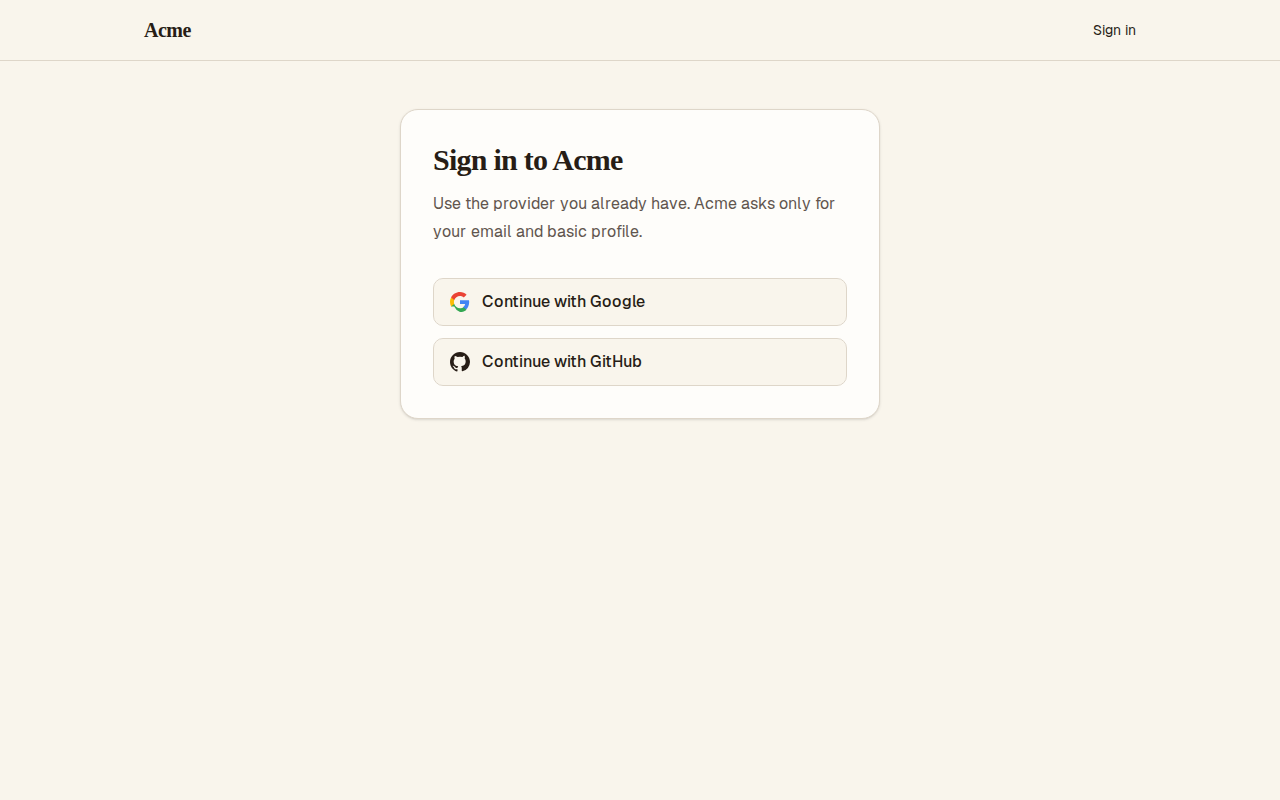
- A person signs in with the method in the
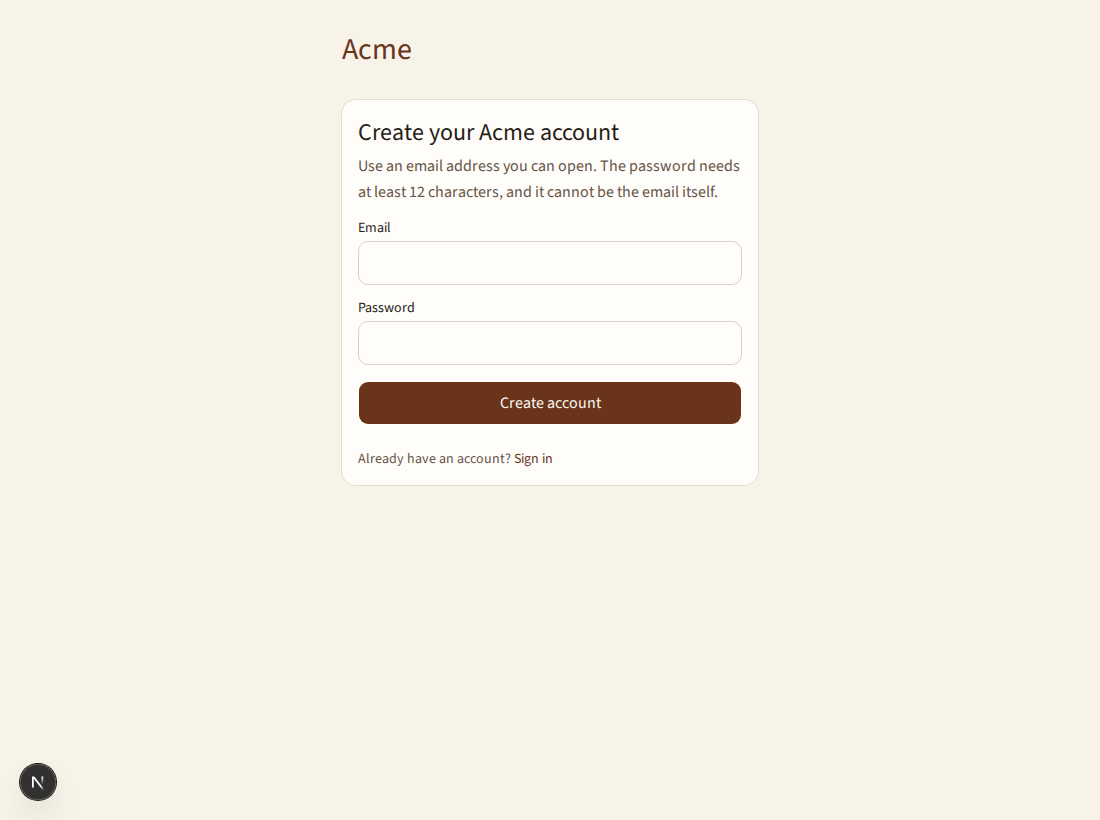
sign_ininput. email_link: they enter an email address and receive a link that signs them in once and expires after 15 minutes.password: they register with an email address and a password of at least 12 characters. Passwords are stored with a slow, salted hash.- A session lasts 30 days and ends at sign-out.
- Sign-in attempts are limited to 5 per email address per 15 minutes.
Accept when: a valid sign-in creates a session, a used or expired link is refused, and the sixth attempt inside 15 minutes is refused with a clear message.
R2. Workspaces
- A signed-in person can create a workspace and becomes its owner.
- A person can belong to many workspaces and switch between them.
- A workspace has a name and a URL-safe slug that is unique across the app.
Accept when: two people can create workspaces with the same name but not the same slug, and each sees only the workspaces they belong to.
R3. Invitations
- An admin or owner invites a person by email address and picks a role below owner.
- The invitation email holds a link that expires after 7 days and works once.
- Accepting an invitation while signed in with a different email address is refused.
- An admin can revoke a pending invitation.
- If
invite_linksis on, an admin can also create a link with a role, an expiry and a maximum number of uses.
Accept when: an invited person joins with the chosen role, and a revoked, expired or used invitation is refused.
R4. Members and roles
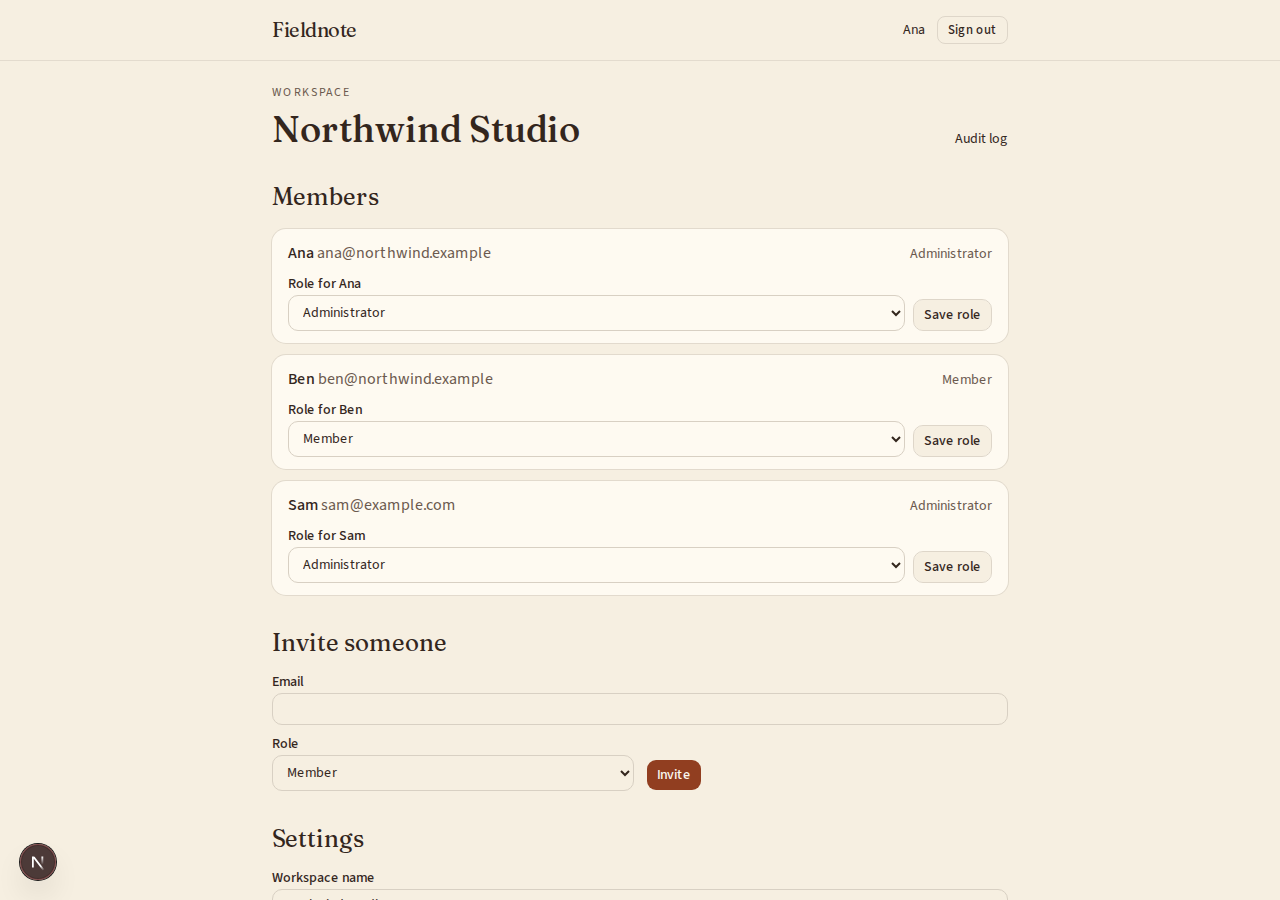
- Admins and owners see the member list with each member's role.
- An admin can change a member's role to admin, member or viewer, and remove members.
- An admin cannot change or remove the owner.
- The owner can transfer ownership to another member. The previous owner becomes an admin.
- A member can leave a workspace. The owner must transfer ownership first.
Accept when: every action above succeeds for the roles allowed and is refused with status 403 for every other role.
R5. Tenant isolation
- Every table that holds workspace data has a
workspace_idcolumn. - Every query for workspace data filters by the workspace of the current request.
- A request that names a resource in another workspace gets status 404, never 403, so that ids cannot be probed.
Accept when: for every resource route, a member of workspace A gets 404 for a resource id that belongs to workspace B.
R6. Audit log
Only if
audit_logis on.- Record member invited, invitation revoked, member joined, role changed, member removed, ownership transferred and workspace settings changed.
- Each entry holds the time, the actor, the action, the target and the workspace.
- Admins and owners can read the log, newest first, 50 entries per page.
- Entries cannot be edited or deleted through the app.
Accept when: each action above produces exactly one entry and a member or viewer gets 403 on the log.
R7. Sample resource
Build one simple resource,
noteswith a title and a body, so the permission rules have something to protect. The person's agent replaces it with real features later.Accept when: a viewer can read notes but gets 403 on create, update and delete.
R8. Interface
- Pages: sign in, workspace switcher, notes, members, invitations, settings, and the audit log if it is on.
- A control a person is not allowed to use is not shown. The server still checks.
- Every form shows its errors next to the field that caused them.
Accept when: each page works with a keyboard alone and at a 360 pixel wide screen.
Definition of done
- Every acceptance check above has an automated test, and all tests pass.
- The permission matrix in
design.mdis tested cell by cell. - A README explains how to configure the secrets, run the app and run the tests.
# Team accounts and permissions

## What this builds

A multi-tenant foundation for a web app. People sign in, create a workspace, invite
others, and give each member a role. Every request is checked against that role, and
no request can read or change another workspace's data.

Read `spekkr.inputs.json` first. Where this spec says *workspace*, use the person's
`workspace_noun` in everything a person sees. Keep `workspace` in code and in the
database.

## Out of scope

- Billing and plans.
- Single sign-on with an identity provider.
- Any product feature beyond the sample resource described in R7.

## Roles

| Role | Can do |
| --- | --- |
| Owner | Everything an admin can, plus delete the workspace and transfer ownership. |
| Admin | Invite and remove members, change roles below owner, change workspace settings. |
| Member | Create, read, update and delete the workspace's resources. |
| Viewer | Read the workspace's resources. |

A workspace always has exactly one owner.

## Requirements

Each requirement has an id. Tests name the id they cover.

### R1. Sign in

- A person signs in with the method in the `sign_in` input.
- `email_link`: they enter an email address and receive a link that signs them in
  once and expires after 15 minutes.
- `password`: they register with an email address and a password of at least 12
  characters. Passwords are stored with a slow, salted hash.
- A session lasts 30 days and ends at sign-out.
- Sign-in attempts are limited to 5 per email address per 15 minutes.

Accept when: a valid sign-in creates a session, a used or expired link is refused,
and the sixth attempt inside 15 minutes is refused with a clear message.

### R2. Workspaces

- A signed-in person can create a workspace and becomes its owner.
- A person can belong to many workspaces and switch between them.
- A workspace has a name and a URL-safe slug that is unique across the app.

Accept when: two people can create workspaces with the same name but not the same
slug, and each sees only the workspaces they belong to.

### R3. Invitations

- An admin or owner invites a person by email address and picks a role below owner.
- The invitation email holds a link that expires after 7 days and works once.
- Accepting an invitation while signed in with a different email address is refused.
- An admin can revoke a pending invitation.
- If `invite_links` is on, an admin can also create a link with a role, an expiry and
  a maximum number of uses.

Accept when: an invited person joins with the chosen role, and a revoked, expired or
used invitation is refused.

### R4. Members and roles

- Admins and owners see the member list with each member's role.
- An admin can change a member's role to admin, member or viewer, and remove members.
- An admin cannot change or remove the owner.
- The owner can transfer ownership to another member. The previous owner becomes an admin.
- A member can leave a workspace. The owner must transfer ownership first.

Accept when: every action above succeeds for the roles allowed and is refused with
status 403 for every other role.

### R5. Tenant isolation

- Every table that holds workspace data has a `workspace_id` column.
- Every query for workspace data filters by the workspace of the current request.
- A request that names a resource in another workspace gets status 404, never 403,
  so that ids cannot be probed.

Accept when: for every resource route, a member of workspace A gets 404 for a
resource id that belongs to workspace B.

### R6. Audit log

Only if `audit_log` is on.

- Record member invited, invitation revoked, member joined, role changed, member
  removed, ownership transferred and workspace settings changed.
- Each entry holds the time, the actor, the action, the target and the workspace.
- Admins and owners can read the log, newest first, 50 entries per page.
- Entries cannot be edited or deleted through the app.

Accept when: each action above produces exactly one entry and a member or viewer
gets 403 on the log.

### R7. Sample resource

Build one simple resource, `notes` with a title and a body, so the permission rules
have something to protect. The person's agent replaces it with real features later.

Accept when: a viewer can read notes but gets 403 on create, update and delete.

### R8. Interface

- Pages: sign in, workspace switcher, notes, members, invitations, settings, and the
  audit log if it is on.
- A control a person is not allowed to use is not shown. The server still checks.
- Every form shows its errors next to the field that caused them.

Accept when: each page works with a keyboard alone and at a 360 pixel wide screen.

## Definition of done

- Every acceptance check above has an automated test, and all tests pass.
- The permission matrix in `design.md` is tested cell by cell.
- A README explains how to configure the secrets, run the app and run the tests.
-
design.mdData model, permission rules and the request flow.Design
This file fixes the parts that are easy to get wrong. Choose the language and framework that fit the person's project; nothing here depends on them.
Data model
Use the database in the
databaseinput. Column types are described, not dictated.Table Columns usersid,email(unique, stored lowercase),password_hash(only forpasswordsign-in),created_atsessionsid,user_id,token_hash(unique),expires_at,created_atsign_in_linksid,email,token_hash(unique),expires_at,used_at(only foremail_link)workspacesid,name,slug(unique),created_atmembershipsworkspace_id,user_id,role,created_at; primary key on both idsinvitationsid,workspace_id,email,role,token_hash(unique),invited_by,expires_at,accepted_at,revoked_atinvite_linksid,workspace_id,role,token_hash(unique),expires_at,max_uses,uses(only ifinvite_linksis on)audit_entriesid,workspace_id,actor_id,action,target,created_at(only ifaudit_logis on)notesid,workspace_id,title,body,created_by,created_at,updated_atRules:
- Store only a hash of every token. Compare hashes in constant time.
- Enforce "exactly one owner" in the database: a unique index on
workspace_idwhereroleisowner. - Transfer ownership inside one transaction: demote the old owner, then promote the new one.
- Deleting a workspace deletes its memberships, invitations, links, notes and audit entries.
Permission matrix
Test every cell. "Yes" means status 2xx, "no" means status 403.
Action Owner Admin Member Viewer Read notes yes yes yes yes Create, update, delete notes yes yes yes no Read member list yes yes no no Invite, revoke invitation yes yes no no Change role of admin, member, viewer yes yes no no Remove admin, member, viewer yes yes no no Change or remove the owner no no no no Change workspace settings yes yes no no Read audit log yes yes no no Transfer ownership yes no no no Delete workspace yes no no no Leave workspace no yes yes yes A person who is not a member of the workspace gets 404 for every row.
Request flow
Put these checks in one place that every workspace route passes through, in this order:
- Find the session from the cookie. No session: redirect pages to sign-in, answer API calls with 401.
- Find the workspace from the slug in the URL.
- Find the caller's membership in that workspace. No workspace or no membership: 404.
- Check the action against the matrix. Not allowed: 403.
- Run the handler with the workspace id taken from step 3, never from the request body.
Keep the matrix as data, one table in code, so the tests and the checks read the same source.
Sessions and cookies
- The session cookie is
HttpOnly,Secure,SameSite=Lax, with a random token of at least 32 bytes. - State-changing requests need a CSRF token, or a check that the
Originheader matches the app. - Sign-in answers the same way whether or not the email address has an account.
Email
Send two messages: the sign-in link (for
email_link) and the invitation. Put sending behind one small interface so tests can capture messages without a network.Configuration
Secret Purpose DATABASE_URLConnection string for the chosen database. SESSION_SECRETSigns CSRF tokens. At least 32 random bytes. EMAIL_API_KEYSends sign-in and invitation emails. Optional in development. EMAIL_API_URLWhere send_emailposts each message. Optional in development.EMAIL_FROMThe address every email is sent from. Optional in development. Sending email
Send every email through one function,
send_email(to, subject, text).- With
EMAIL_API_URLandEMAIL_API_KEYset, it makes onePOSTtoEMAIL_API_URLwith the headerAuthorization: Bearer <EMAIL_API_KEY>and the JSON body{"from": EMAIL_FROM, "to": ..., "subject": ..., "text": ...}. Any 2xx answer means sent. The person points the address at their email service, or at a few lines that translate for it. - With neither set, outside production, the message goes to a local outbox that tests read. It is not printed: a message can hold a link that signs someone in.
In production the app refuses to start without both.
Named here
- Sign-in attempts are counted in a table,
sign_in_attempts, with the email address and the time. - A workspace's settings are its name and its slug.
- Audit actions are written like
member.invited.
What this spec leaves to you
Where this spec names something, use that name, so that two builds of it agree. Where it does not, the choice is yours. List what you chose in the README.
# Design This file fixes the parts that are easy to get wrong. Choose the language and framework that fit the person's project; nothing here depends on them. ## Data model Use the database in the `database` input. Column types are described, not dictated. | Table | Columns | | --- | --- | | `users` | `id`, `email` (unique, stored lowercase), `password_hash` (only for `password` sign-in), `created_at` | | `sessions` | `id`, `user_id`, `token_hash` (unique), `expires_at`, `created_at` | | `sign_in_links` | `id`, `email`, `token_hash` (unique), `expires_at`, `used_at` (only for `email_link`) | | `workspaces` | `id`, `name`, `slug` (unique), `created_at` | | `memberships` | `workspace_id`, `user_id`, `role`, `created_at`; primary key on both ids | | `invitations` | `id`, `workspace_id`, `email`, `role`, `token_hash` (unique), `invited_by`, `expires_at`, `accepted_at`, `revoked_at` | | `invite_links` | `id`, `workspace_id`, `role`, `token_hash` (unique), `expires_at`, `max_uses`, `uses` (only if `invite_links` is on) | | `audit_entries` | `id`, `workspace_id`, `actor_id`, `action`, `target`, `created_at` (only if `audit_log` is on) | | `notes` | `id`, `workspace_id`, `title`, `body`, `created_by`, `created_at`, `updated_at` | Rules: - Store only a hash of every token. Compare hashes in constant time. - Enforce "exactly one owner" in the database: a unique index on `workspace_id` where `role` is `owner`. - Transfer ownership inside one transaction: demote the old owner, then promote the new one. - Deleting a workspace deletes its memberships, invitations, links, notes and audit entries. ## Permission matrix Test every cell. "Yes" means status 2xx, "no" means status 403. | Action | Owner | Admin | Member | Viewer | | --- | --- | --- | --- | --- | | Read notes | yes | yes | yes | yes | | Create, update, delete notes | yes | yes | yes | no | | Read member list | yes | yes | no | no | | Invite, revoke invitation | yes | yes | no | no | | Change role of admin, member, viewer | yes | yes | no | no | | Remove admin, member, viewer | yes | yes | no | no | | Change or remove the owner | no | no | no | no | | Change workspace settings | yes | yes | no | no | | Read audit log | yes | yes | no | no | | Transfer ownership | yes | no | no | no | | Delete workspace | yes | no | no | no | | Leave workspace | no | yes | yes | yes | A person who is not a member of the workspace gets 404 for every row. ## Request flow Put these checks in one place that every workspace route passes through, in this order: 1. Find the session from the cookie. No session: redirect pages to sign-in, answer API calls with 401. 2. Find the workspace from the slug in the URL. 3. Find the caller's membership in that workspace. No workspace or no membership: 404. 4. Check the action against the matrix. Not allowed: 403. 5. Run the handler with the workspace id taken from step 3, never from the request body. Keep the matrix as data, one table in code, so the tests and the checks read the same source. ## Sessions and cookies - The session cookie is `HttpOnly`, `Secure`, `SameSite=Lax`, with a random token of at least 32 bytes. - State-changing requests need a CSRF token, or a check that the `Origin` header matches the app. - Sign-in answers the same way whether or not the email address has an account. ## Email Send two messages: the sign-in link (for `email_link`) and the invitation. Put sending behind one small interface so tests can capture messages without a network. ## Configuration | Secret | Purpose | | --- | --- | | `DATABASE_URL` | Connection string for the chosen database. | | `SESSION_SECRET` | Signs CSRF tokens. At least 32 random bytes. | | `EMAIL_API_KEY` | Sends sign-in and invitation emails. Optional in development. | | `EMAIL_API_URL` | Where `send_email` posts each message. Optional in development. | | `EMAIL_FROM` | The address every email is sent from. Optional in development. | ## Sending email Send every email through one function, `send_email(to, subject, text)`. - With `EMAIL_API_URL` and `EMAIL_API_KEY` set, it makes one `POST` to `EMAIL_API_URL` with the header `Authorization: Bearer <EMAIL_API_KEY>` and the JSON body `{"from": EMAIL_FROM, "to": ..., "subject": ..., "text": ...}`. Any 2xx answer means sent. The person points the address at their email service, or at a few lines that translate for it. - With neither set, outside production, the message goes to a local outbox that tests read. It is not printed: a message can hold a link that signs someone in. In production the app refuses to start without both. ## Named here - Sign-in attempts are counted in a table, `sign_in_attempts`, with the email address and the time. - A workspace's settings are its name and its slug. - Audit actions are written like `member.invited`. ## What this spec leaves to you Where this spec names something, use that name, so that two builds of it agree. Where it does not, the choice is yours. List what you chose in the README. -
tasks.mdBuild tasks in order, each with a check.Tasks
Work in order. Finish a task's check before starting the next.
- Set up the project. Pick the stack, add the database from the
databaseinput, a migration tool and a test runner. Check: an empty test run passes and the app answers on a health route. - Create the schema. Add the tables in
design.md, leaving out the ones for options that are off. Check: migrations run from empty, and a test proves a second owner in one workspace is rejected by the database. - Sign in (R1). Build the method in the
sign_ininput, sessions, sign-out and the attempt limit. Check: the R1 acceptance tests pass. - Workspaces (R2). Create, list and switch. Check: the R2 acceptance tests pass.
- The permission gate. Build the request flow from
design.mdand the matrix as data. Check: a table-driven test covers every cell of the matrix, including the non-member row. - Notes (R7) and isolation (R5). Build the sample resource on top of the gate. Check: the R5 and R7 acceptance tests pass.
- Invitations (R3). Email invitations, revoke, accept, and invite links if
invite_linksis on. Check: the R3 acceptance tests pass with emails captured in memory. - Members and roles (R4). Member list, role changes, removal, leaving and ownership transfer. Check: the R4 acceptance tests pass.
- Audit log (R6). Only if
audit_logis on. Check: the R6 acceptance tests pass. - Interface (R8). Build the pages, using the person's
app_nameandworkspace_noun. Check: every page can be used with a keyboard alone and at 360 pixels wide. - Finish. Write the README and run the whole test suite. Check: every item under "Definition of done" in
spec.mdis true.
# Tasks Work in order. Finish a task's check before starting the next. 1. **Set up the project.** Pick the stack, add the database from the `database` input, a migration tool and a test runner. Check: an empty test run passes and the app answers on a health route. 2. **Create the schema.** Add the tables in `design.md`, leaving out the ones for options that are off. Check: migrations run from empty, and a test proves a second owner in one workspace is rejected by the database. 3. **Sign in (R1).** Build the method in the `sign_in` input, sessions, sign-out and the attempt limit. Check: the R1 acceptance tests pass. 4. **Workspaces (R2).** Create, list and switch. Check: the R2 acceptance tests pass. 5. **The permission gate.** Build the request flow from `design.md` and the matrix as data. Check: a table-driven test covers every cell of the matrix, including the non-member row. 6. **Notes (R7) and isolation (R5).** Build the sample resource on top of the gate. Check: the R5 and R7 acceptance tests pass. 7. **Invitations (R3).** Email invitations, revoke, accept, and invite links if `invite_links` is on. Check: the R3 acceptance tests pass with emails captured in memory. 8. **Members and roles (R4).** Member list, role changes, removal, leaving and ownership transfer. Check: the R4 acceptance tests pass. 9. **Audit log (R6).** Only if `audit_log` is on. Check: the R6 acceptance tests pass. 10. **Interface (R8).** Build the pages, using the person's `app_name` and `workspace_noun`. Check: every page can be used with a keyboard alone and at 360 pixels wide. 11. **Finish.** Write the README and run the whole test suite. Check: every item under "Definition of done" in `spec.md` is true. - Set up the project. Pick the stack, add the database from the
Is it for me?
- Kind
- app part
- Platforms
- web, backend
What does it need?
- Accounts
- An email-sending service for invitations
- Agent permissions
- shell, network
- Secrets it reads
DATABASE_URLSESSION_SECRETEMAIL_API_KEY
What changed?
- 0.1.215 Nov 2026Names what it builds.
- 0.1.114 Nov 2026Says "person" where it said "buyer".
- 0.1.014 Nov 2026Moved from dwrtz/team-permissions.
For agents: start.md says how to build this spec, spec.json holds everything on this page, and bundle.tar.gz holds its files.